

Our verdict: VirtualDJ is a full-featured DJ application with every deck, effect and editor available in the free version, including real-time stem separation. The free license is generous for learning on a laptop, but as soon as you plug in a DJ controller or play paid gigs you need a monthly license. It also handles video and karaoke, which most rivals don't.
About VirtualDJ
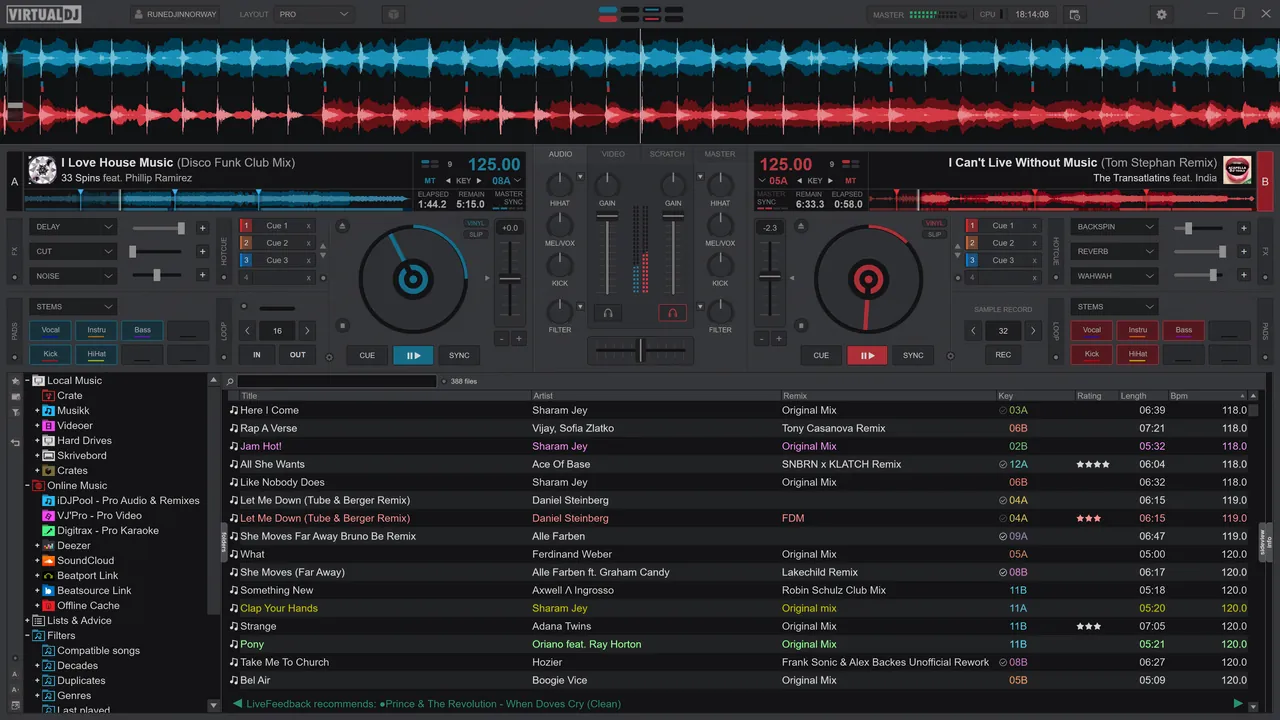
VirtualDJ has been developed since 1996 by Atomix Productions. It plays audio, video and karaoke files, supports from 2 to 99 decks and works with many popular controllers and mixers through plug-and-play detection. Stem separation splits any track into vocals, instruments, kicks, hi-hats and more in real time.
The free license covers non-professional use without professional equipment such as a DJ controller or mixer. A Home license ($4 per month) adds entry-level controllers but keeps the VirtualDJ branding and audio drops; Pro ($19 per month) is required for paid gigs and any controller and removes the audio drop. Licenses are sold only on virtualdj.com and inside the app.
What it does well
- Real-time stems. Isolate or mute vocals, instruments, kicks and hi-hats on any track live.
- Video and karaoke. Mix music videos and host karaoke with video effects and transitions.
- Controller support. Plug-and-play detection for popular DJ controllers and mixers (paid licenses).
- Library tools. Browser with filters, automix editor, POI editor and track cleaner built in.
- Customization. Skins, VDJScript and advanced options let you reshape the interface and mappings.
Who it is for
Good fit
Beginners practising on a laptop, plus mobile and karaoke DJs who mix video.
Look elsewhere
DJs who want to use a controller or play paid gigs without paying a monthly license.
Pros and cons
Pros
- All decks, effects and editors in the free version
- Real-time stem separation
- Video and karaoke mixing
- Supports a huge range of hardware
Cons
- Controllers need a monthly license
- Home license keeps branding and audio drops
- Busy interface for first-time users
How to install VirtualDJ
The button downloads the latest Windows MSI installer directly from virtualdj.com. The free version works without a controller; connecting one or using it professionally requires a paid license bought on virtualdj.com or inside the app.
Questions about VirtualDJ
Is VirtualDJ free?
Yes, for home use without professional equipment such as a DJ controller or mixer. Using an entry-level controller needs the $4 per month Home license, and professional use needs the $19 per month Pro license.
Can I use VirtualDJ with a DJ controller for free?
No. Controllers require a paid license: Home for entry-level controllers, Pro for any controller.
Does VirtualDJ separate stems?
Yes. Real-time stem separation for vocals, instruments, kicks, hi-hats and more is part of VirtualDJ 2026.


