

Our verdict: 7-Zip is the archiver most Windows users should install first. It opens nearly every archive format, compresses better than ZIP with its own 7z format, and costs nothing for home or business use. The interface looks old, but it lives mostly in the right-click menu anyway.
About 7-Zip
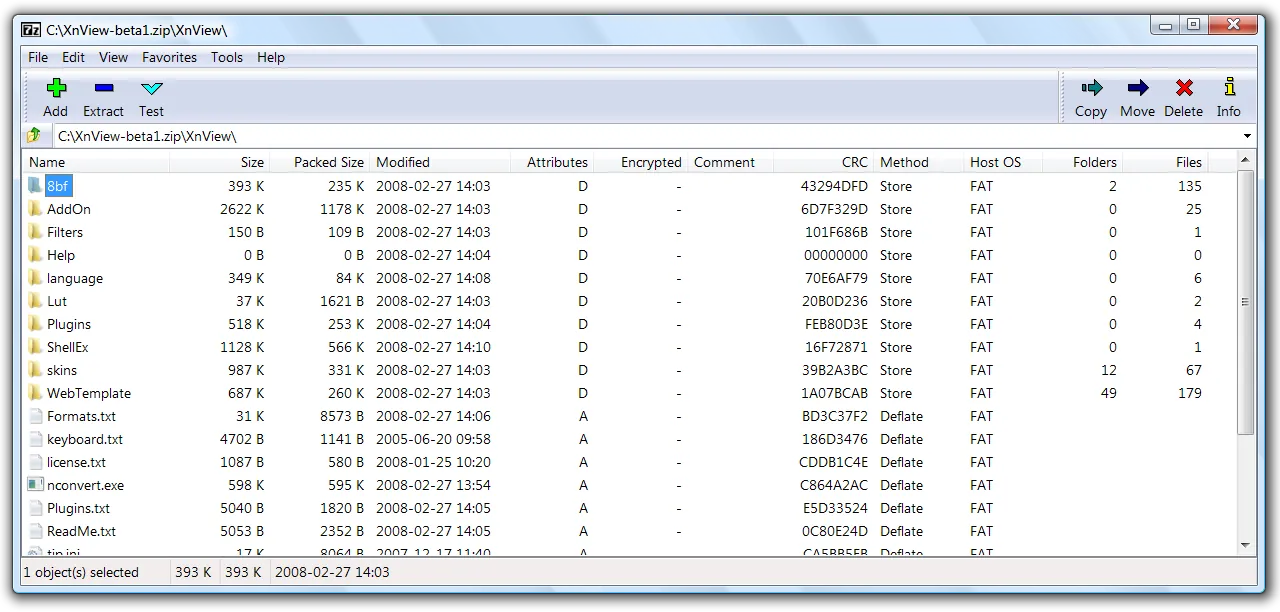
7-Zip has been developed by Igor Pavlov since 1999 and remains a one-person project with a very small installer. It adds a context menu to File Explorer, so most people never open the main window: right-click an archive and choose Extract, or select files and choose Add to archive.
Its native 7z format uses the LZMA and LZMA2 algorithms and usually produces noticeably smaller files than standard ZIP, especially for text, documents and program files. When you need to send an archive to someone who may not have 7-Zip, it creates regular ZIP files too.
What it does well
- Opens almost everything. Extracts 7z, ZIP, RAR, TAR, GZIP, ISO, CAB, WIM and many other formats, including disk images.
- Strong compression. The 7z format with LZMA2 typically beats ZIP on size, and it can use multiple CPU cores.
- AES-256 encryption. Protects 7z and ZIP archives with a password, and 7z can also hide the file names inside.
- Self-extracting archives. Creates .exe archives that unpack on a PC without any archiver installed.
- Command line. The 7z command works in scripts and batch jobs, with console builds for Linux and macOS.
Who it is for
Good fit
Anyone who downloads archives, sends large folders or needs password-protected backups.
Look elsewhere
People who need to create RAR archives: 7-Zip can open them but cannot make them.
Pros and cons
Pros
- Opens nearly every archive format
- 7z archives are small
- Free for commercial use
- Clean installer, no ads
Cons
- Dated, plain interface
- Cannot create RAR archives
- Settings are spread across several dialogs
How to install 7-Zip
The download button gets the 64-bit Windows installer; older 32-bit and ARM PCs need another build from the official download page. The installer takes seconds and contains no extra offers. To make 7-Zip the default for archives, open 7-Zip File Manager as administrator, go to Tools → Options and tick the formats you want.
Questions about 7-Zip
Is 7-Zip safe?
Yes, when you download it from 7-zip.org. Third-party download sites have bundled other software with it in the past, so the official site is the place to get it.
Is 7-Zip free for business use?
Yes. The license allows commercial use without registration or payment.
Can 7-Zip open RAR files?
Yes, including RAR5. It cannot create new RAR archives because the RAR compression format is proprietary.


