
AI tools · Updated
The best AI dictation, transcription and meeting notes apps for Windows
AI speech-to-text apps fall into three groups. Dictation apps type what you say into any text field after you press a shortcut. Transcription apps turn audio and video files into text and subtitles. Meeting note apps record your calls and write summaries afterwards. Decide first which job you need, because few apps do all three well.
The second choice is local or cloud. Apps built on Whisper or Parakeet models can transcribe entirely on your PC, offline and for free, but large models are slow without a decent GPU. Cloud apps usually add AI clean-up and summaries and work on any hardware, but your audio goes to their servers and the free plans have limits.
Our picks at a glance
| App | Best for | License | Price | Download |
|---|---|---|---|---|
 Superwhisper Superwhisper |
Free offline dictation with an optional AI upgrade | Freeware | Free | Review |
 Wispr Flow Wispr Flow |
Fast, AI-polished dictation for email and chat | Freeware | Free | Review |
 Handy Handy |
Completely free, private dictation | Open source | Free | Review |
 Buzz Buzz |
Offline transcripts and subtitles from files and live audio | Open source | Free | Review |
 Vibe Vibe |
Batch transcription with many export formats | Open source | Free | Review |
 Granola Granola |
Meeting notes without a bot joining the call | Freeware | Free | Review |
 Meetily Meetily |
Private meeting transcripts on your own PC | Open source | Free | Review |
1. Superwhisper — AI Dictation App
Best for: Free offline dictation with an optional AI upgrade
- Freeware
- Free
- AI tools
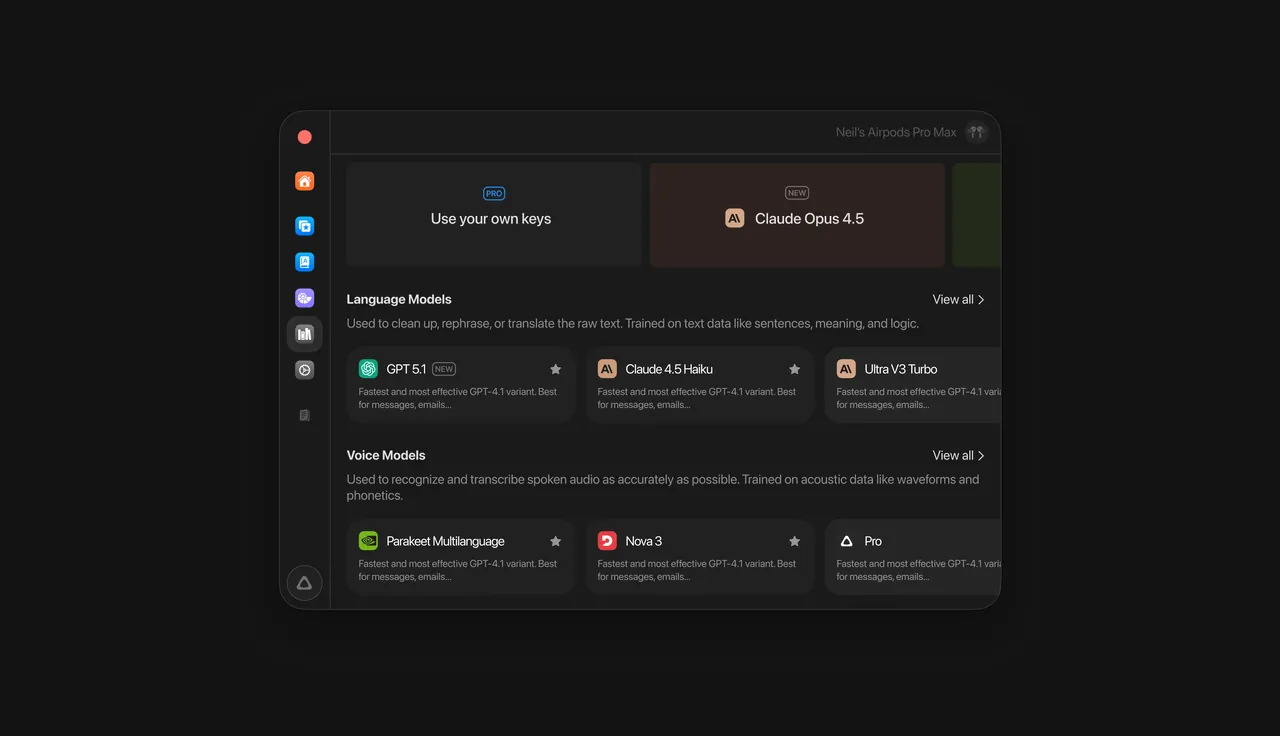
Superwhisper sits in the system tray: press a shortcut, speak, and the text is pasted into the app you are using. The free plan gives unlimited dictation with local Whisper models, custom vocabulary, text replacements and up to two modes without AI processing, and with local models the audio never leaves your PC.
Pro adds AI modes that rewrite text, cloud models, context awareness and file and system audio transcription, for $8.49 a month, $84.99 a year or $249.99 once, with one license for all devices. The best local models are Pro-only, and large local models are slow without a Vulkan-capable GPU. If you want free offline dictation from open-source software, Handy is the alternative.
Pros
- Free unlimited offline dictation
- Audio stays local with local models
- One Pro license for all devices
Cons
- AI modes, cloud models and file transcription need Pro
- Best local models are Pro-only
- Large local models are slow without Vulkan
2. Wispr Flow — AI Dictation App
Best for: Fast, AI-polished dictation for email and chat
- Freeware
- Free
- AI tools
Wispr Flow types into any application and applies AI auto-edits before pasting, so dictated email and chat messages come out cleaner than raw transcripts. It supports more than 100 languages, learns names and jargon through a personal dictionary, and expands spoken cues into saved snippets. Its Notetaker records meetings from your device without adding a bot to the call.
Transcription always runs on Wispr's servers, so there is no offline mode and an account is required. Audio is deleted after transcription unless you enable cloud storage, and model training can be switched off. The free plan includes 2,000 words a week on desktop; Pro costs $15 per user per month, or $12 billed annually. For offline dictation, choose Superwhisper or Handy.
Pros
- Free plan with no card required
- AI auto-edits and voice commands
- Works in every app
Cons
- Cloud-only transcription, no offline mode
- Account required
- Free plan limited to 2,000 words a week on desktop
3. Handy — AI Dictation App
Best for: Completely free, private dictation
- Open source
- Free
- AI tools
Handy is open source under the MIT license and has no paid tier. You hold or toggle a global shortcut, speak, and the text is pasted into the active field. Transcription runs locally with Whisper Small to Large, using the GPU when available, or the CPU-optimized Parakeet V3 with automatic language detection, and no account is needed.
It only types what you say: there is no AI rewriting, tone modes or meeting transcription, which Wispr Flow and Superwhisper Pro offer. It is still a 0.x version that changes quickly, and large Whisper models are slow without a GPU. For people with RSI, writers and developers who want private dictation, it is the simplest free option.
Pros
- Free and open source (MIT)
- Fully offline, no account
- Works in any app via a shortcut
Cons
- No AI formatting or rewriting
- Version 0.x, still evolving quickly
- Large Whisper models are slow without a GPU
4. Buzz — AI Transcription App
Best for: Offline transcripts and subtitles from files and live audio
- Open source
- Free
- AI tools
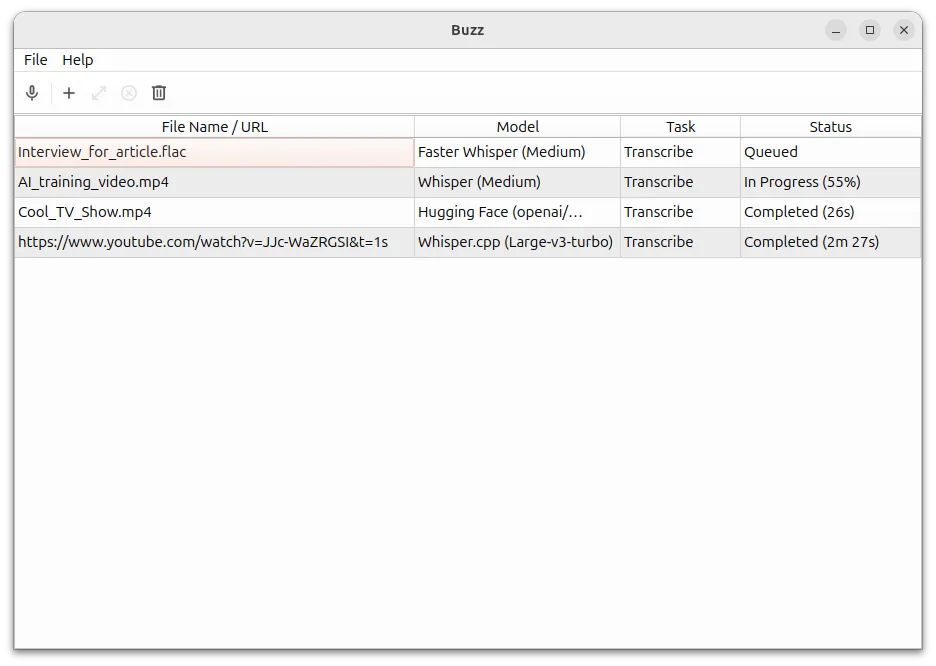

Buzz is an open-source transcription workbench: it transcribes and translates audio and video files and YouTube links, captions the microphone live with a presentation window, identifies speakers and exports TXT, SRT and VTT. It can separate speech from background noise first, and a watch folder, command-line interface and plugins handle automation. Everything runs locally with Whisper models.
It supports whisper.cpp with Vulkan acceleration on most GPUs including integrated ones, and CUDA on NVIDIA. The Windows download is very large, about 2.7 GB, and the unsigned installer triggers a SmartScreen warning. Compared with Vibe, Buzz has live captions; Vibe has more export formats and batch folders.
Pros
- Free and open source (MIT)
- Works fully offline
- Live microphone captions
Cons
- Very large Windows download (about 2.7 GB)
- Unsigned installer triggers SmartScreen
- Large models are slow without a GPU
5. Vibe — AI Transcription App
Best for: Batch transcription with many export formats
- Open source
- Free
- AI tools
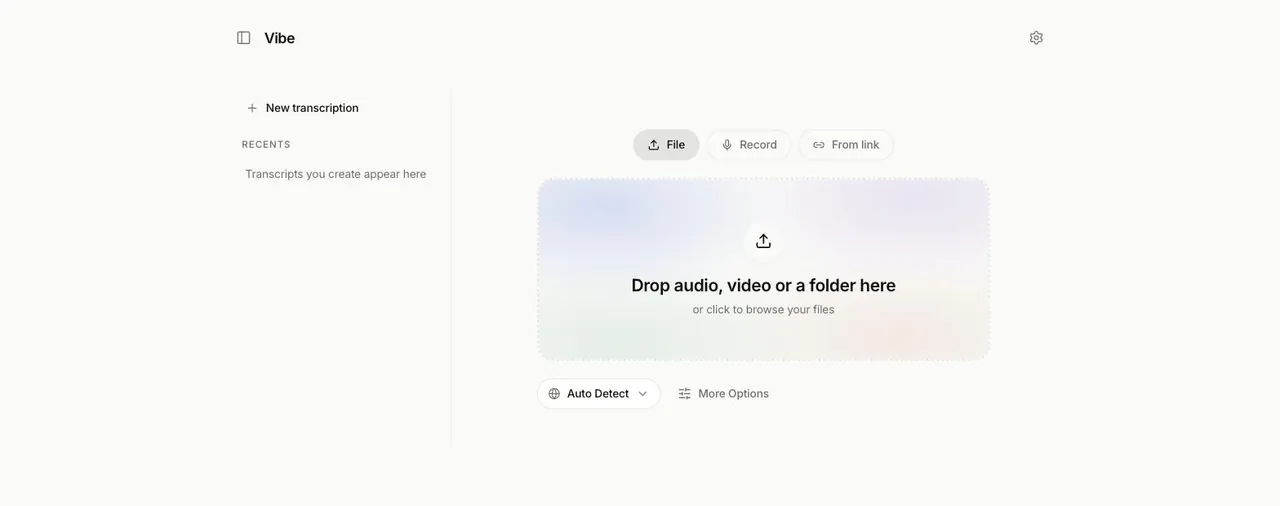

Vibe transcribes files, whole folders in batch mode, the microphone, system audio and online video links on your own device, in close to 100 languages. Besides Whisper models it supports NVIDIA Parakeet TDT v3 and Nemotron, uses the GPU through Vulkan on NVIDIA, AMD and Intel cards, and separates speakers without a cloud service. Exports include SRT, VTT, TXT, HTML, PDF, JSON and DOCX.
Optional summaries run locally with an Ollama model or online with your own paid Claude API key, which is the only option that sends text out. Models are separate downloads, and large ones need a decent GPU. Vibe does not type into other apps, so pair it with a dictation tool such as Handy if you need both.
Pros
- Free and open source (MIT)
- Audio never leaves your PC
- Batch transcription of folders
Cons
- Large models need a decent GPU for good speed
- Models are separate downloads
- Claude summaries require your own paid API key
6. Granola — AI Meeting Notes App
Best for: Meeting notes without a bot joining the call
- Freeware
- Free
- AI tools
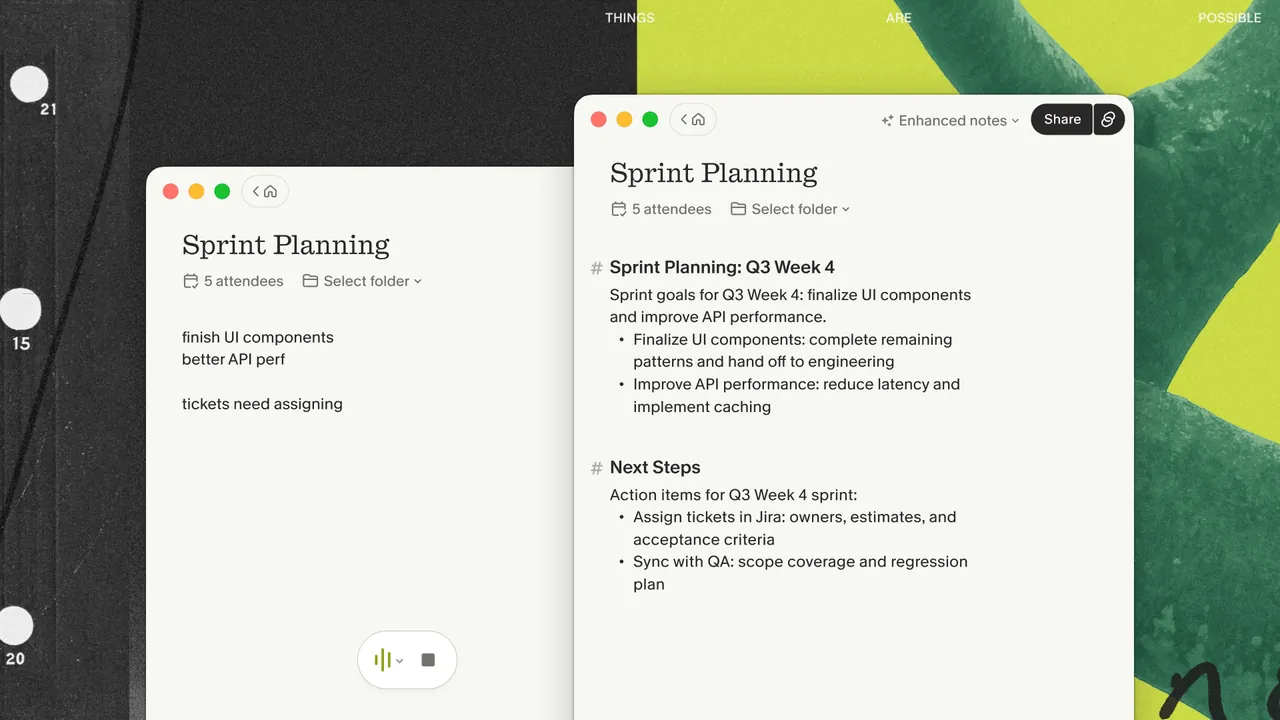
Granola captures your microphone and system audio, so it works with Zoom, Microsoft Teams, Google Meet and in-person conversations without adding a bot. You type rough notes during the meeting, and afterwards Granola combines them with the transcript into structured notes using templates. AI chat answers questions within one meeting or across all of them.
Processing is cloud-based, with providers such as Deepgram, Assembly, OpenAI and Anthropic, and a Google or Microsoft account is required. Audio is deleted after transcription, so there is no playback, and transcripts live in Granola's cloud. The free Basic plan keeps only 30 days of history; Business costs $14 per user per month. For meetings that must stay on your PC, use Meetily.
Pros
- Free plan, no bot in meetings
- Works with any meeting app
- Your own notes guide the summary
Cons
- Free plan keeps only 30 days of history
- Cloud processing, internet required
- Requires a Google or Microsoft account
7. Meetily — AI Meeting Notes App
Best for: Private meeting transcripts on your own PC
- Open source
- Free
- AI tools

Meetily records microphone and system audio from any meeting app, transcribes it in real time with local Whisper or Parakeet models and stores recordings and transcripts on your device. Summaries use a local model through Ollama, which works offline, or your own API key for Claude, OpenAI, Groq, OpenRouter or another OpenAI-compatible endpoint.
The free Community Edition is open source under the MIT license, but speaker identification, meeting auto-detection, calendar integration and PDF or DOCX exports are reserved for the paid Pro edition. The Windows build needs a CPU with AVX2, and summary quality depends on the model you set up. Granola is more polished but sends everything to the cloud.
Pros
- Free and open source
- Transcription runs locally
- Choice of local or cloud summaries
Cons
- Speaker identification only in paid Pro
- Needs an AVX2 CPU; no native Linux app yet
- Summary quality depends on the model you set up
Local or cloud: privacy and accuracy trade-offs
Handy, Buzz, Vibe and Meetily transcribe on your own PC, and Superwhisper does too with local models. The internet is needed only to download models. This suits confidential interviews, medical or legal notes and anything you would not upload.
Wispr Flow and Granola always process audio in the cloud. In exchange they add AI clean-up, summaries and chat on any hardware. Both delete audio after transcription by default, but the text is processed by their servers and AI providers.
Hardware for local models
Large Whisper models are slow without a decent GPU, so the graphics card decides which model you can use comfortably. Buzz and Vibe use Vulkan on most graphics cards, Superwhisper needs a Vulkan-capable GPU for its larger models, and Meetily requires a CPU with AVX2. Handy offers Parakeet V3 as a CPU-optimized choice for PCs without a good graphics card.
Free vs paid
Fully free with no paid tier: Handy, Buzz and Vibe. Free with paid upgrades: Superwhisper with unlimited local dictation, Meetily Community Edition, Wispr Flow with 2,000 words a week on desktop, and Granola with 30 days of meeting history.
Frequently asked questions
What is the best free speech-to-text app for Windows?
For dictation into any app, Handy is fully free and offline, and Superwhisper has a free plan with unlimited local dictation. For transcribing files and making subtitles, Buzz and Vibe are free and open source.
Is Wispr Flow better than Superwhisper?
Wispr Flow edits your speech with AI in the cloud and is limited to 2,000 words a week for free. Superwhisper gives unlimited offline dictation for free and adds AI modes and cloud models with Pro. Choose Wispr Flow for polished text, Superwhisper for privacy.
Is there an offline Whisper app for Windows?
Yes. Buzz, Vibe, Handy and Meetily all run Whisper models on your PC without an internet connection once the model is downloaded.
Which app takes meeting notes without a bot?
Granola and Meetily both record device audio instead of joining the call. Granola processes it in the cloud; Meetily transcribes locally. Wispr Flow also has a bot-free Notetaker.
Can I make subtitles from a video?
Yes. Buzz exports SRT and VTT, and Vibe adds a stable timestamps mode for subtitles plus more export formats.
ExeDepot does not host installers. Every download button opens the developer's own server or official download page. Prices and licenses come from each developer's site and were checked on .