

Our verdict: Buzz is a full-featured offline transcription workbench: files, YouTube links, live microphone captions, speaker identification and subtitle export in one app. Everything runs locally with Whisper models. The Windows download is large and unsigned, so expect a SmartScreen warning and a long download.
About Buzz
Buzz is an open-source desktop app under the MIT license that transcribes and translates speech with OpenAI's Whisper models on your own computer. It supports several backends: Whisper, whisper.cpp with Vulkan acceleration on most GPUs including integrated ones, CUDA on NVIDIA cards, and Whisper-type models from Hugging Face.
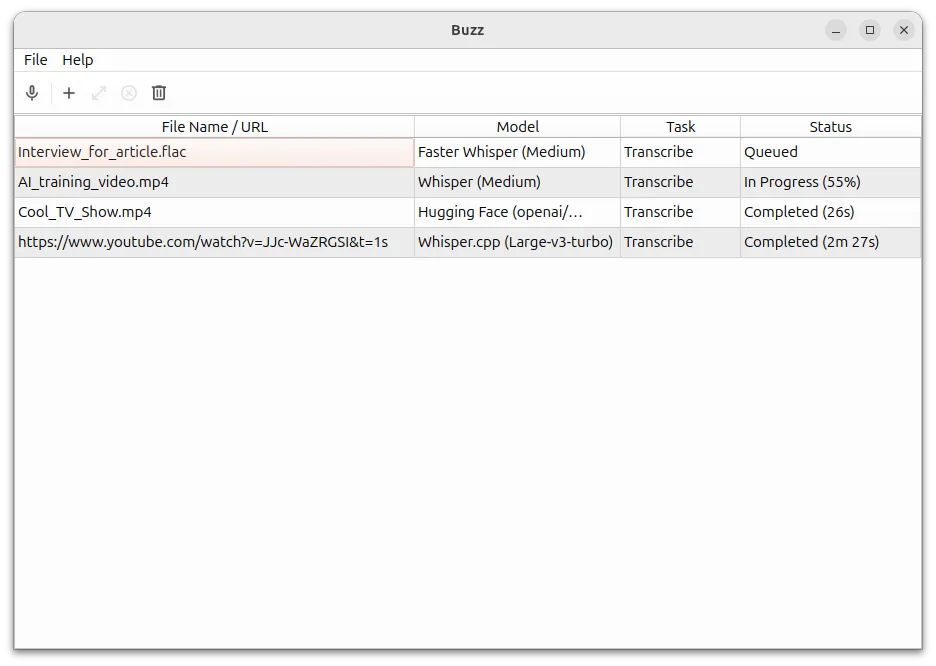
You can transcribe audio and video files or YouTube links, or caption the microphone live with a presentation window for events. Buzz can separate speech from background noise first, identify speakers, and export TXT, SRT and VTT. A transcript viewer offers search and playback controls, and a watch folder, command-line interface and plugins handle automation. Audio stays on your PC.
What it does well
- Offline transcription. Transcribes and translates files with Whisper models on your PC.
- Live captions. Transcribes the microphone in real time with a presentation window.
- Speaker identification. Labels who is speaking in transcribed recordings.
- Subtitle export. Saves transcripts as TXT, SRT or VTT.
- Automation. Watch folder, command-line interface and plugins such as AI summaries.
Who it is for
Good fit
Journalists, students and video makers who need private, offline transcripts and subtitles.
Look elsewhere
People with slow internet or little disk space, because the Windows package is several gigabytes.
Pros and cons
Pros
- Free and open source (MIT)
- Works fully offline
- Live microphone captions
- Speaker identification and subtitle export
Cons
- Very large Windows download (about 2.7 GB)
- Unsigned installer triggers SmartScreen
- Large models are slow without a GPU
How to install Buzz
Open the installation page and follow the link to the official SourceForge files; download the Windows X64 zip (about 2.7 GB). Extract it and run the setup program. The app is not signed, so click More info and Run anyway in SmartScreen. On first use Buzz downloads the Whisper model you choose; smaller models are faster, larger ones more accurate.
Questions about Buzz
Is Buzz free?
Yes. Buzz is open source under the MIT license and free to use on Windows, macOS and Linux.
Does Buzz upload my audio?
No. Buzz transcribes with Whisper models running on your own computer; the internet is only needed to download models or YouTube audio.


