

Our verdict: Granola is an AI meeting notepad that stays out of the way: no bot joins the call, you jot a few notes, and it writes a structured summary from the transcript afterwards. The free Basic plan is fine for trying it but only keeps 30 days of meeting history. Transcription and AI run in the cloud, and a Google or Microsoft account is required.
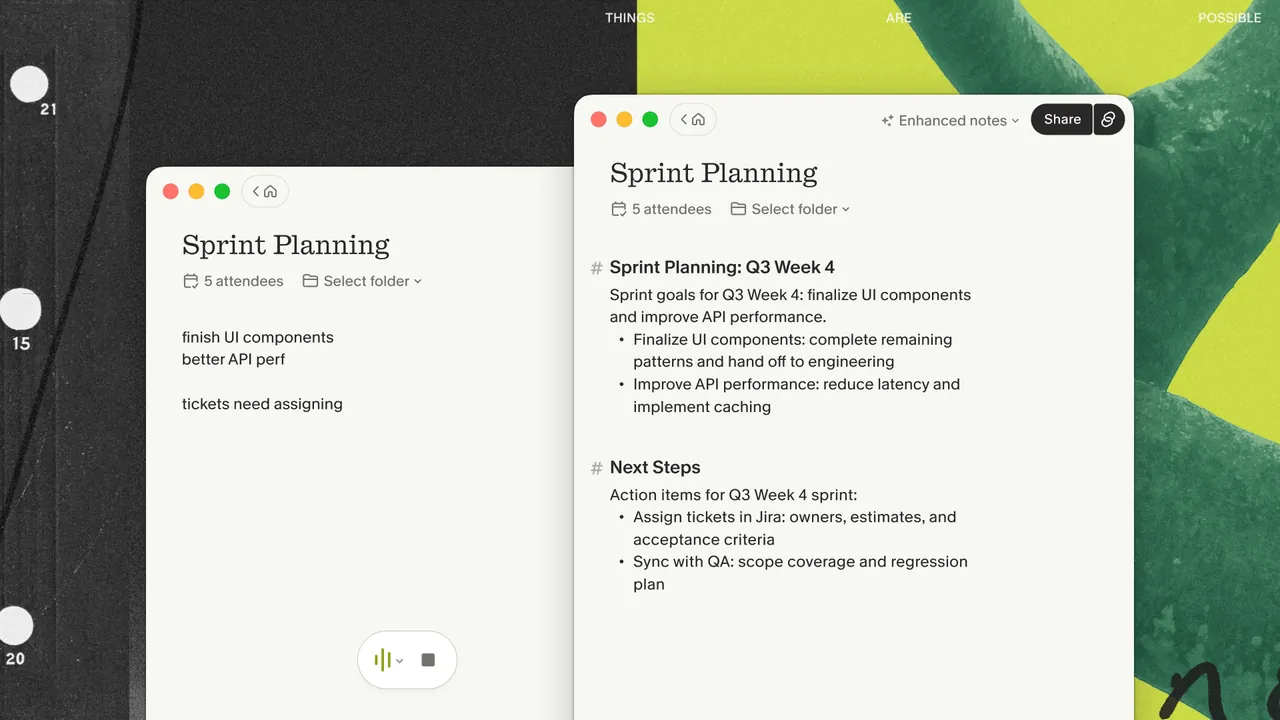
About Granola
Granola captures your computer's microphone and system audio, so it works with Zoom, Microsoft Teams, Google Meet and in-person conversations without adding a bot. During the meeting you type rough notes; afterwards Granola combines them with the transcript into detailed notes using custom templates, and you can chat with AI across your meetings.
Processing is cloud-based: Granola uses transcription providers such as Deepgram and Assembly and AI providers such as OpenAI and Anthropic. Audio is cached during the meeting and deleted once transcription completes; transcripts and notes are stored in Granola's cloud. The Basic plan is free with 30 days of history; Business costs $14 per user per month and adds unlimited history and integrations.
What it does well
- Bot-free capture. Transcribes from your device audio instead of joining calls as a bot.
- AI-enhanced notes. Turns your rough notes and the transcript into structured summaries.
- Note templates. Customized templates shape the notes for different kinds of meetings.
- AI chat. Ask questions within one meeting or across all your meetings.
- Shared folders. Share notes and folders with teammates.
Who it is for
Good fit
People in back-to-back video calls who want accurate notes without a recording bot.
Look elsewhere
Confidential meetings that must not leave the PC, offline use, and anyone needing long history for free.
Pros and cons
Pros
- Free plan, no bot in meetings
- Works with any meeting app
- Your own notes guide the summary
- Audio deleted after transcription
Cons
- Free plan keeps only 30 days of history
- Cloud processing, internet required
- Requires a Google or Microsoft account
How to install Granola
The button downloads the latest Windows installer. Run it, then sign in with a Google Workspace or Microsoft account and connect your calendar so upcoming meetings appear. Audio permissions are granted automatically on Windows. Let other participants know you are taking AI notes; Granola has built-in options for that.
Questions about Granola
Is Granola free?
Yes, the Basic plan is free and includes AI meeting notes, AI chat and templates, but keeps only 30 days of meeting history. The Business plan costs $14 per user per month.
Does Granola record audio?
It transcribes your device audio in real time. Audio is cached during the meeting and deleted after transcription, so there is no audio playback; transcripts and notes are kept in Granola's cloud.


