
AI tools · Updated
ChatGPT vs Claude vs Copilot: the best AI chatbot apps for Windows
All the big AI assistants now have a Windows app, and each one is free to start with. The free plans are where they differ most: some give unlimited everyday chats but ration uploads, voice and research, others cap total usage, and the best models and agent features sit behind paid plans.
The desktop apps also do more than a browser tab. Depending on the app, they can read files and folders you allow, work with what is on your screen, run coding agents or sit behind a global shortcut. Every option here processes your chats in the cloud, so it is worth knowing which ones train on your conversations by default. If you need AI that never leaves your PC, see our guide to local LLM apps such as LM Studio and Jan.
Our picks at a glance
| App | Best for | License | Price | Download |
|---|---|---|---|---|
 ChatGPT ChatGPT |
The best all-round free assistant | Freeware | Free | Review |
 Claude Claude |
Working with local files, documents and code | Freeware | Free | Review |
 Microsoft Copilot Microsoft Copilot |
Microsoft 365 subscribers and work accounts | Freeware | Free | Review |
 Perplexity Perplexity |
Research with cited sources | Freeware | Free | Review |
 Poe Poe |
Trying many AI models with one account | Freeware | Free | Review |
 Chatbox Chatbox |
A clean client for your own API keys | Freeware | Free | Review |
 Cherry Studio Cherry Studio |
Power users who want every provider in one open-source app | Open source | Free | Review |
 Noi Noi |
Keeping several AI websites open in one window | Freeware | Free | Review |
1. ChatGPT — AI Chat App
Best for: The best all-round free assistant
- Freeware
- Free
- AI tools
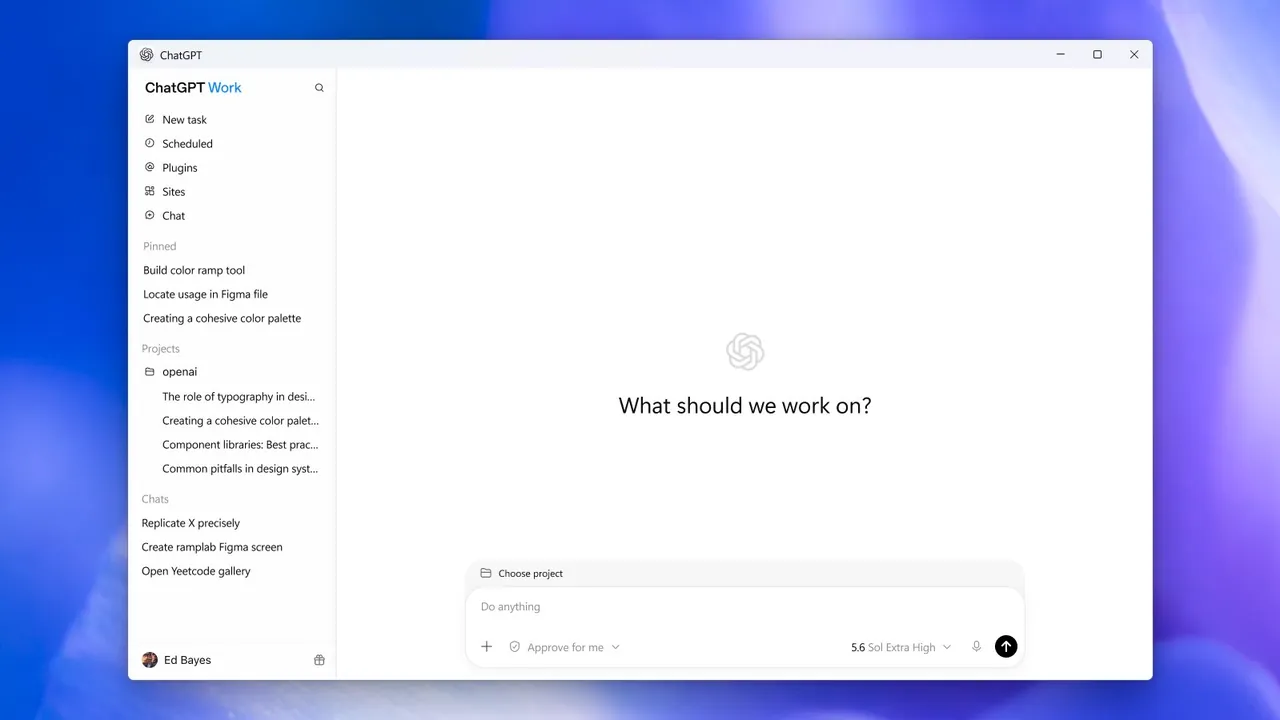
ChatGPT's free plan is the most generous for plain conversation: unlimited text chats with OpenAI's everyday model, subject to abuse guardrails. The Windows app adds context from your screen, screenshots, files and email, and it combines regular chat with ChatGPT Work for longer delegated tasks and the Codex coding agent. Chats sync with the web and mobile apps.
Uploads, image creation, voice, deep research, Codex and ChatGPT Work are all limited on Free, and the cheaper Go plan may show ads. On Windows the app installs only through the Microsoft Store. Chats on personal plans are used for training unless you turn off Improve the model for everyone; Claude uses chats only if you allow it.
Pros
- Unlimited everyday text chats on the free plan
- Chat, Codex and ChatGPT Work in one app
- Clear Data controls to opt out of training
Cons
- Uploads, images, voice and Codex are limited on Free
- Windows version installs only through the Microsoft Store
- Chats are used for training unless you opt out
2. Claude — AI Chat App
Best for: Working with local files, documents and code
- Freeware
- Free
- AI tools
The Claude desktop app is available on every plan, including Free, and its standout feature is desktop extensions: locally installed add-ons that give Claude access to your file system, browser and native apps. The free plan includes chat, web search, creating files with code execution, memory, connectors, Artifacts, voice mode and up to five projects. A quick-entry shortcut opens it from anywhere in Windows.
Usage limits on Free are tighter than ChatGPT's unlimited everyday chats, and Claude Code and Research need Pro at $20 per month, or $17 per month billed annually. Unlike ChatGPT, Anthropic uses consumer chats to improve its models only if you allow it in the privacy settings, and incognito chats are never used.
Pros
- Desktop app available on the free plan
- Desktop extensions reach local files and apps
- Chats and projects sync with web and mobile
Cons
- Free plan has usage limits and no Claude Code or Research
- Requires an account and an internet connection
- Prompts and files are processed in Anthropic's cloud
3. Microsoft Copilot — AI Chat App
Best for: Microsoft 365 subscribers and work accounts
- Freeware
- Free
- AI tools
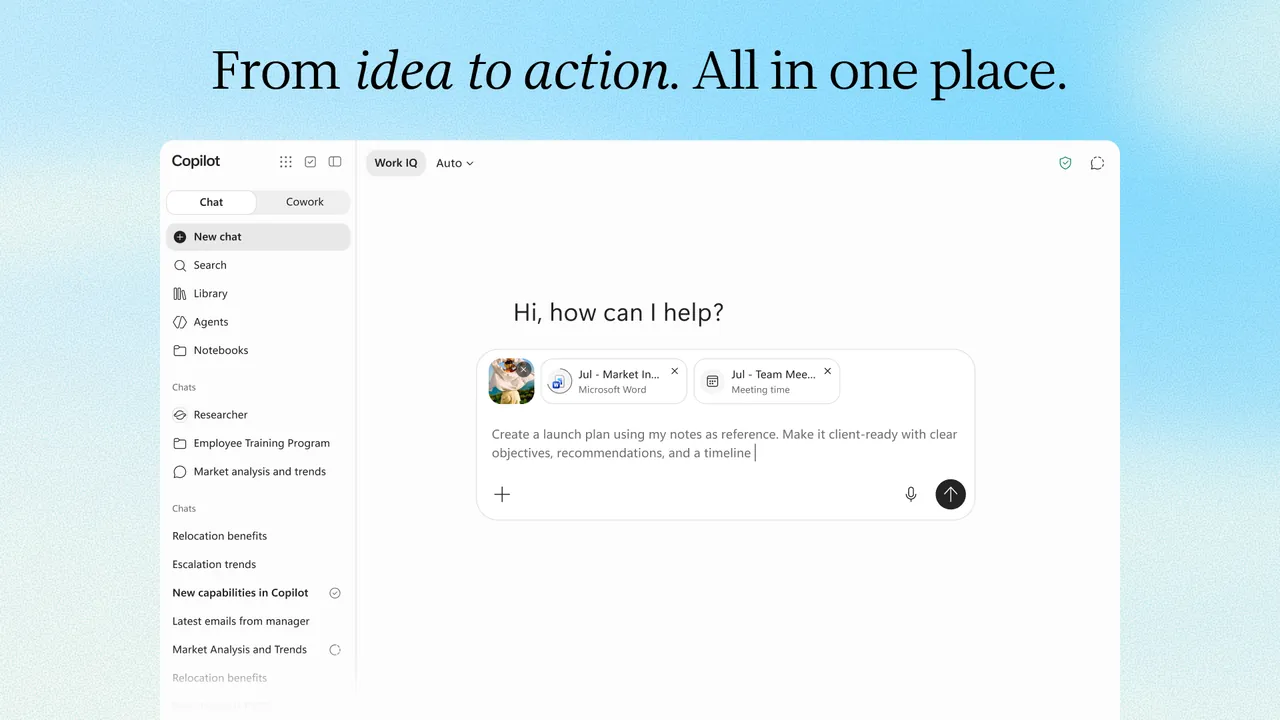
Microsoft Copilot is free with a personal Microsoft account and lets you switch between OpenAI and Anthropic models, which makes it a cheap way to try both. It covers chat, voice, help with what is on your screen or camera, and image creation. With a work or school account, Work IQ can use your organisation's files, email and Teams meetings.
The free tier has usage limits, and the more advanced features such as Cowork, Researcher and Analyst need Microsoft 365 Premium or Pro. Microsoft 365 Personal at $9.99 per month raises the limits and adds Copilot in Word, Excel, PowerPoint and Outlook. Feature availability varies by country, account and licence, which makes it harder to know in advance what you will get than with ChatGPT or Claude.
Pros
- Free with a personal Microsoft account
- Works with OpenAI and Anthropic models
- Integrates with Microsoft 365 apps and work data
Cons
- Cowork, Researcher and Analyst need Microsoft 365 Premium or Pro
- Feature availability varies by country, account and licence
- Requires sign-in and cloud processing
4. Perplexity — AI Search App
Best for: Research with cited sources
- Freeware
- Free
- AI tools
Perplexity is an answer engine rather than a general chatbot: every answer links to the web sources it was built from, and you keep asking follow-up questions in the same thread. The Windows app can also read and create files in folders you allow, opens from a floating task bar over other apps, and supports Remote Access to start desktop tasks from your phone.
The free plan covers simple everyday questions but has tight weekly limits on the best models; deep research, model choice and document creation need Pro, listed at $17 per month billed annually. Like ChatGPT, it installs through the Microsoft Store, even when you start from the website installer.
Pros
- Answers come with source citations
- Can work with local files in folders you choose
- Free plan for everyday questions
Cons
- Free plan has tight weekly limits on the best models
- Windows version installs only through the Microsoft Store
- Requires an account and an internet connection
5. Poe — AI Chat App
Best for: Trying many AI models with one account
- Freeware
- Free
- AI tools
Poe from Quora gives access to bots from OpenAI, Anthropic, Google, Meta and others, plus image, video and audio generators, in one app. Each bot shows its price in compute points before you send a message, so you can compare models side by side without separate subscriptions. Group chats with people and bots and temporary chats that are deleted within 24 hours are also included.
Free points reset every 24 hours, do not roll over and run out quickly with large models; Poe does not publish the exact daily amount. Subscriptions start at $4.99 per month, and some bots are subscriber-only. If you mostly use one model, its own app, such as Claude or ChatGPT, gives more for free.
Pros
- Bots from many AI companies under one account
- Point price shown before every message
- Chats sync between desktop, web and mobile
Cons
- Free daily points run out fast with large models
- Some bots are only available to subscribers
- Prompts go to third-party model providers in the cloud
6. Chatbox — AI Chat App
Best for: A clean client for your own API keys
- Freeware
- Free
- AI tools
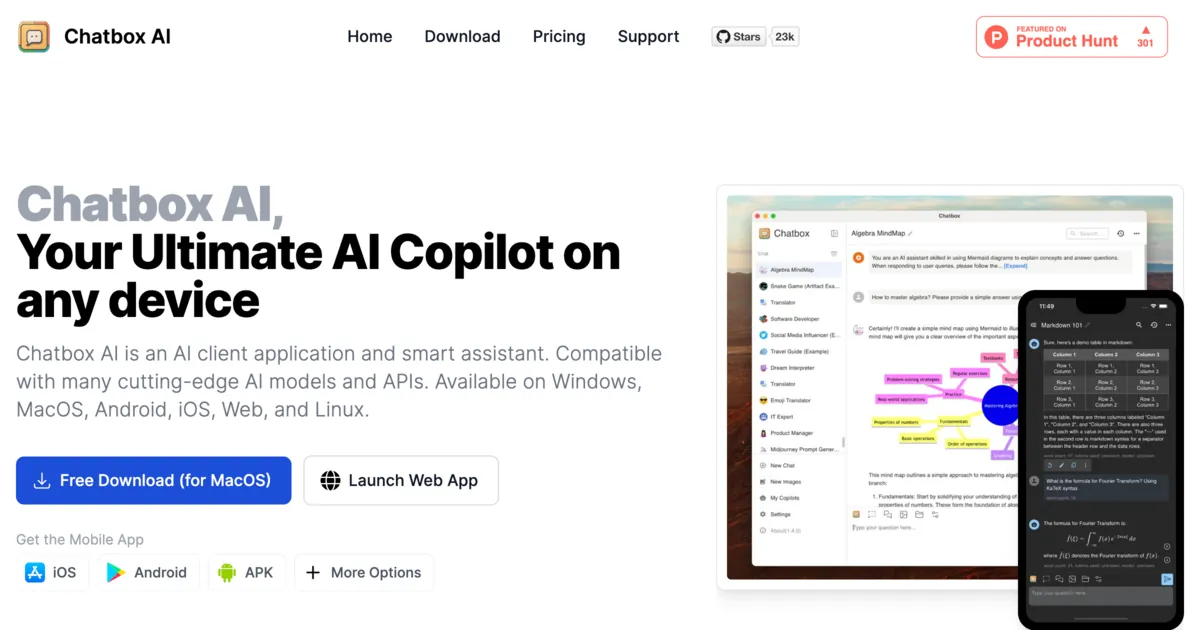
Chatbox is a free chat client that works with API keys from OpenAI, Anthropic, Google Gemini, DeepSeek, OpenRouter and others, or with a local model server, and keeps conversation history on your device. It handles attached files and images, renders Markdown and LaTeX, and the desktop app can build a private knowledge base from local documents.
With API keys you pay the provider per use, which can be cheaper than a subscription for light users and more expensive for heavy ones. The developer's own hosted Chatbox AI service has only a small free daily allowance, and the current desktop app is not open source. For an open-source alternative with more features, look at Cherry Studio.
Pros
- Free app with no account needed for your own keys
- Many cloud providers in one interface
- Local storage of chat history
Cons
- Hosted free tier is small; advanced models need Pro or Pro+
- The current desktop app is not open source
- No built-in local model runner
7. Cherry Studio — AI Chat App
Best for: Power users who want every provider in one open-source app
- Open source
- Free
- AI tools
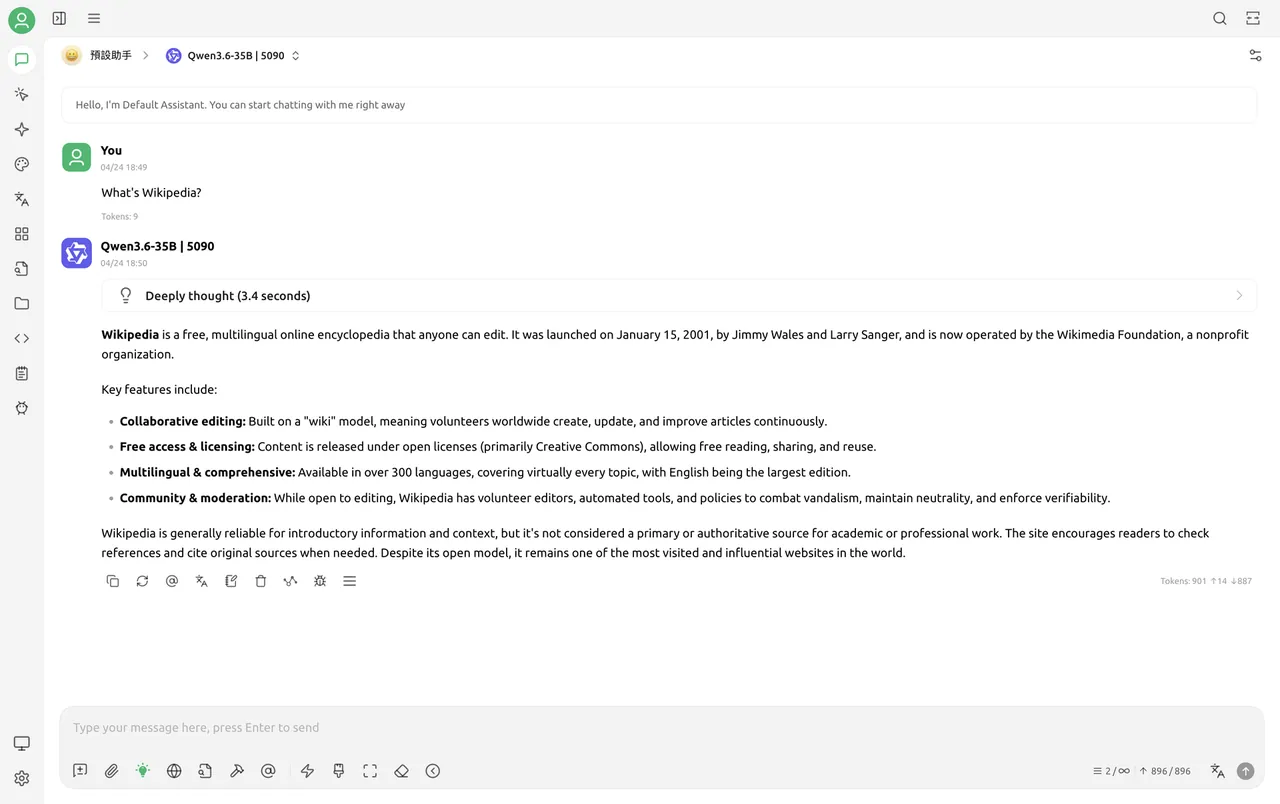

Cherry Studio is open source under the AGPL v3 and puts cloud providers such as OpenAI, Gemini and Anthropic next to local Ollama or LM Studio servers. It ships more than 300 preconfigured assistants, can send one prompt to several models at once to compare answers, reads Office files and PDFs, and works as an MCP client.
It has no model of its own, so you need API keys or a local server, and cloud providers bill you separately. The settings are busy and the provider list is long, with many Chinese-market services. Beginners will be happier with Chatbox or one of the official apps above.
Pros
- Free and open source
- Works with cloud and local models
- Side-by-side multi-model answers
Cons
- No built-in model: needs API keys or a separate local server
- Busy settings with a long list of providers
- Cloud providers bill you separately for API use
8. Noi — AI Chat Hub
Best for: Keeping several AI websites open in one window
- Freeware
- Free
- AI tools
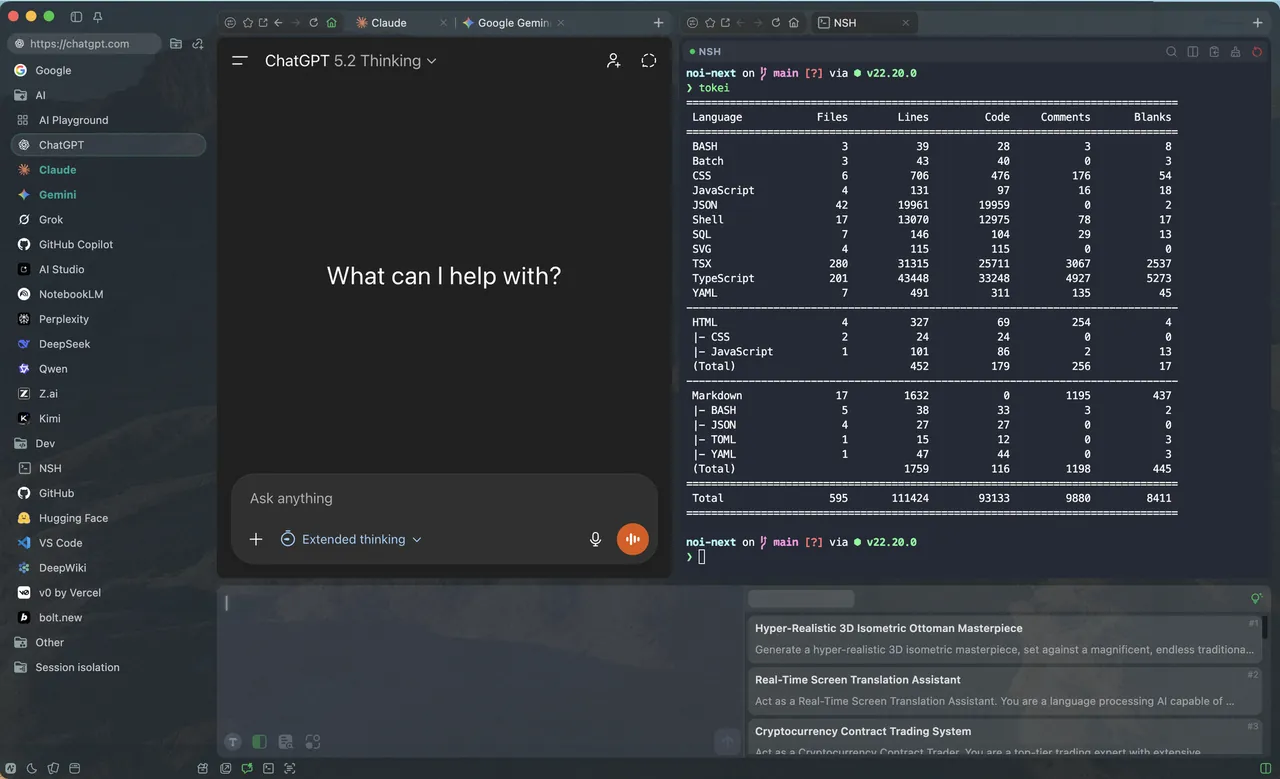
Noi is a free browser built around AI chat sites. It opens ChatGPT, Claude, Gemini, Grok, Perplexity, DeepSeek and others side by side, each in an isolated session, and adds a local prompt library and a built-in terminal. It suits people who already use several services and are tired of juggling browser tabs.
Noi has no AI of its own: every chat goes to the website you are using, under that service's terms and limits, and each needs its own account. It is closed source and maintained by a single developer. If you want one bill for many models instead of many accounts, Poe is the alternative.
Pros
- Free, with many AI sites ready to use
- History, prompts and settings stay on your PC
- Isolated sessions and multiple windows
Cons
- No AI of its own; each service needs its own account and limits apply
- Closed source, maintained by a single developer
- Little official documentation
Free plans compared
ChatGPT has the most usable free plan for everyday text chat, with no fixed cap on everyday chats but limits on uploads, images, voice and research. Claude includes more tools on Free, such as file creation, connectors and projects, but with tighter usage limits. Copilot is free with a Microsoft account and lets you pick OpenAI or Anthropic models, and Perplexity rations its best models weekly.
Paid plans sit close together: Claude Pro costs $20 per month or $17 billed annually, Perplexity Pro is listed at $17 per month billed annually, and Microsoft 365 Personal costs $9.99 per month. Poe subscriptions start at $4.99 per month. Chatbox and Cherry Studio are free apps, but you pay the API provider for what you use.
Privacy and training on your chats
All of these apps send your prompts to the cloud. On personal plans, ChatGPT uses chats for training unless you turn off Improve the model for everyone in Data controls; temporary chats are not used. Claude uses chats only if you allow it, and incognito chats never. Poe and Noi pass your text to third-party providers, and with Chatbox or Cherry Studio the provider you pick handles your data.
For confidential material, the only fully private route is a local model. Cherry Studio and Chatbox can connect to a local server, and dedicated apps such as LM Studio, Jan run models on your own PC; Msty Studio mixes local engines and cloud providers in one window.
Official app or multi-model client?
Official apps get the features first: screen context and Codex in ChatGPT, desktop extensions and Claude Code in Claude, Work IQ in Copilot. Multi-model clients trade those features for flexibility. Use Poe to compare models under one account, Noi to keep several websites in one window, and Cherry Studio or Chatbox if you prefer paying per use with your own API keys.
Frequently asked questions
Is ChatGPT better than Claude?
It depends on the task. ChatGPT has the more generous free plan for everyday chat plus image creation, voice and the Codex agent. Claude stands out for working with local files through desktop extensions and does not train on your chats unless you allow it. Both are free to start, so you can compare them on your own tasks.
Is Copilot the same as ChatGPT?
No. Microsoft Copilot is Microsoft's own assistant. It lets you switch between OpenAI and Anthropic models, and it integrates with Microsoft 365 apps and, for work accounts, your organisation's files and email.
What is the best free AI chatbot for Windows?
For most people, ChatGPT, because its free plan includes unlimited everyday text chats. Copilot is a good second option if you already have a Microsoft account, and Perplexity is better when you need cited sources.
Can I install ChatGPT on Windows without the Microsoft Store?
No. The official ChatGPT download page installs the Windows app through the Microsoft Store. The same applies to Perplexity: its website installer also installs the app through the Store.
Can I use ChatGPT, Claude and Gemini in one app?
Yes. Poe gives access to models from several companies with one account and shared points, Noi opens their websites side by side, and Cherry Studio or Chatbox connect to them with your own API keys.
ExeDepot does not host installers. Every download button opens the developer's own server or official download page. Prices and licenses come from each developer's site and were checked on .