
Internet · Updated
The best torrent clients for Windows
BitTorrent is a peer-to-peer protocol for sharing large files, used for example to distribute Linux images and other large files. A torrent client downloads pieces of a file from many people at once and uploads the pieces you already have to others. The clients themselves include no content; what you download is up to you.
All clients below are free and support magnet links. The differences are ads, whether the code is open source, how actively the app is developed, and extras such as built-in search, RSS automation and a web interface for controlling downloads from another device. A legal note: downloading or sharing copyrighted material without permission is illegal in many countries, and on a torrent network other peers can see your IP address.
Our picks at a glance
| App | Best for | License | Price | Download |
|---|---|---|---|---|
 qBittorrent qBittorrent |
The best all-round torrent client | Open source | Free | Review |
 Transmission Transmission |
A small, simple client with few settings | Open source | Free | Review |
 Deluge Deluge |
Home servers and plugin fans | Open source | Free | Review |
 BiglyBT BiglyBT |
Experienced users who want every statistic | Open source | Free | Review |
 Tixati Tixati |
Detailed peer and bandwidth charts in a small app | Freeware | Free | Review |
 PicoTorrent PicoTorrent |
A minimal client with a native Windows look | Open source | Free | Review |
 µTorrent Classic µTorrent Classic |
Only if you already know its interface | Freeware | Free | Review |
1. qBittorrent — Torrent Client
Best for: The best all-round torrent client
- Open source
- Free
- Internet
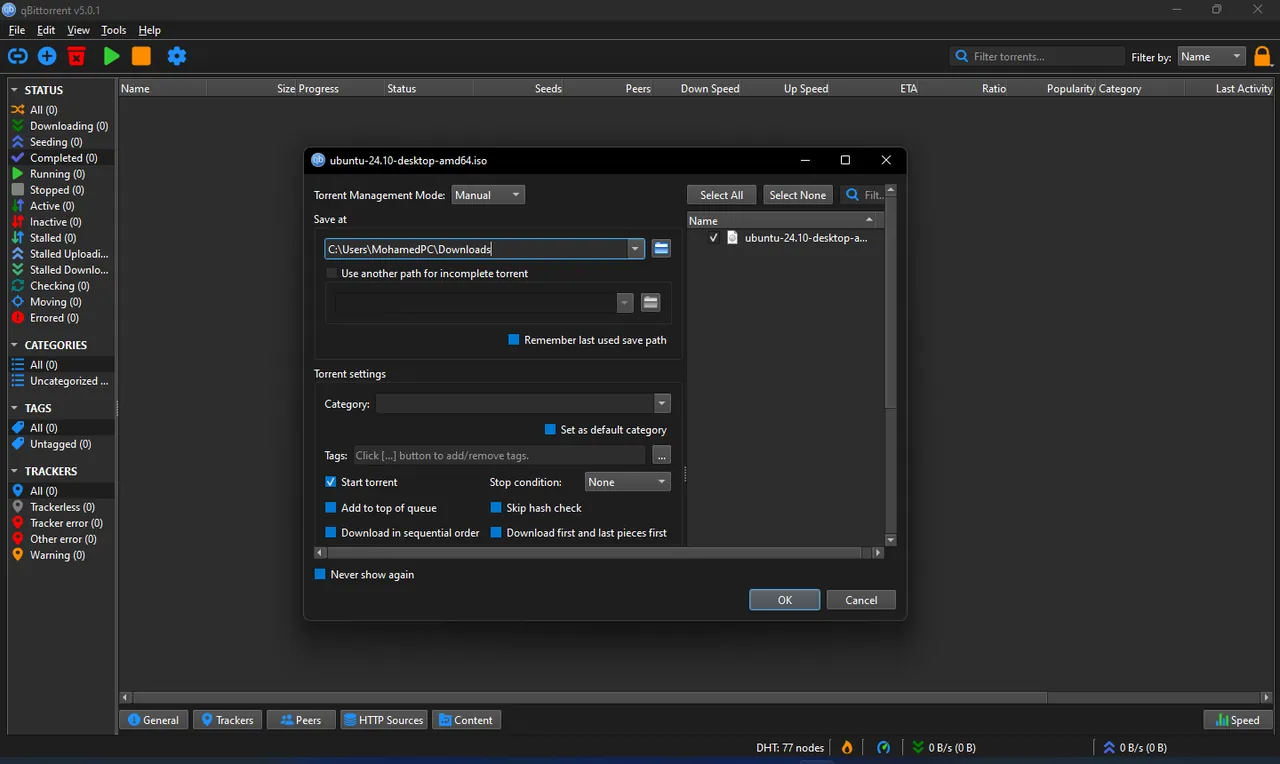

qBittorrent is the client to install for most people: open source, no ads, no paid edition, and the most complete feature set here. It has a built-in search across several torrent sites, RSS download rules with regular expressions, a web interface that mirrors the desktop app, sequential download, a bandwidth scheduler and a torrent creator.
The many settings can overwhelm beginners, the built-in search needs Python installed, and the two installer variants that differ only in libtorrent version can confuse; pick the standard x64 installer. If you want fewer options, Transmission is simpler.
Pros
- No ads
- RSS automation with regex filters
- Web interface for remote control
Cons
- Many settings can overwhelm new users
- Built-in search needs Python installed
- Two installer variants with different libtorrent versions can confuse
2. Transmission — Torrent Client
Best for: A small, simple client with few settings
- Open source
- Free
- Internet
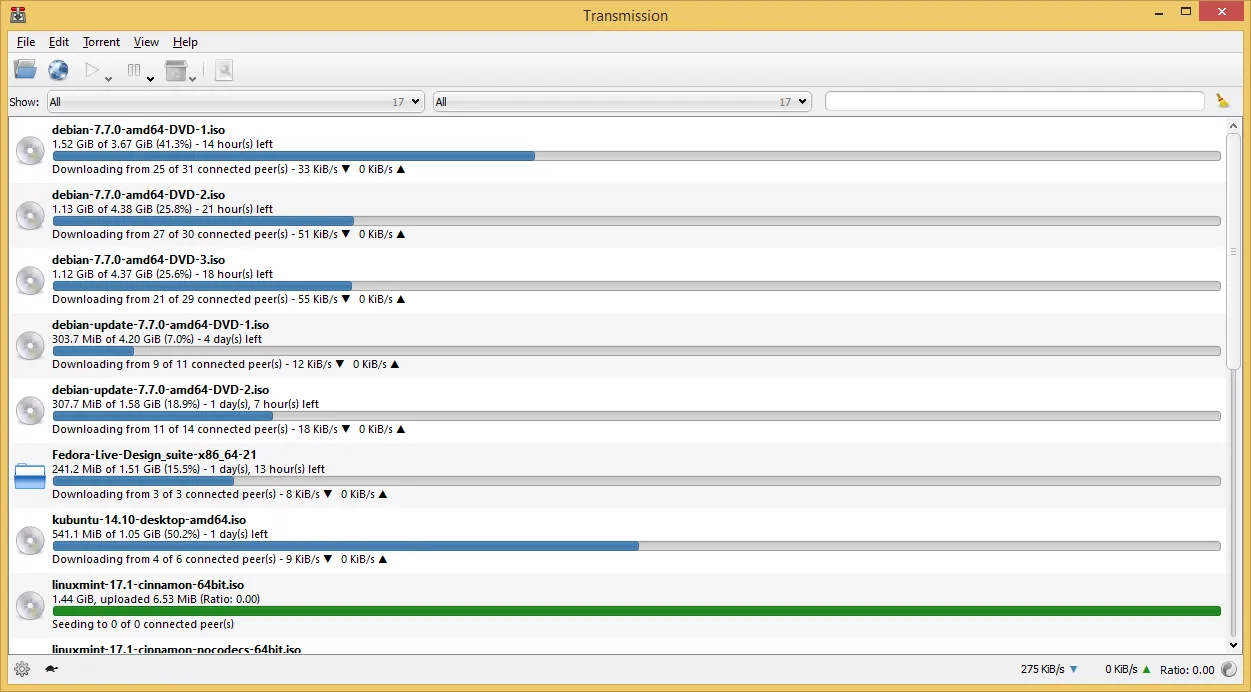

Transmission has been open source since 2005 and focuses on low memory use and a short list of settings. It supports magnet links, encryption, DHT, peer exchange, per-torrent speed limits, scheduled alternative speeds and file selection, and its web interface lets you manage downloads from another device.
It has no built-in torrent search and no RSS rules, and the Windows version, with a plain Qt interface, gets less attention than the macOS and Linux versions. qBittorrent covers more if you outgrow it.
Pros
- No ads or bundled software
- Light on memory
- Built-in web interface
Cons
- No built-in torrent search
- Windows version gets less attention than macOS and Linux
3. Deluge — Torrent Client
Best for: Home servers and plugin fans
- Open source
- Free
- Internet
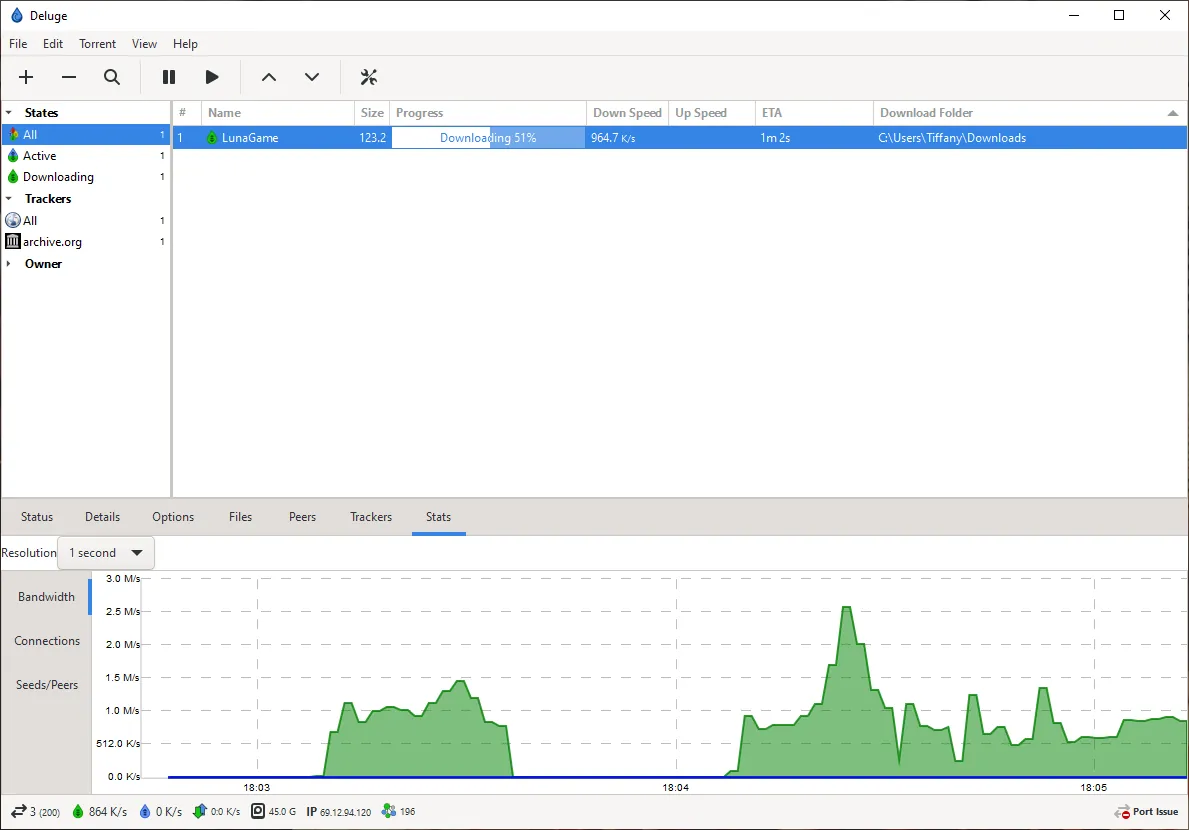

Deluge is split into a background daemon and interfaces: a desktop window, a web UI and a console. You can run the daemon on a home server or NAS and control it from the regular desktop app on your PC, not only from a browser as with the web interfaces of Transmission and qBittorrent. Plugins add a scheduler, labels, watched folders and notifications.
Out of the box it is plain and has no built-in search, and Windows builds are released less often than on Linux.
Pros
- No ads
- Plugin system
- Daemon, web UI and desktop client
Cons
- Windows builds are released less often
- Plain interface and no built-in search
4. BiglyBT — Torrent Client
Best for: Experienced users who want every statistic
- Open source
- Free
- Internet
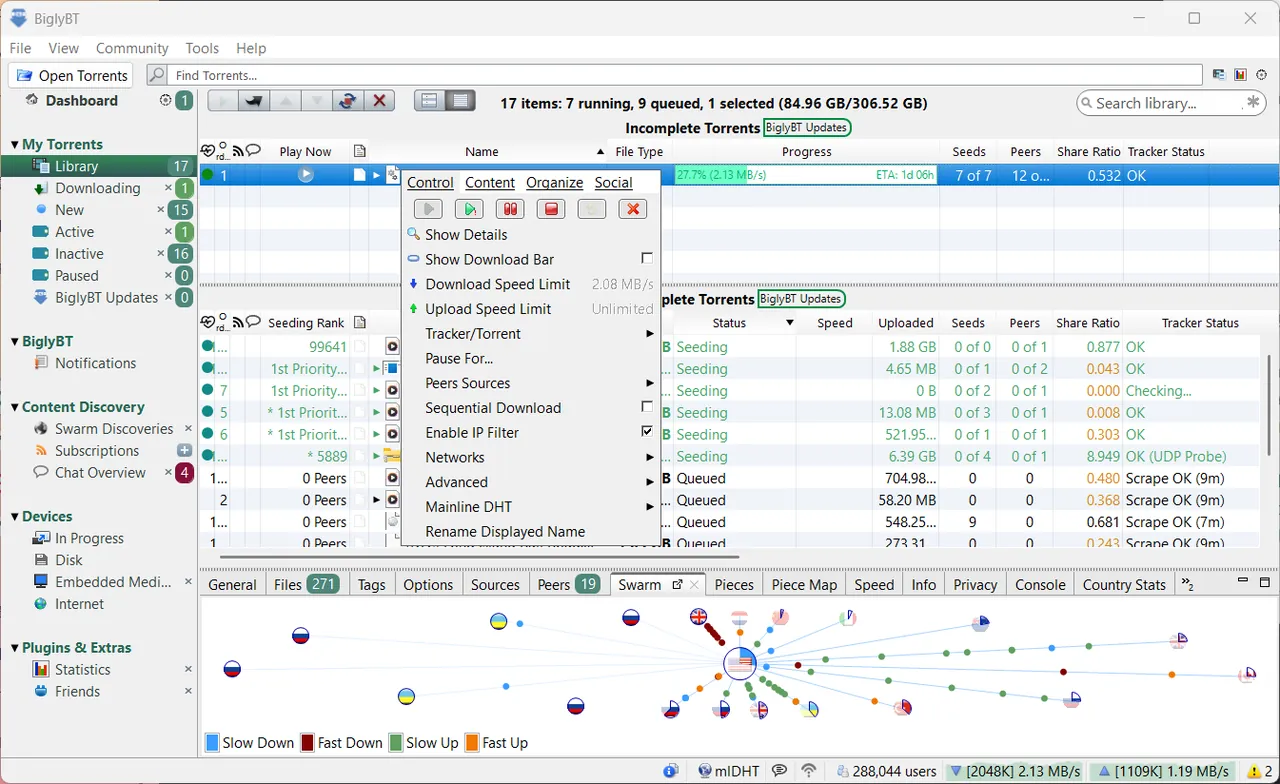

BiglyBT continues the Azureus/Vuze code and adds features few clients have: swarm merging, which combines peers from different torrents of the same file, tags, BitTorrent v2 support, a meta search across torrent sites, light seeding and detailed views for pieces, peers and trackers. It is open source, shows no ads, and the installer has no bundled offers.
The interface is crowded, and because the app is Java-based it uses more memory than qBittorrent. The 64-bit Windows installer includes its own Java runtime, and it can import torrents and settings from uTorrent.
Pros
- Open source and ad-free
- No bundled offers in the installer
- Very detailed torrent, peer and tracker statistics
Cons
- Crowded interface with many views and options
- Java-based, so it uses more memory than native clients
5. Tixati — Torrent Client
Best for: Detailed peer and bandwidth charts in a small app
- Freeware
- Free
- Internet
Tixati shows what is going on in a transfer: every peer, piece and connection has its own view, and charts display rates in real time. It has detailed per-transfer and global bandwidth limits, RSS feeds, IP filtering and an event scheduler, and it needs neither .NET nor Java. It is free with no ads and funded by donations.
It is closed source, unlike qBittorrent and BiglyBT, the dense interface looks dated, and there is no built-in search.
Pros
- Free with no ads or spyware
- Very detailed statistics and charts
- No .NET or Java dependency
Cons
- Closed source
- Dense interface that looks dated
- No built-in search or media streaming
6. PicoTorrent — BitTorrent Client
Best for: A minimal client with a native Windows look
- Open source
- Free
- Internet
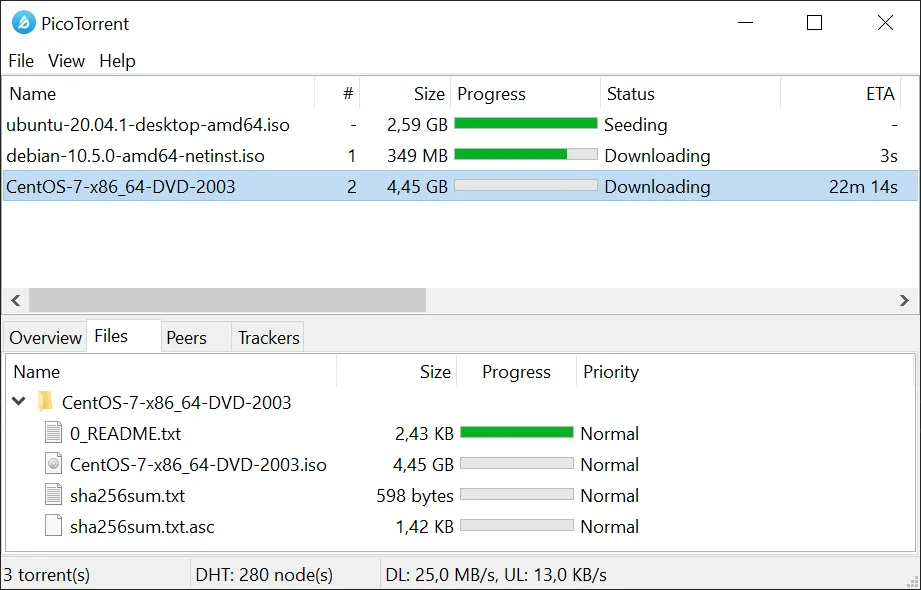

PicoTorrent is a tiny MIT-licensed client that uses standard Windows controls, stays light on memory and supports v1, v2 and hybrid torrents, DHT, peer exchange and UPnP. A portable ZIP version runs without installation.
The big drawback is that the latest release, 0.25.0, came out in May 2021, so it misses years of libtorrent fixes. It also has no RSS, search or web UI. For a simple client that is still updated, choose Transmission.
Pros
- Very small and simple
- Native Windows look
- BitTorrent v2 support
Cons
- No new release since May 2021
- Few advanced features (no RSS, search or web UI)
- Windows only
7. µTorrent Classic — Torrent Client
Best for: Only if you already know its interface
- Freeware
- Free
- Internet
uTorrent Classic is one of the oldest Windows torrent clients, now owned by BitTorrent, Inc. It is small, uses little memory and CPU, and handles magnet links, RSS feeds, queues and a bandwidth scheduler.
The free version shows ads, and the installer has offered third-party software in the past, including a bundled cryptocurrency miner in 2015, so read every setup screen. Paid tiers remove ads. Open-source clients such as qBittorrent do the same job without ads or offers.
Pros
- Small and light on resources
- Full speed and queue controls
- RSS feed downloader
Cons
- Ads in the free version
- Installer may offer third-party software; past bundling controversies
- Closed source, unlike most free torrent clients
How to choose a torrent client
For most people, qBittorrent is the default answer: open source, no ads, built-in search and RSS. Pick Transmission if you want fewer settings, Deluge if the downloads run on a server, and BiglyBT or Tixati if you like detailed statistics.
Prefer actively developed clients. Torrent clients connect to many unknown peers, so security fixes in the networking library matter, which is why PicoTorrent is hard to recommend despite its clean design.
Ads, bundled offers and fake downloads
Most clients here have no ads at all. uTorrent is the exception, with ads in the free version and a history of bundled offers. Download any client only from its official site, which every app review on this site links to, and read each installer screen before clicking Next.
Legal use and VPNs
Torrenting itself is legal and widely used for open-source software and other freely licensed files. Downloading or sharing copyrighted films, music, games or software without permission is illegal in many countries, and rights holders can see the IP addresses in a swarm. A VPN hides your IP address from other peers, but it does not make infringement legal, and not every VPN allows P2P: on Proton VPN, for example, P2P support is a paid feature.
Frequently asked questions
What is the best torrent client for Windows?
qBittorrent for most people: it is open source, has no ads and includes search, RSS rules and a web interface. Transmission is the simpler alternative.
Is qBittorrent better than uTorrent?
For most users, yes. qBittorrent is open source with no ads or paid edition. uTorrent Classic is closed source, shows ads in the free version and has a history of bundled installer offers.
Is qBittorrent free?
Yes. It is open-source software developed by volunteers, with no ads and no paid version.
Is torrenting illegal?
Using BitTorrent is legal. Downloading or sharing copyrighted material without permission is illegal in many countries, regardless of which client you use.
Which torrent client uses the least memory?
Transmission and PicoTorrent are designed for low memory use, but PicoTorrent has not been updated since May 2021. BiglyBT is Java-based and uses more memory than native clients.
ExeDepot does not host installers. Every download button opens the developer's own server or official download page. Prices and licenses come from each developer's site and were checked on .