

Our verdict: draw.io Desktop gives you a full diagram editor without an account, a subscription or a cloud. It covers flowcharts, org charts, network and cloud architecture diagrams with large shape libraries. Real-time collaboration needs the web version with a cloud storage service.
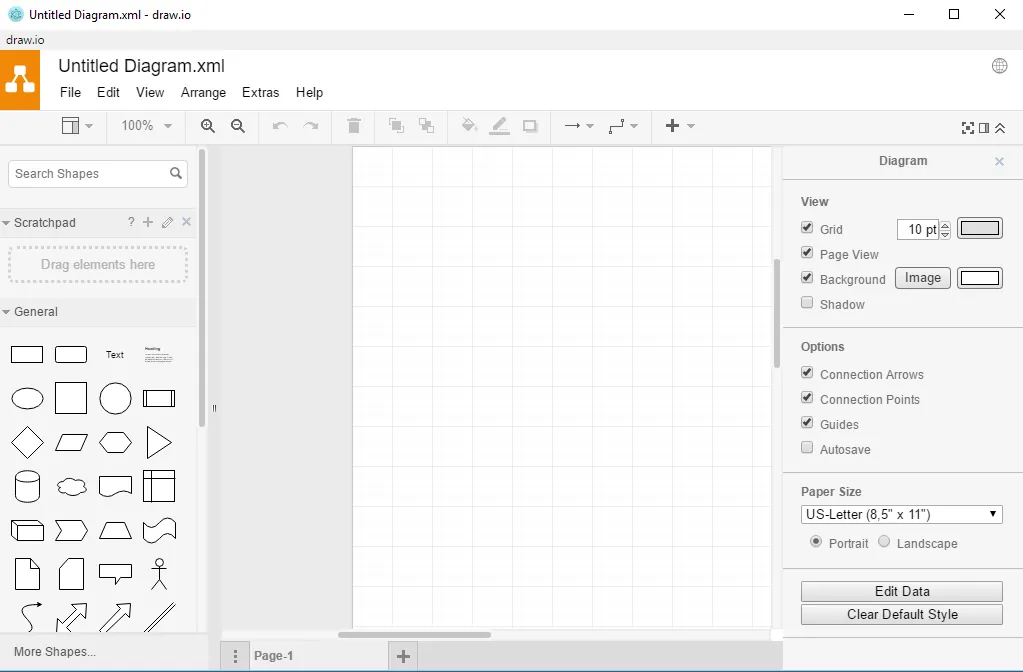
About draw.io Desktop
draw.io is made by JGraph, an independent company. The desktop app is the same editor as the web version at app.diagrams.net, packaged to run offline and save .drawio files on your own disk. No sign-up is required and JGraph does not receive your diagrams.
Diagrams can be exported to PNG, SVG and PDF, or embedded in documents and wikis. The file format has stayed backward compatible for years, and integrations exist for Confluence, Jira, Google Workspace, Microsoft 365, GitHub and VS Code.
What it does well
- Large shape libraries. Flowchart, UML, network, cloud architecture, BPMN and more.
- Fully offline. Saves .drawio files locally; no account or connection needed.
- Export options. Exports to PNG, SVG and PDF, with an option to keep the diagram editable.
- Backward-compatible files. Diagrams from many years ago still open in the current app.
- Integrations. The same format works in Confluence, Google Drive, OneDrive and VS Code.
Who it is for
Good fit
Developers, IT admins, analysts and students drawing flowcharts or architecture diagrams.
Look elsewhere
Teams who want live co-editing inside the desktop app or freehand whiteboarding.
Pros and cons
Pros
- Free and open source, no account
- Works fully offline
- Huge shape libraries
- Exports to PNG, SVG and PDF
Cons
- No real-time collaboration in the desktop app
- The project does not accept outside code contributions
- Interface is dense for first-time users
How to install draw.io Desktop
The direct link downloads the 64-bit Windows installer from JGraph's official GitHub release. No account or setup is needed after installation. When exporting PNG or SVG, keep the option that embeds a copy of the diagram if you want to edit the image again later.
Questions about draw.io Desktop
Is draw.io Desktop free?
Yes. It is open source under the GPL v3 with no paid tier or sign-up.
Is draw.io the same as diagrams.net?
Yes. diagrams.net is the domain of the web app; the product is called draw.io.
Can I use draw.io offline?
Yes. The desktop app works without an internet connection and saves files on your PC.


