

Our verdict: KiCad is the leading free tool for designing electronics, from a first hobby board to professional multilayer PCBs. Schematic capture, PCB layout, large libraries and manufacturing output are all included with no feature or size limits. The workflow takes time to learn if you have never designed a board before.
About KiCad
KiCad was first released in 1992 by Jean-Pierre Charras and is now developed by the KiCad Development Team under the GPL v3. Its stated goal is the best cross-platform electronics design tool for professional designers that stays approachable for beginners.
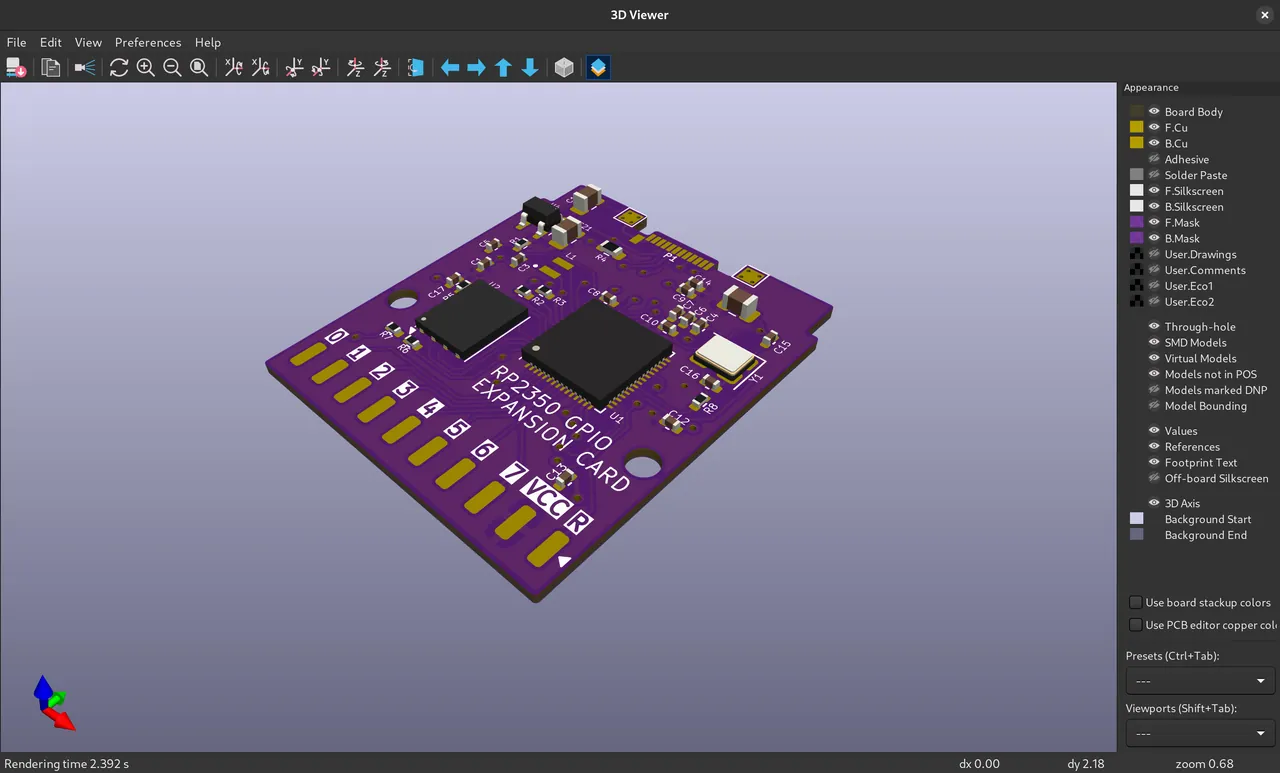
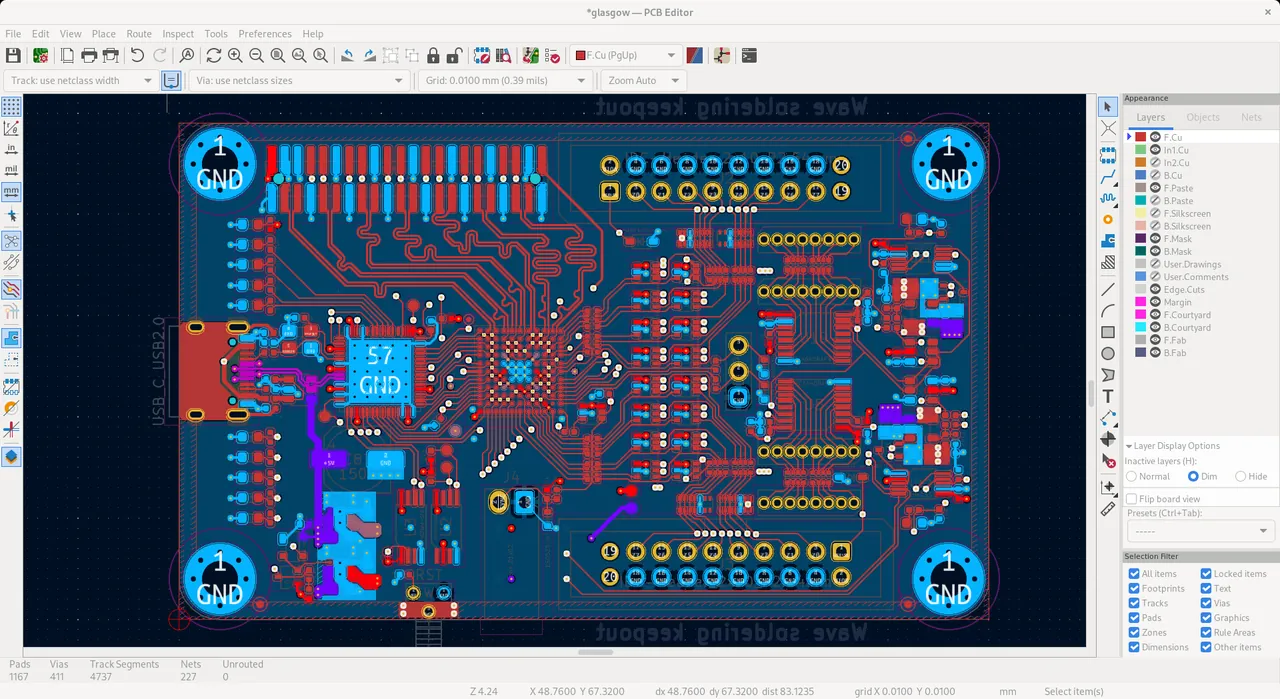
You draw the circuit in the schematic editor, assign footprints, then route copper in the PCB editor and check the board with design rules. A 3D viewer shows the populated board, and the suite exports Gerber and IPC-2581 files for manufacturers. Official symbol, footprint and 3D model libraries are maintained by a team of librarians.
What it does well
- Schematic capture. Draw multi-sheet circuit diagrams with symbols from large libraries.
- PCB layout. Route multilayer boards with design rule checks.
- 3D viewer. Inspect the assembled board with component 3D models.
- Manufacturing output. Export Gerber and IPC-2581 files for PCB makers.
- Official libraries. Maintained symbol, footprint and 3D model libraries.
Who it is for
Good fit
Hobbyists, students and professional engineers designing printed circuit boards.
Look elsewhere
People who only need a quick breadboard diagram or a simple circuit simulator.
Pros and cons
Pros
- Free and open source with no board limits
- Complete schematic-to-Gerber workflow
- Large official libraries
- Active development and big community
Cons
- Steep learning curve for beginners
- Large download
- Projects saved in a new major version may not open in older ones
How to install KiCad
Download the x86_64 installer from kicad.org; a separate ARM64 build exists for Windows on Arm. The installer includes the official libraries, so it is large. Do not pick the testing or nightly builds unless you want unfinished features.
Questions about KiCad
Is KiCad free?
Yes. It is open source under the GNU GPL v3, with no paid edition or board size limits.
Can I order PCBs from KiCad designs?
Yes. KiCad exports Gerber and IPC-2581 files, which PCB manufacturers accept.


