LINE — Free Messenger

By LY Corporation · Internet
  • Freeware
  • Free
  • Internet
3.2 / 5 · 171 ratings on Microsoft Store
Download LINE Direct download from desktop.line-scdn.net Official download page Link checked October 19, 2026

Our verdict: LINE for Windows is worth installing if your friends, family or colleagues use LINE, which is common in Japan, Taiwan and Thailand. Chats and calls are free; stickers and some extras are paid. Elsewhere, few people use it.
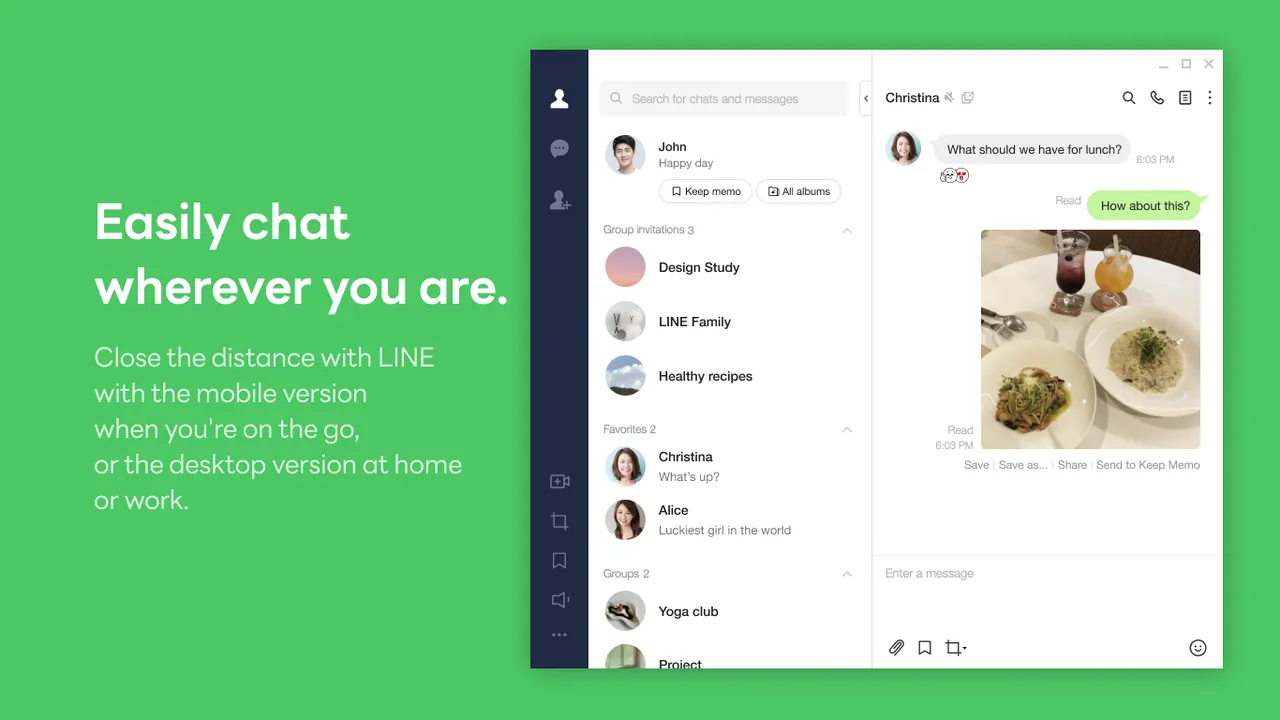
LINE window, screenshot from the Microsoft Store
LINE window, screenshot from the Microsoft Store · Screenshot: LINE (LY Corporation), from the Microsoft Store

About LINE

LINE is run by LY Corporation, the company formed from LINE Corporation and Yahoo Japan. The Windows app is a companion to your LINE account, which you create in the mobile app with a phone number.

On the PC you can send messages, stickers and files, and make voice and video calls to your LINE contacts and groups. Sticker packs, emoji and coins are sold in the in-app shop, and LYP Premium is an optional subscription.

What it does well

  • Chats and groups. Message friends and groups with text, stickers and files.
  • Voice and video calls. Call LINE contacts for free from the PC.
  • Login with QR code. Sign in to the PC app by scanning a code with LINE on your phone.
  • OpenChat. Join topic-based group chats with people outside your friends list.
  • Stickers and emoji. Use free stickers or buy packs in the LINE sticker shop.

Who it is for

Good fit

People whose contacts use LINE, especially in Japan, Taiwan and Thailand.

Look elsewhere

Users looking for an open-source or privacy-focused messenger.

Pros and cons

Pros

  • Free chats and calls
  • Large user base in East and Southeast Asia
  • Full desktop app with calls and file sharing

Cons

  • Needs a LINE account created on a phone
  • Many stickers and extras are paid
  • Not widely used outside Asia

How to install LINE

The download is a small web installer that fetches the full app. Create your LINE account on your phone first, then log in on the PC with the QR code or your registered email address.

Questions about LINE

Is LINE free?

Yes. The app, messages and calls are free. Stickers, emoji and LYP Premium are paid extras.

Can I use LINE on a PC without a phone?

You need a LINE account, which is created in the mobile app. After that you can log in on Windows with a QR code or email.

Download LINE from line.me ExeDepot does not host this file. The download starts from the developer's server, desktop.line-scdn.net. Other versions are on the official download page.

Alternatives to LINE

  • KakaoTalk Messenger

    South Korea's main messenger; the Windows app adds chats, calls and file sharing on your PC.

    Kakao Corp. · Freeware · kakaocorp.com
  • WeChat Messenger

    Tencent's messenger used across China; the Windows app mirrors chats and files from your phone.

    Tencent · Freeware · wechat.com
  • Telegram Desktop Messaging App

    Desktop app for Telegram chats, groups and channels, synced with your phone.

    Telegram · Open source · telegram.org
  • WhatsApp Messenger

    Meta's end-to-end encrypted messenger; the Windows app links to WhatsApp on your phone.

    WhatsApp LLC (Meta) · Freeware · whatsapp.com

Similar to LINE All internet apps

  • Viber Messaging App

    Free encrypted messages and calls synced from your phone, with paid Viber Out calls to regular numbers.

    Rakuten Viber · Freeware · viber.com
  • Zalo Messenger

    Vietnam's most popular messenger; the PC app syncs chats with your phone and sends files up to 1 GB.

    Zalo Group (VNG Corporation) · Freeware · zalo.me
  • Signal Private Messenger

    End-to-end encrypted messenger; the Windows app links to Signal on your phone.

    Signal Technology Foundation · Open source · signal.org
  • Keybase Encrypted Chat App

    Encrypted chat, team spaces and a private K: drive, tied to verifiable online identities.

    Keybase, Inc. (part of Zoom) · Open source · keybase.io