

Our verdict: LMMS is a capable free option for making electronic music on Windows: you sequence patterns, play built-in synths and mix with effects in one window. It is not built for recording live audio, and the stable release dates from 2020, so expect an older interface.
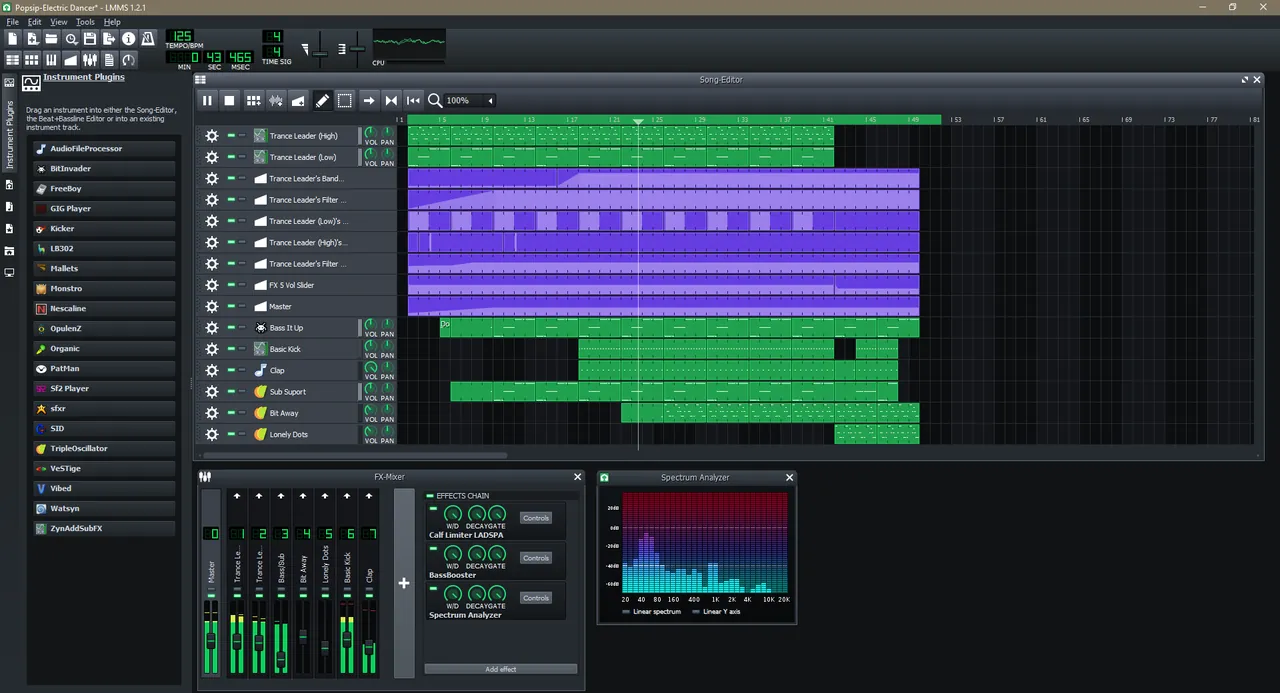
About LMMS
LMMS is a community-driven open source project hosted on GitHub. It works like a pattern-based digital audio workstation: you program melodies in the Piano Roll, build drum loops in the Beat+Bassline Editor and arrange them on a song timeline with automation.
Sound comes from 16 built-in synthesizers, including emulations of classic chips such as the Commodore 64 SID and NES, plus the embedded ZynAddSubFX synth, SoundFont samples and VST instruments on Windows. The current stable version is 1.2.2 from 2020; newer 1.3 builds are published only as alpha releases.
What it does well
- Piano Roll and Beat+Bassline Editor. Draw notes, chords and drum patterns with the mouse or a MIDI keyboard.
- Built-in synthesizers. 16 instruments, including chip emulations and the ZynAddSubFX synth.
- VST and SoundFont support. Load 64-bit VST instruments and effects, plus SF2 and GIG sample banks.
- Mixer and effects. Compressor, limiter, delay, reverb, distortion and equalizers, plus LADSPA plugins.
- Automation and MIDI import. Automate any control over time and import MIDI and Hydrogen projects.
Who it is for
Good fit
Beginners and hobbyists making electronic music, beats and chiptune without buying a DAW.
Look elsewhere
Musicians who want to record vocals or guitar over many tracks; LMMS is built around sequencing, not audio recording.
Pros and cons
Pros
- Complete beat-making workflow
- Many built-in synths and samples
- VST plugin support on Windows
- No paid tier or locked features
Cons
- Stable release is from 2020
- Weak for recording live audio
- Interface looks dated next to commercial DAWs
How to install LMMS
The download page offers the stable 64-bit Windows installer from the project's GitHub releases. Alpha builds of version 1.3 are listed separately; they are newer but can be unstable, and projects saved in them do not open in 1.2.2. A 32-bit installer of 1.2.2 is still offered for older PCs.
Questions about LMMS
Is LMMS free?
Yes. It is open source under the GNU GPL and has no paid version.
Can I use VST plugins in LMMS?
Yes, on Windows and Linux. The 64-bit Windows version can load 64-bit VST plugins and bridges 32-bit ones.
Should I install the LMMS 1.3 alpha?
Only if you want newer features and can accept crashes. Projects saved in 1.3 alpha cannot be opened in the stable 1.2.2 release.


