

Our verdict: MicroSIP is the lightweight softphone to install when you just need to make calls through an office PBX or SIP provider. It uses very little memory, supports encryption and a long list of codecs, and has a portable version. The interface is plain, and it runs only on Windows.
About MicroSIP
MicroSIP is a Windows SIP softphone built on the PJSIP stack. Its source code is available under the GNU GPL v2, and the program is free to use. It works with Asterisk, FreePBX, 3CX and any SIP-compliant provider.
The full edition supports video calls with H.264, H.263+, VP8 and VP9; the Lite edition drops video for an even smaller footprint. Both come as an installer or a portable ZIP that keeps its settings in an INI file. MicroSIP also supports SIMPLE messaging, presence, TLS signaling and SRTP media encryption, and it works with screen readers such as NVDA.
What it does well
- Lightweight. Uses about 10 to 20 MB of memory and has no external dependencies.
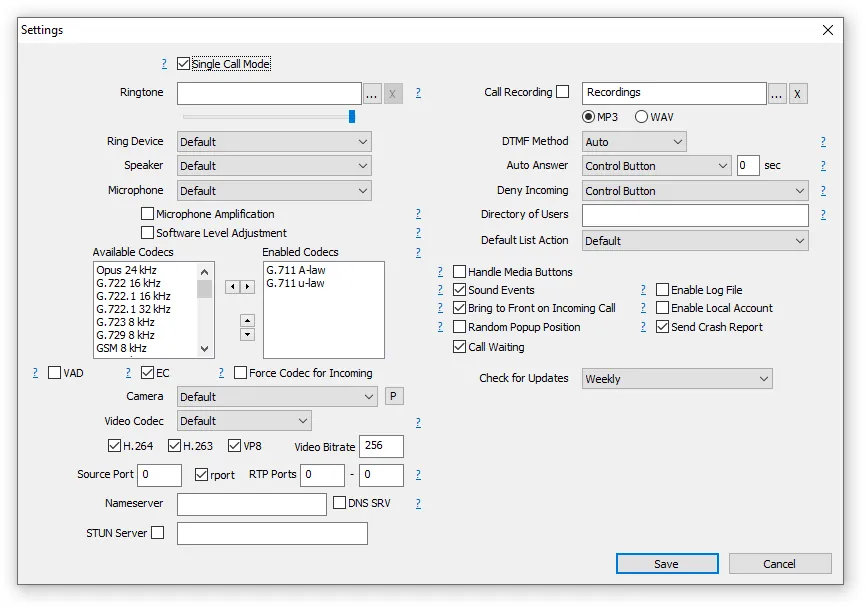
- Wide codec support. Opus, G.711, G.722, G.729, AMR-WB, iLBC, Speex, SILK and more.
- Encryption. TLS for SIP signaling and SRTP or DTLS-SRTP for media.
- Video calls. H.264, H.263+, VP8 and VP9 video in the full edition.
- Portable mode. Run from a ZIP with settings stored in an INI file.
Who it is for
Good fit
Office workers and admins who need a simple, light softphone for a PBX or SIP provider.
Look elsewhere
Mac users, or anyone looking for a consumer messenger or team chat app.
Pros and cons
Pros
- Very small and light on memory
- TLS and SRTP encryption
- Portable version available
- Works with screen readers
Cons
- Windows only (other systems only through Wine)
- Plain, dated-looking interface
- Needs a SIP account from a provider or PBX
How to install MicroSIP
The button downloads the full MicroSIP installer with video support. Choose MicroSIP Lite or the portable ZIP on the download page if you prefer; the beta link there is a test version. After installing, add your account with the server, username and password from your SIP provider.
Questions about MicroSIP
Is MicroSIP free?
Yes. MicroSIP is free, and its source code is published under the GNU GPL v2. The developer accepts voluntary donations.
What is the difference between MicroSIP and MicroSIP Lite?
The Lite edition has no video support, which makes it smaller and lighter. Voice calling features are the same.
Does MicroSIP work with 3CX or Asterisk?
Yes. It works with Asterisk, FreePBX, 3CX and other SIP-compliant servers and providers.


