

Our verdict: MuseScore Studio is the strongest free notation app on Windows. It handles piano pieces, band parts and full orchestral scores, and exports to the formats other musicians and programs use. It needs a fairly powerful PC, and the default download pushes the MuseHub installer.
About MuseScore Studio
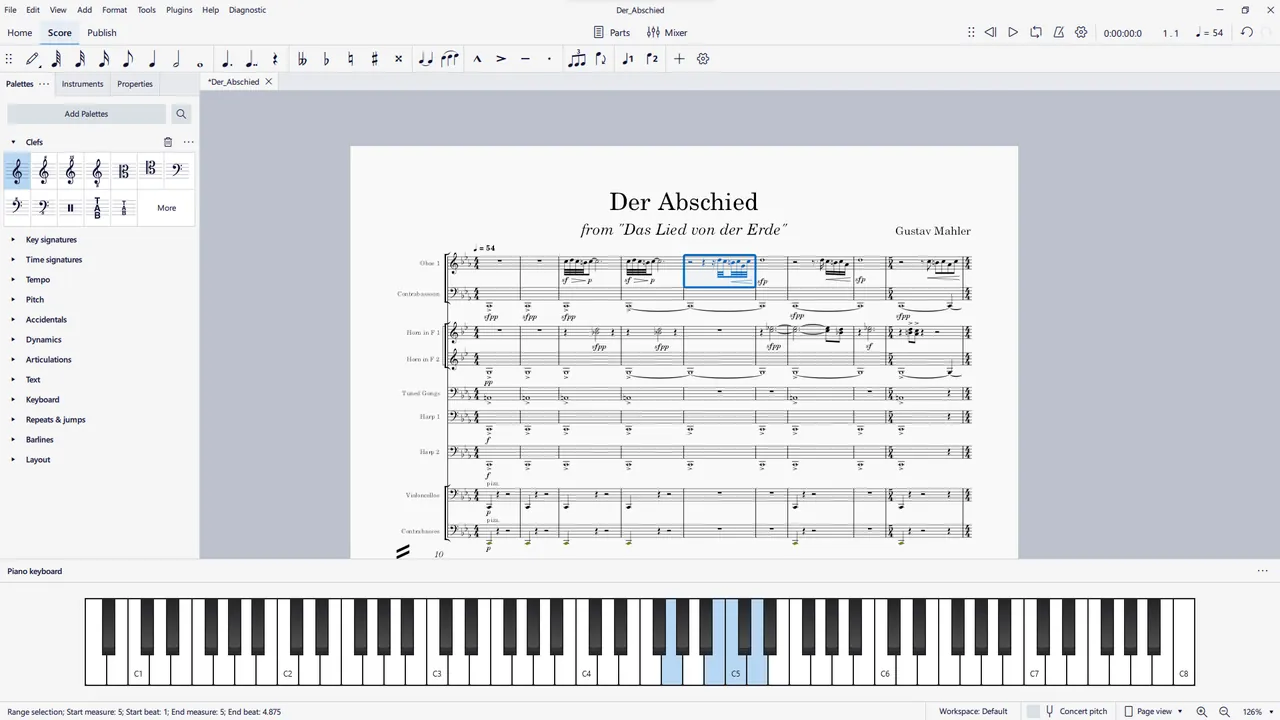
MuseScore Studio is open source software developed by Muse Group, the company behind Audacity, together with volunteer contributors. You enter notes with the mouse, the computer keyboard or a MIDI keyboard, and the score is engraved automatically, with separate parts for each instrument.
The main Windows button on musescore.org installs MuseHub, Muse Group's app store, which then installs MuseScore Studio. The same page also offers MuseScore Studio 64-bit without MuseHub as a regular MSI installer. MuseHub is only needed for the optional Muse Sounds playback libraries, which can take up to 15 GB.
What it does well
- Full notation editor. Write for piano, guitar, choir, band, jazz ensemble or orchestra with automatic layout.
- Instrument parts. Generates individual parts from a full score for printing or sharing.
- Playback. Plays the score with built-in sounds; optional Muse Sounds libraries give more realistic playback.
- Score exchange. Imports and exports MusicXML and MIDI, and exports MEI and braille for other tools.
- Print and media export. Exports PDF, SVG and PNG for printing, plus MP3, FLAC, WAV and MP4 video.
Who it is for
Good fit
Composers, arrangers, music teachers and students who need clean printed scores and parts.
Look elsewhere
People who want to record and mix audio; that is the job of a DAW or of Audacity.
Pros and cons
Pros
- Professional engraving quality
- MusicXML and MIDI exchange
- Exports PDF, audio and video
- Installer without MuseHub available
Cons
- Needs 8 GB RAM and a 4-core CPU
- Default download installs MuseHub
- Realistic playback needs large extra downloads
How to install MuseScore Studio
On musescore.org/en/download, choose MuseScore Studio 64-bit without MuseHub if you only want the notation program; this downloads the official MSI installer. Pick the MuseHub installer instead if you also want the Muse Sounds libraries. The official requirements call for Windows 10 or later, 8 GB of RAM and a 4-core processor.
Questions about MuseScore Studio
Is MuseScore Studio free?
Yes. It is open source under the GNU GPL v3, and the desktop app has no paid edition.
Do I need MuseHub to install MuseScore Studio?
No. The official download page has a MuseScore Studio 64-bit without MuseHub link. MuseHub is only required for the Muse Sounds libraries.
Can MuseScore Studio open files from other notation programs?
Usually through MusicXML. Most notation programs export MusicXML, and MuseScore Studio imports it, though some formatting may need fixing.


