

Our verdict: PowerShell 7 is the modern, actively developed version of PowerShell and the better default shell for scripting and admin work on Windows. It runs beside the built-in Windows PowerShell 5.1 instead of replacing it. A few older Windows-only modules still need 5.1, and the object-based syntax takes time to learn if you come from Bash.
About PowerShell 7
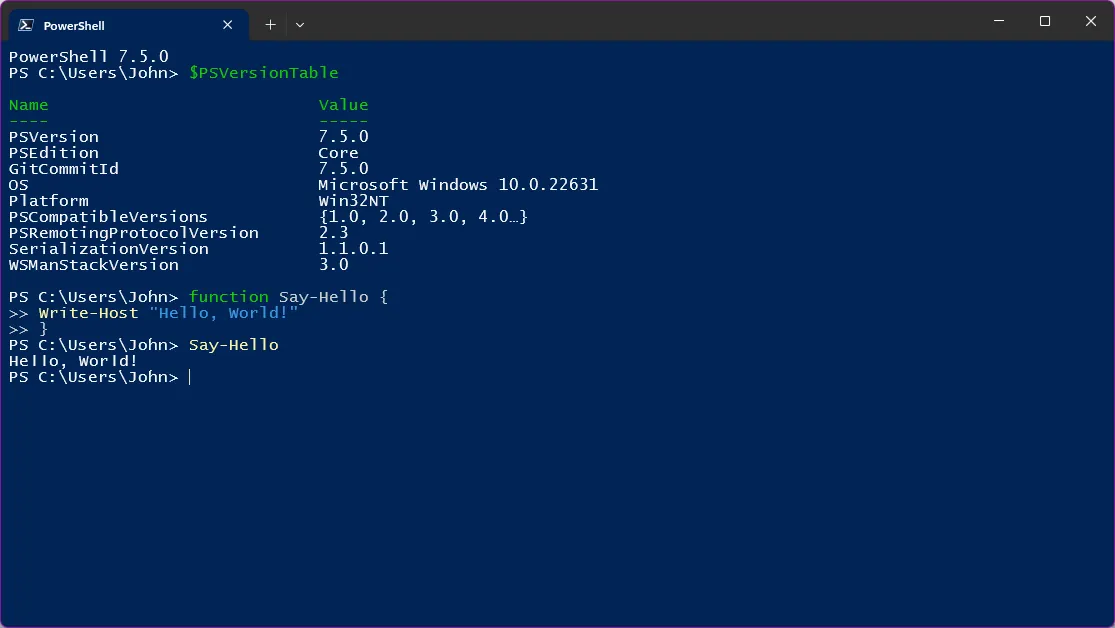
PowerShell is a command-line shell and scripting language from Microsoft that passes objects, not plain text, between commands. PowerShell 7 is open source under the MIT license, runs on Windows, macOS and Linux, and is built on modern .NET. It installs to its own folder and is started with the pwsh command, side by side with Windows PowerShell 5.1, which ships with Windows.
The MSI package can add PowerShell to PATH, add Open PowerShell and Run with PowerShell items to the Explorer context menu, enable PowerShell remoting and opt in to updates through Microsoft Update. Some Windows PowerShell modules work in PowerShell 7 through the Windows Compatibility feature; others still require version 5.1. Version 7.6 is the current Long Term Support release.
What it does well
- Object pipeline. Commands pass structured .NET objects, so you filter and sort by property.
- Cross-platform. The same scripts and modules run on Windows, macOS and Linux.
- Side-by-side install. Runs as pwsh next to Windows PowerShell 5.1 without replacing it.
- Remoting. Manages other machines over WSMan or SSH.
- Microsoft Update support. The MSI version can update itself through Windows Update or WSUS.
Who it is for
Good fit
Windows admins, DevOps engineers and developers who automate tasks or manage servers and cloud services.
Look elsewhere
People who only run occasional commands and are happy with the built-in Windows PowerShell 5.1.
Pros and cons
Pros
- Free and open source (MIT)
- Actively developed, with Long Term Support releases
- Runs on Windows, macOS and Linux
- Installs beside Windows PowerShell 5.1
Cons
- Some older Windows PowerShell modules still need version 5.1
- Object-based syntax is unfamiliar to Bash users
- Microsoft plans no MSI package from version 7.7 on
How to install PowerShell 7
The button downloads the 64-bit MSI of the current LTS release from Microsoft's GitHub releases. In setup, consider enabling Add PowerShell to PATH, the Explorer context menu items and Microsoft Update. Start it with pwsh or from the Start menu entry PowerShell 7. In Windows Terminal, set PowerShell as the default profile.
Questions about PowerShell 7
Is PowerShell 7 free?
Yes. PowerShell 7 is open source under the MIT license and free to use.
Does PowerShell 7 replace Windows PowerShell?
No. PowerShell 7 installs to a new folder and runs side by side with Windows PowerShell 5.1, which stays part of Windows.
What is the difference between powershell and pwsh?
powershell starts the built-in Windows PowerShell 5.1, and pwsh starts PowerShell 7.


