
Internet · Published
The best download managers for Windows
A browser's own download list is fine until a 4 GB file stops at 90% on a shaky connection. A download manager takes over downloads from the browser, splits each file into several parts fetched in parallel, and continues after a dropped connection or restart instead of starting again, as long as the server allows it.
Internet Download Manager is the best-known name, but it is paid after a 30-day trial. The free tools below cover the same basics, and some add what IDM lacks, such as torrents or long lists of links from file-hosting sites. They differ mainly in video capture, torrent support and how recently the stable version was updated.
Our picks at a glance
| App | Best for | License | Price | Download |
|---|---|---|---|---|
 Free Download Manager |
A free all-rounder with torrents built in | Freeware | Free | Review |
 Xtreme Download Manager |
Saving streaming video from websites | Open source | Free | Review |
 JDownloader |
Long lists of links from file-hosting sites | Open source | Free | Review |
 Motrix |
Downloads and torrents in one tidy window | Open source | Free | Review |
 Gopeed |
Automating downloads with an API | Open source | Free | Review |
 Neat Download Manager |
The smallest download accelerator | Freeware | Free | Review |
 Internet Download Manager |
The polished paid option with tight browser integration | Free trial | $11.95, one-year license for 1 PC (lifetime license $24.95) | Review |
1. Free Download Manager — Download Manager
Best for: A free all-rounder with torrents built in
- Freeware
- Free
- Internet

Free Download Manager splits files into parts, resumes interrupted downloads, schedules them for later and limits bandwidth so browsing stays fast. Official extensions for Chrome and Firefox hand browser downloads to it, and it opens torrent files and magnet links in the same window, so many users need no separate torrent client. It is free, with no paid version.
Downloading from video sites needs the separate Elephant add-on, and its torrent options are simpler than a dedicated client like qBittorrent. The current version needs 64-bit Windows 10 or 11; FDM 6.24 is still offered for Windows 7, 8 and 8.1.
Pros
- Resumes broken downloads
- Built-in torrent support
- Official browser extensions
Cons
- Video site downloads need the separate Elephant add-on
- Fewer torrent options than dedicated clients like qBittorrent
2. Xtreme Download Manager — Download Manager
Best for: Saving streaming video from websites
- Open source
- Free
- Internet
Xtreme Download Manager works with an extension for Chrome, Edge, Firefox, Brave, Opera and Vivaldi that passes downloads to XDM together with the cookies the site needs. It fetches files over several connections, resumes broken downloads and gives an expired one a new address with Refresh link. When you play a video, the extension lists the qualities and XDM saves the HLS or DASH stream as one file.
It has no BitTorrent support. The stable XDM 8 has not changed since 2023, XDM 9 is still a pre-release, and SmartScreen warns about the unsigned installer. It is open source under the GNU GPL with no adware or bundled software.
Pros
- Open source with no adware
- Reliable resume and link refresh
- Saves streaming video from websites
Cons
- Stable XDM 8 has not been updated since 2023
- No BitTorrent support
- SmartScreen warns about the unsigned installer
3. JDownloader — Download Manager
Best for: Long lists of links from file-hosting sites
- Open source
- Free
- Internet
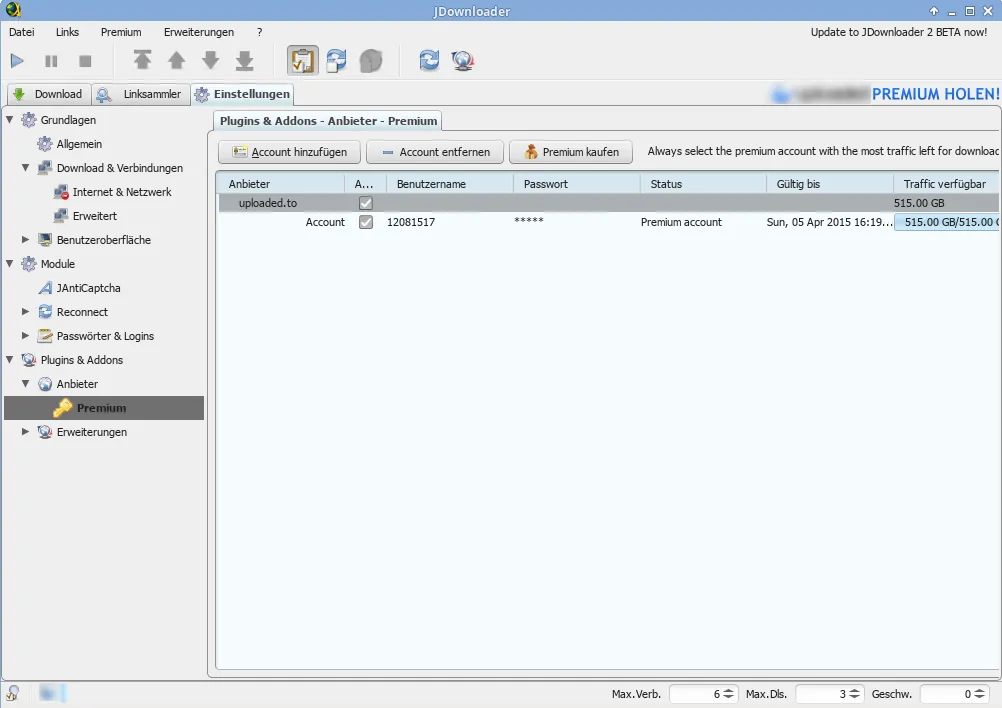

JDownloader works with whole lists of links instead of single URLs: copy a page or a list to the clipboard and the LinkGrabber finds every downloadable file and groups them into packages. Plugins for hundreds of file hosts and video sites handle waiting times and premium accounts, split RAR, ZIP and 7z archives are extracted automatically, and MyJDownloader controls it from a browser or phone.
The interface is crowded, it is a Java app and heavier than simpler tools, and the main installer from the home page may include optional offers. Take the installer from the jdownloader.org/jdownloader2 page, which comes without them, and pick the x64 build.
Pros
- Handles long lists of links
- Plugins for many file hosts
- Extracts archives automatically
Cons
- Main installer may include optional third-party offers
- Crowded interface with many settings
- Java-based and heavier than simpler download tools
4. Motrix — Download Manager
Best for: Downloads and torrents in one tidy window
- Open source
- Free
- Internet
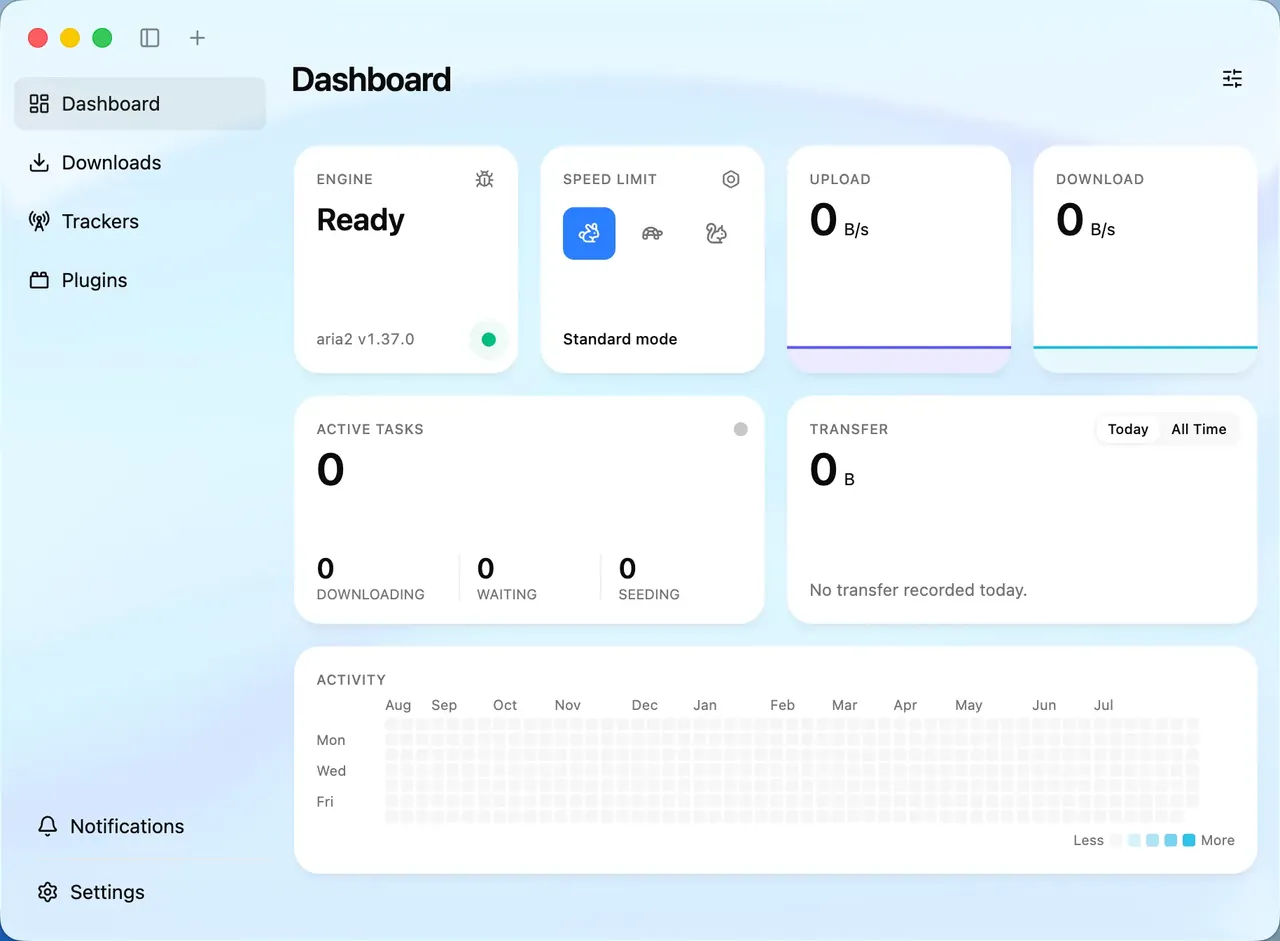
Motrix is a front end for the aria2 engine. It downloads over HTTP and FTP with several connections, handles BitTorrent and magnet links, lets you pick files inside a torrent and refresh tracker lists, and manages everything from one list with pause, retry and priority. It is open source under the MIT License, with no ads.
The stable 1.8.19 release dates from May 2023; development continues in a 2.0 beta. There is no built-in browser extension, and as an Electron app it uses more memory than lightweight clients. For a similar app with active releases, see Gopeed.
Pros
- Open source with no ads
- Downloads and torrents in one app
- Clean, simple interface
Cons
- Stable version unchanged since May 2023
- No built-in browser extension
- Electron app uses more memory than lightweight clients
5. Gopeed — Download Manager
Best for: Automating downloads with an API
- Open source
- Free
- Internet
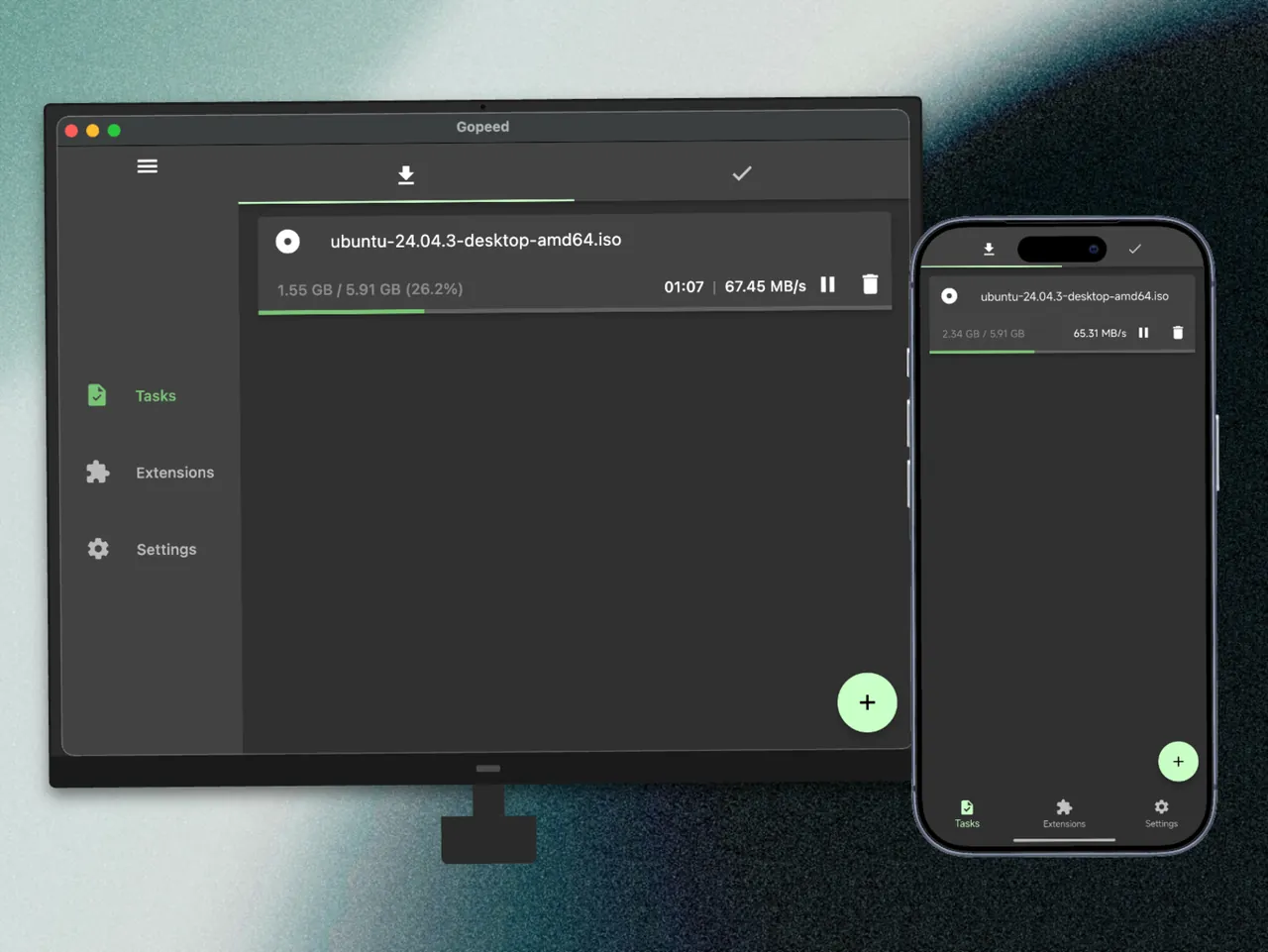

Gopeed downloads HTTP and HTTPS files with multiple connections and also handles BitTorrent, magnet and ed2k links with DHT, tracker management and seeding limits. Extensions for Chrome, Edge and Firefox capture links, JavaScript extensions add other download sources, and a REST API, CLI and self-hosted web interface let you manage tasks from scripts or another device.
Its torrent features are basic next to qBittorrent, and extensions come from third parties, so install them with care. Gopeed 2.0 is in public beta; the stable 1.x release is the safe choice.
Pros
- Free and open source, no ads
- Direct downloads and torrents in one app
- API, CLI and web UI for automation
Cons
- Torrent features are basic compared with qBittorrent
- Extensions come from third parties and need care
6. Neat Download Manager — Download Manager
Best for: The smallest download accelerator
- Freeware
- Free
- Internet
Neat Download Manager has an installer under 1 MB. It opens several connections per file, resumes crashed downloads, renews expired links, and lets you change bandwidth and connection limits while a download runs. Its browser extension can catch video and audio on web pages, including HLS streams, which it downloads and merges into one file.
It supports only HTTP, HTTPS and FTP, with no torrents. It is closed source, the developer publishes little information about the project, and updates are infrequent.
Pros
- Installer under 1 MB
- Resumes broken downloads
- Catches video and HLS streams from the browser
Cons
- Only HTTP, HTTPS and FTP; no BitTorrent
- Closed source with little developer information
- Updates are infrequent
7. Internet Download Manager — Download Manager
Best for: The polished paid option with tight browser integration
- Free trial
- $11.95, one-year license for 1 PC (lifetime license $24.95)
- Internet
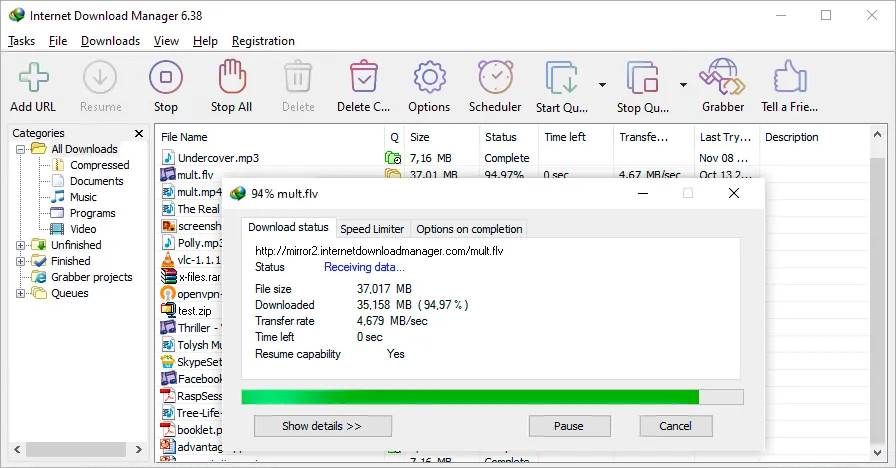
IDM by Tonec splits files into parallel parts, resumes reliably after interruptions, sorts downloads into categories, runs queues on a schedule and can shut the PC down when done. Extensions for Chrome, Firefox and Edge pass downloads to it, and a button appears on pages with video or audio, though the grabber does not work on every site.
The 30-day trial is fully functional and needs no account or card; after that IDM asks you to register, and Tonec says the trial must be uninstalled if you do not buy. A one-year license for one PC costs $11.95 and a lifetime license $24.95. It runs only on Windows.
Pros
- Fast segmented downloads
- Reliable resume after interruptions
- Tight browser integration
Cons
- Stops being usable after the 30-day trial without a license
- Windows only
- Video grabber does not work on every site
IDM vs Free Download Manager vs XDM
All three split downloads into parts, resume them and take over downloads from the browser. IDM has the most polished browser integration but is paid after 30 days. Free Download Manager is free and adds torrents. XDM is free and the best of the three at saving HLS and DASH video streams, but its stable version has not been updated since 2023.
If you only need faster, resumable downloads, any free pick is enough and IDM is worth paying for only if you prefer its interface. If you download whole folders of files from file hosts, JDownloader is in a different class.
Downloading videos
XDM and Neat Download Manager capture streaming video through their browser extensions, and IDM shows a download button on many video pages. Free Download Manager needs its Elephant add-on. For saving videos from YouTube and similar sites by pasting a link, a dedicated tool such as 4K Video Downloader or Stacher is usually simpler. Download only videos you have the right to save.
Do you still need a torrent client?
Free Download Manager, Motrix and Gopeed open torrent files and magnet links, which is enough for an occasional Linux ISO. For heavy torrent use with RSS, search plugins and detailed queueing, a dedicated client such as qBittorrent does more.
Frequently asked questions
What is the best free download manager for Windows?
Free Download Manager for most people: it is free, resumes broken downloads, integrates with Chrome and Firefox and handles torrents. Choose XDM if you mainly save streaming video, or JDownloader for file-hosting sites.
Is Internet Download Manager free?
No. It has a 30-day trial with full features and no card. After that it costs $11.95 for one year or $24.95 for a lifetime license on one PC.
Is there a free alternative to IDM?
Yes. Free Download Manager and Xtreme Download Manager offer segmented downloads, resume and browser integration for free.
Does a download manager make downloads faster?
It can, by opening several connections to the server at once, which helps when a single connection is slow or throttled. It cannot exceed the speed of your internet plan, and some servers allow only one connection.
Can a download manager resume a failed download?
Yes, if the server supports resuming. All the picks here continue from where a download stopped, and XDM and Neat Download Manager can also refresh an expired link.
Which download manager also downloads torrents?
Free Download Manager, Motrix and Gopeed handle torrent files and magnet links. XDM, Neat Download Manager and IDM do not.
ExeDepot does not host installers. Every download button opens the developer's own server or official download page. Prices and licenses come from each developer's site and were checked on .