

Our verdict: 360 Total Security packs an antivirus, a junk cleaner, a startup manager, a sandbox and a patch tool into one free app. The all-in-one approach comes with many prompts and a heavy installer, and the developer, China's Qihoo 360, is on the US trade restriction list, which matters if you care about who handles your data.
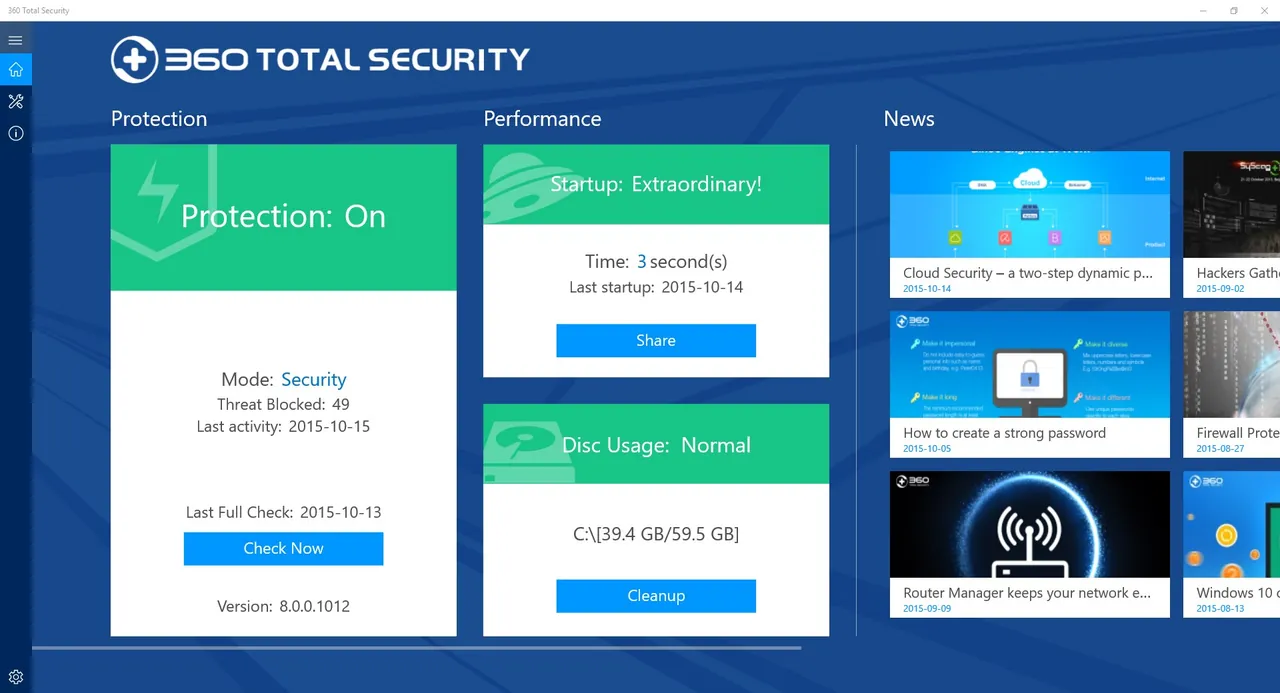
About 360 Total Security
360 Total Security is the international security suite from Qihoo 360 Technology, a Beijing-based internet company. Its virus scanner combines several engines: the 360 Cloud Scan Engine, the 360 QVMII AI engine, QEX and KunPeng. A Full Check button runs the antivirus, cleanup and speedup checks together.
Besides real-time protection with selectable Performance, Balanced, Security and Custom modes, the free app includes Cleanup for junk files, Speedup for startup items and services, a Sandbox for running risky programs, a Wi-Fi security check and Patch Up for Windows updates. The Windows 10/11 installer is around 200 MB. The US Commerce Department added Qihoo 360 to its Entity List in 2020.
What it does well
- Multi-engine virus scan. Combines 360 Cloud, QVMII AI, QEX and KunPeng engines.
- Protection modes. Choose Performance, Balanced, Security or Custom real-time protection.
- Cleanup and Speedup. Removes junk files and manages startup items, services and plugins.
- Sandbox. Runs risky programs isolated from the rest of the system.
- Patch Up. Finds and installs missing Windows security updates.
Who it is for
Good fit
Users who want one free app that combines antivirus with cleanup and startup tools.
Look elsewhere
Privacy-conscious users and anyone who wants a quiet, antivirus-only program.
Pros and cons
Pros
- Antivirus plus cleanup, speedup and sandbox in one free app
- Selectable protection levels
- Legacy build still available for very old Windows versions
Cons
- Made by China's Qihoo 360, which is on the US Commerce Department Entity List
- Many tools and prompts push you toward the paid Premium edition
- Large installer of around 200 MB
How to install 360 Total Security
Use the Windows 10/11 installer; the legacy 11.x build is only for older Windows. Read each setup screen and decline any extra software offers. After installation, open Settings and turn off the notifications, cleanup reminders and optional components you do not need.
Questions about 360 Total Security
Is 360 Total Security free?
Yes. The standard version is free. 360 Total Security Premium is a paid subscription with extra features.
Who makes 360 Total Security?
Qihoo 360 Technology, an internet security company based in Beijing, China.
Which installer should I download?
The official page offers version 12 for Windows 10 and 11, and a legacy version 11 for Windows 8.1, 8, 7, Vista and XP.


