

Our verdict: Camo is one of the most polished ways to use a phone as a webcam on Windows, and the free edition has no watermark or ads. The catch is resolution: free use stops at 720p and 30 fps, while 1080p and 4K, portrait mode and background effects need Camo Pro.
About Camo
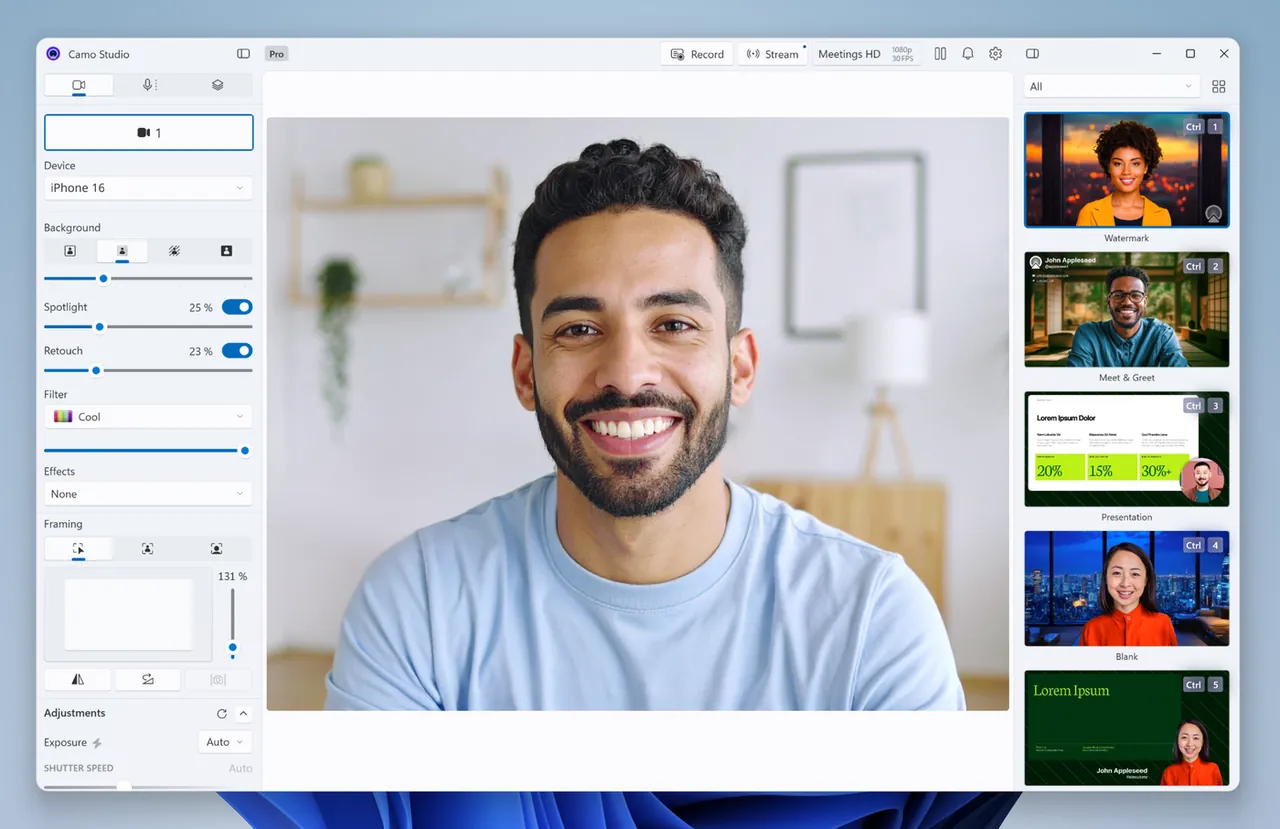
Camo is made by Reincubate, a British software company. Camo Studio runs on the PC and exposes a virtual camera that Zoom, Google Meet, Microsoft Teams, OBS, Discord and other apps can use. The video source can be an iPhone or Android phone running Camo Camera, a USB or built-in webcam, or a connected DSLR.
The free edition covers resolutions up to 720p at 30 fps, light and image adjustments, autofocus and manual focus, and has no watermark or ads. Camo Pro adds resolutions up to 4K, 60 fps, portrait mode, background blur and replacement, the scene editor and all phone lenses. Reincubate lists Pro at $49.99 for 12 months, $9.99 monthly or $99.99 lifetime.
What it does well
- Phone as webcam. Uses an iPhone or Android phone running Camo Camera as a camera source.
- Works with webcams and DSLRs. Improves the image from USB webcams and connected cameras too.
- Image controls. Exposure, white balance, ISO, brightness, contrast and focus adjustments.
- Virtual camera. Appears as a webcam in Zoom, Teams, Meet, OBS, Discord and other apps.
- Pro effects. Portrait mode, background blur, green screen and scenes with Camo Pro.
Who it is for
Good fit
People on video calls who want a sharper picture from the phone or camera they already own.
Look elsewhere
Users who need 1080p or background effects for free, or streamers who want a full broadcasting suite.
Pros and cons
Pros
- No watermark or ads in the free edition
- Works with phones, webcams and DSLRs
- Detailed manual image controls
- Compatible with more than 40 video apps
Cons
- Free edition is limited to 720p at 30 fps
- Background effects and portrait mode need Pro
- Large installer
How to install Camo
The download button gets the Windows x64 installer; an Arm build is in the Microsoft Store. Install Camo Camera on your phone and connect it by USB or Wi-Fi, then pick Camo as the camera in your video app. No account is needed for the free edition.
Questions about Camo
Is Camo free?
Yes, there is a free edition with no watermark, ads or time limit, limited to 720p and 30 fps. Camo Pro unlocks up to 4K, 60 fps and effects.
Does Camo work with Android phones?
Yes. Camo Camera is available for Android 7.0 or later and iOS 15 or later.
Which apps can use Camo?
Any app that accepts a webcam, including Zoom, Microsoft Teams, Google Meet, Discord and OBS.


