

Our verdict: ManyCam is a handy virtual camera for teachers, presenters and small streams: layers, picture-in-picture, backgrounds and a whiteboard sit in one window. The free version is usable for testing, but it puts the ManyCam logo on your video, and removing it costs at least $59 a year.
About ManyCam
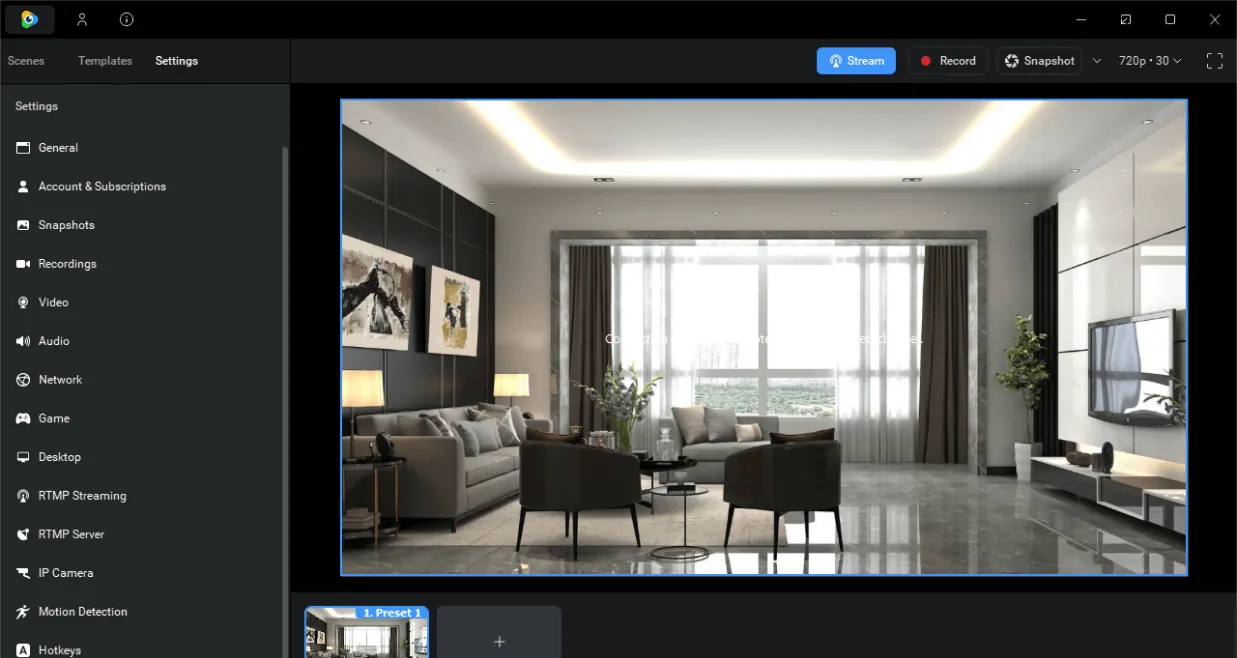
ManyCam is made by ManyCam ULC. It creates a virtual webcam that Zoom, Teams, Google Meet and streaming services can use, and lets you combine several sources on it: webcams, desktop capture, video files, images, IP cameras and the ManyCam mobile app. Presets let you switch between scenes during a call.
The free version has no time limit but adds the ManyCam logo to the video and limits features. Paid plans remove the watermark and unlock virtual backgrounds, picture-in-picture, recording, titles, the whiteboard, chroma key and RTMP streaming. The cheapest plan, Standard, costs $59 per year for one device; Studio and Premium allow more devices, sources and 4K.
What it does well
- Virtual webcam. Sends the composed picture to Zoom, Teams, Meet and other apps.
- Multiple sources. Webcams, desktop capture, video files, images, IP cameras and phones.
- Virtual backgrounds. Background blur and replacement, plus chroma key on paid plans.
- Picture in picture. Layers and split screen with several sources at once.
- RTMP streaming. Broadcasts to platforms such as YouTube or Facebook on paid plans.
Who it is for
Good fit
Teachers, presenters and small businesses who want scenes, overlays and backgrounds in video calls.
Look elsewhere
Users who want watermark-free output for free; OBS Studio does most of this at no cost.
Pros and cons
Pros
- Many video sources in one virtual camera
- Easy scene presets for calls
- Whiteboard and titles built in
- Mobile app works as a camera source
Cons
- ManyCam logo on video in the free version
- Subscription only, from $59 a year
- Most features are locked to paid plans
How to install ManyCam
The download button gets the Windows installer from ManyCam's official download host. After installing, choose ManyCam Virtual Webcam as the camera in your video app. Signing in with a ManyCam account is needed to activate a paid plan.
Questions about ManyCam
Is ManyCam free?
There is a free version with no time limit, but it adds the ManyCam logo to your video and limits features. Removing the watermark requires a paid plan; the cheapest, Standard, costs $59 per year.
Does ManyCam work with Zoom and Teams?
Yes. Select ManyCam Virtual Webcam as the camera in the app's video settings.
Is there a one-time license?
The official pricing page lists only yearly plans for individuals.


