

Our verdict: FreeCAD is the most capable free parametric CAD program on Windows. It designs real-world parts with exact dimensions, assemblies and technical drawings, and exports STEP or STL for manufacturing. Expect a long learning curve and a workflow split across many workbenches.
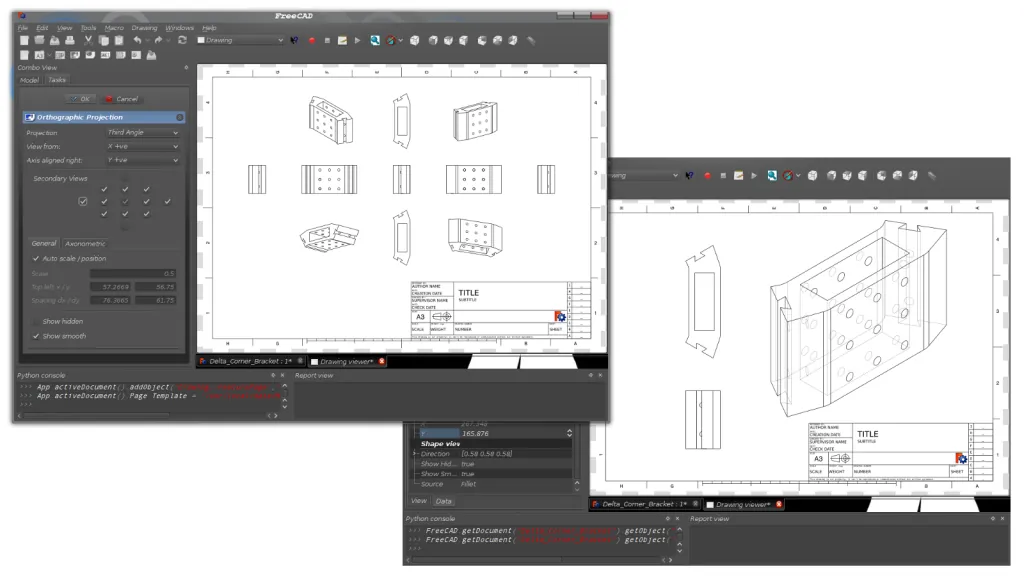
About FreeCAD
FreeCAD is developed by an open source community and supported by the FreeCAD project association. It is built on the Open CASCADE geometry kernel and works with solid, full-precision models in real units, from microns to kilometers.
Everything in FreeCAD is parametric: shapes are driven by values and constraints, so you can change a dimension and the model is recalculated. Tools are grouped into workbenches, such as Sketcher, Part Design, Assembly, BIM and FEM, and version 1.0 added a built-in Assembly workbench.
What it does well
- Constraint-based sketcher. Draw 2D profiles with geometric and dimensional constraints as the base for 3D parts.
- Parametric modeling. Change any value later and the model and its history update.
- Assembly and BIM. Built-in Assembly workbench for joints between parts and a BIM workbench for buildings.
- File exchange. Imports and exports STEP, IGES, STL, OBJ, DXF, DWG, SVG, IFC and more.
- Python scripting. Integrated Python console, macros and add-ons from the Addon Manager.
Who it is for
Good fit
Makers, engineers and students designing parts for 3D printing or CNC, and anyone who needs precise technical drawings.
Look elsewhere
Artists who want to sculpt or animate organic shapes; a mesh tool like Blender fits that better.
Pros and cons
Pros
- True parametric modeling
- Built-in assembly and BIM tools
- Wide CAD file format support
- Extensible with Python and add-ons
Cons
- Steep learning curve
- Many workbenches with different workflows
- Less polished than commercial CAD
How to install FreeCAD
The download page links the Windows x86_64 installer and a portable 7z archive from FreeCAD's official GitHub releases. Windows 10 is the minimum supported version, and all builds are 64-bit. Weekly development builds are listed separately and are not meant for production work.
Questions about FreeCAD
Is FreeCAD free for commercial work?
Yes. It is open source under the GNU LGPL, and you can use it for any purpose, including commercial projects.
Can FreeCAD export files for 3D printing?
Yes. You can export models as STL or OBJ for slicers, or STEP for exchange with other CAD software.
Does FreeCAD have an assembly workbench?
Yes. Since version 1.0, a built-in Assembly workbench is included, and community assembly add-ons are also available.


