

Our verdict: RX is the tool post-production and podcast engineers reach for when a recording is noisy, clipped or full of mouth clicks. The spectral editor lets you paint problems out, and the machine-learning modules isolate dialogue or split music into stems. The trial is short and cannot save or export from the editor, and the editions differ a lot in price and tools.
About iZotope RX
RX is developed by iZotope, which joined Boris FX in July 2026. RX 12 comes in three editions: Elements is six plugins for your DAW built around the Repair Assistant, Standard adds the standalone audio editor with spectral repair, Music Rebalance and Dialogue Isolate, and Advanced adds post-production modules such as Scene Rebalance, Ambience Match and EQ Match.
Downloads need an iZotope account. For 10 days after installation RX runs in trial mode with all features, but the standalone editor cannot save or export. After that it switches to demo mode, which inserts silence into the audio at regular intervals until you buy a license. Elements costs $99, Standard $399 and Advanced $1,399, all as one-time licenses.
What it does well
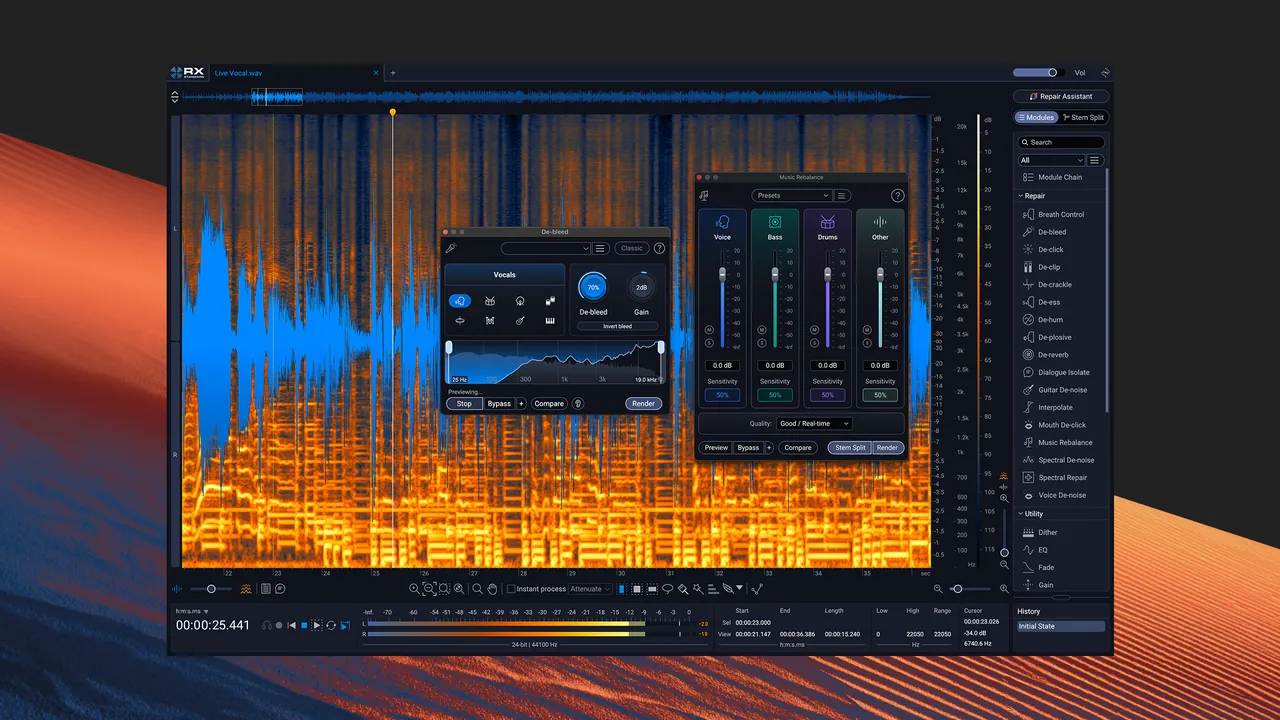
- Spectral editor. Shows audio as a spectrogram so you can select and remove coughs, sirens or squeaks (Standard and Advanced).
- Repair Assistant. Analyzes voice, music or effects and suggests a processing chain at three intensities.
- Noise and hum removal. Voice De-noise, Spectral De-noise, De-hum, De-click and De-clip repair common recording faults.
- Dialogue Isolate. Separates speech from background noise and reverb, also as a real-time plugin.
- Music Rebalance. Splits songs into vocals, bass, percussion and other instruments, offline or in real time.
Who it is for
Good fit
Podcast editors, post-production engineers and musicians who need to rescue noisy or damaged recordings.
Look elsewhere
Casual users who need simple noise removal now and then; free editors with noise reduction are cheaper.
Pros and cons
Pros
- Very effective noise and dialogue repair
- Spectral editing with time and frequency feathering
- Works as standalone editor and DAW plugins
- Perpetual licenses still offered
Cons
- Trial lasts 10 days and cannot save or export
- Standalone editor needs the $399 Standard edition
- Download requires an iZotope account
How to install iZotope RX
Sign in with an iZotope account on the official download page, download the Windows installer and run it. When RX first opens, choose Continue or Demo in the authorization window to start the 10-day trial. The Elements edition installs only plugins, so open it from your DAW.
Questions about iZotope RX
Is iZotope RX free?
No. RX runs as a full trial for 10 days, but the standalone editor cannot save or export. After that, demo mode inserts periodic silence until you buy a license: Elements $99, Standard $399 or Advanced $1,399.
Does RX Elements include the audio editor?
No. RX 12 Elements is a set of six plugins for use in a DAW. The standalone audio editor comes with RX Standard and Advanced.
Does iZotope train its AI on my audio?
iZotope says its machine-learning models are trained on licensed datasets and in-house recordings, and user sessions are not mined for training.


