

Our verdict: GoldWave has been around since the 1990s and is still a quick, capable editor for recording, cleaning up and converting audio. Batch processing, effect chains and the expression evaluator make it handy for repetitive jobs. The evaluation runs out after a certain amount of use, and the current version needs a 64-bit PC with an AVX2 processor.
About GoldWave
GoldWave is made by GoldWave Inc., a small company near St. John's, Newfoundland, Canada. The Windows version requires Windows 10 64-bit or later and a CPU with AVX2; older PCs can still use version 6.80 or 5.70 from the same page. GoldWave Infinity is a separate cross-platform version for other systems.
The download is an evaluation version, not a time-boxed trial: a counter in the status bar totals the commands you use, and the evaluation expires after a certain amount of use. A one-year license costs $19 and returns the program to evaluation mode when it expires; a lifetime license costs $59 and includes free upgrades. No account is needed to try it.
What it does well
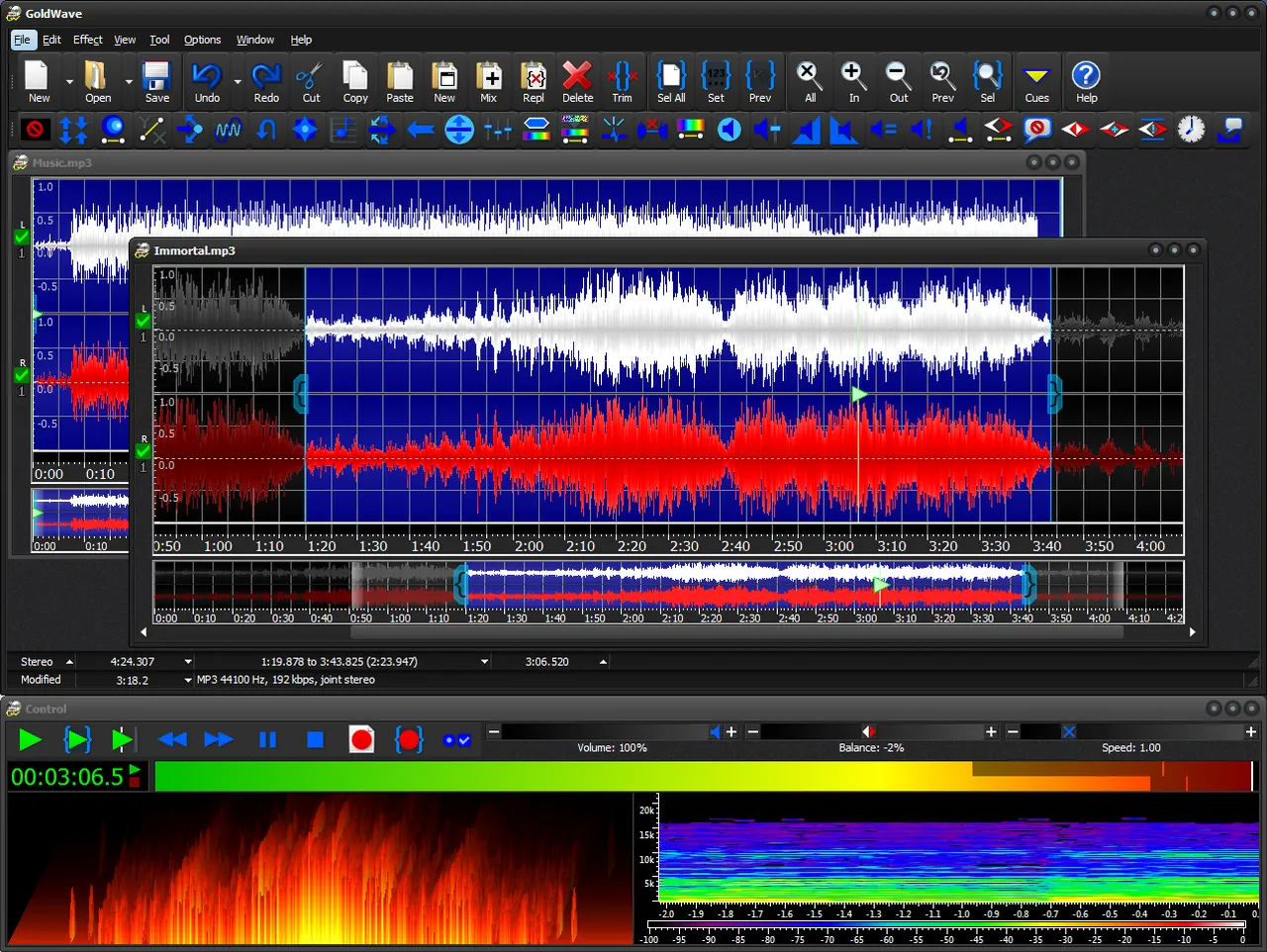
- Recording and playback. Control window with record, play and timed recording, plus real-time visuals like spectrum and spectrogram.
- Noise reduction. Removes hiss and hum using a noise profile taken from any part of the sound or the clipboard.
- Batch processing. Converts many files to other formats and applies effects or edits in one run.
- Effect chains. Processes a series of effects in a single pass to save time.
- CD reader and speech. Rips CD tracks to MP3, OGG or WMA and converts text to speech or speech to text.
Who it is for
Good fit
People who record, clean up and convert audio regularly and want a fast, traditional editor.
Look elsewhere
Users with older CPUs without AVX2, or anyone who wants a free editor with no usage limits.
Pros and cons
Pros
- Fast, compact editor
- Strong batch processing
- Lifetime license with free upgrades
- Built-in CD ripping and speech tools
Cons
- Evaluation expires after a certain amount of use
- Requires a CPU with AVX2
- Interface looks dated next to newer editors
How to install GoldWave
The button downloads the latest GoldWave installer for Windows directly from goldwave.com. No account is needed for the evaluation. After buying, enter the license via Options > Register in the program.
Questions about GoldWave
Is GoldWave free?
No. You can download and use the evaluation without an account or card, but it expires after a certain amount of use. A license costs $19 for one year or $59 for a lifetime license with free upgrades.
What happens when a one-year GoldWave license expires?
The program returns to evaluation mode. The license is not a subscription and does not renew automatically.
Does GoldWave run on older PCs?
The current version needs 64-bit Windows 10 or later and an AVX2 CPU. GoldWave offers version 6.80 for older processors and Windows 7 or 8, and version 5.70 for 32-bit systems.


