

Our verdict: NVIDIA Profile Inspector is the standard tool for tweaking NVIDIA driver settings that the Control Panel hides, such as frame-rate limiters, DLSS overrides and compatibility flags. It is powerful and portable. Many of these settings are undocumented, so export a backup before experimenting.
About NVIDIA Profile Inspector
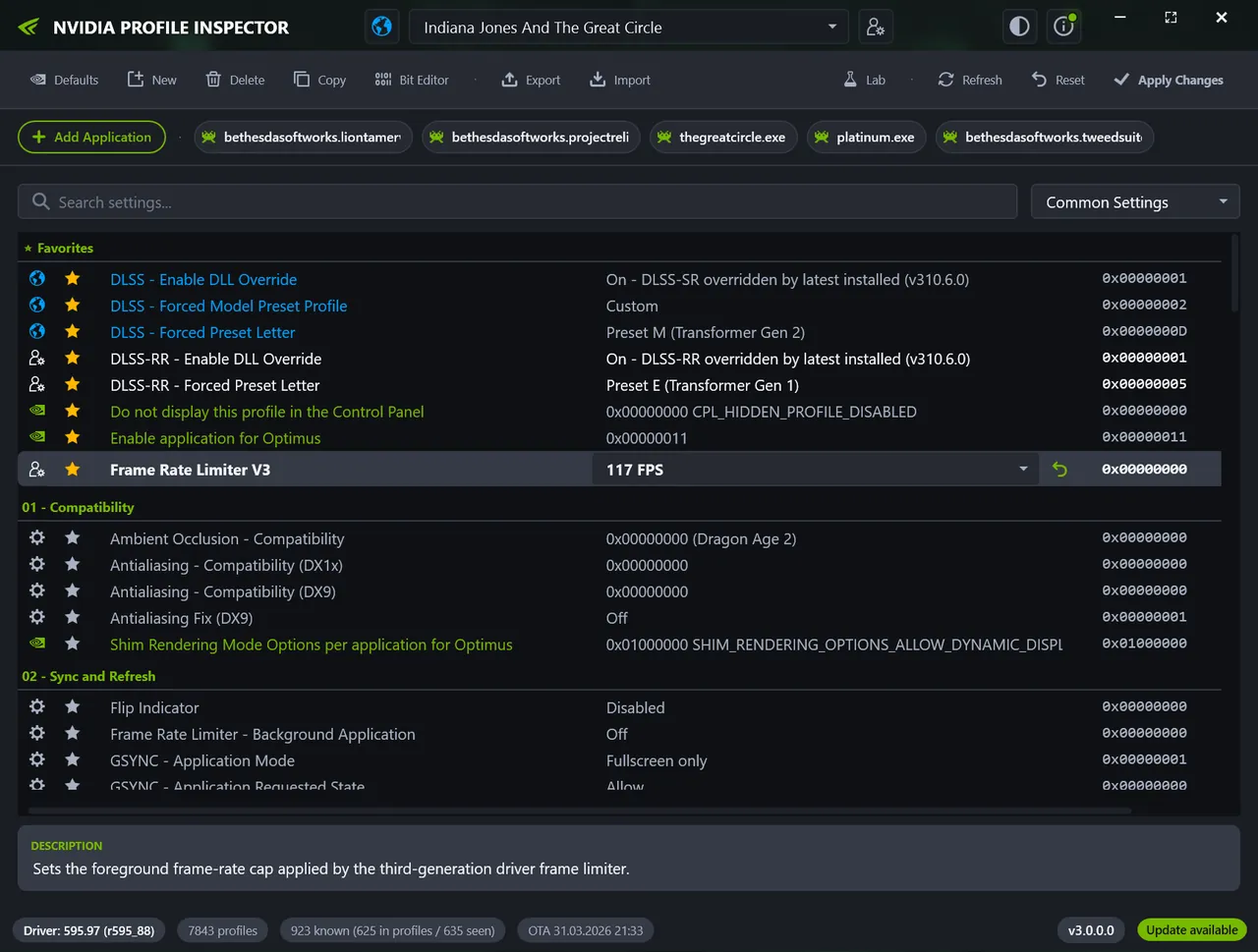
NVIDIA Profile Inspector edits the driver profile database used by the NVIDIA Control Panel through the NVIDIA Driver Settings API. It shows global and per-application profiles and exposes many hidden or undocumented settings: frame-rate limiters, synchronization, texture filtering, SLI and Optimus behavior, DLSS, DLSS Ray Reconstruction and Frame Generation overrides where the driver supports them.
You can add executables to a profile, create profiles for games missing from the driver database, search settings, mark favorites and edit bitmask values in a Bit Editor. Profiles can be exported and imported as .nip files or NVIDIA text dumps, and single settings, whole profiles or driver defaults can be restored. The app is portable, needs .NET Framework 4.8 and must run as administrator to save changes.
What it does well
- Per-game profiles. Edit global and per-application NVIDIA driver profiles.
- Hidden settings. Access undocumented driver flags beyond the NVIDIA Control Panel.
- DLSS overrides. Set DLSS, Ray Reconstruction and Frame Generation overrides where supported.
- .nip backups. Export and import profiles to share presets or restore after driver updates.
- Restore defaults. Reset a single setting, a profile or the whole driver database.
Who it is for
Good fit
PC gamers and enthusiasts with NVIDIA cards who tune frame limits, sync or DLSS per game.
Look elsewhere
AMD or Intel GPU users, and anyone uncomfortable changing undocumented driver settings.
Pros and cons
Pros
- Free and open source
- Exposes settings hidden by the NVIDIA Control Panel
- Profile backups as .nip files
- Portable, no installation
Cons
- Many settings are undocumented and can cause issues
- Works only with NVIDIA GPUs
- Needs administrator rights to save changes
How to install NVIDIA Profile Inspector
The button downloads the official ZIP from the GitHub release. Extract it to a writable folder and start nvidiaProfileInspector.exe as administrator; there is no installer. Export your customized profiles before changing settings so you can restore them.
Questions about NVIDIA Profile Inspector
Is NVIDIA Profile Inspector free?
Yes. It is open source under the MIT license.
Is NVIDIA Profile Inspector made by NVIDIA?
No. It is an independent open-source tool by Orbmu2k and contributors that uses NVIDIA's driver settings API.
Do my changes survive a driver update?
Not always. Driver updates can reset profiles, so export your customized profiles as .nip files and import them again after updating.


