

Our verdict: Recuva is an easy first try when you have deleted a file by mistake or emptied the Recycle Bin. A wizard guides you, and a deep scan digs further on formatted or damaged drives. The program has received only maintenance updates for years, and recovery from SSDs is rarely possible.
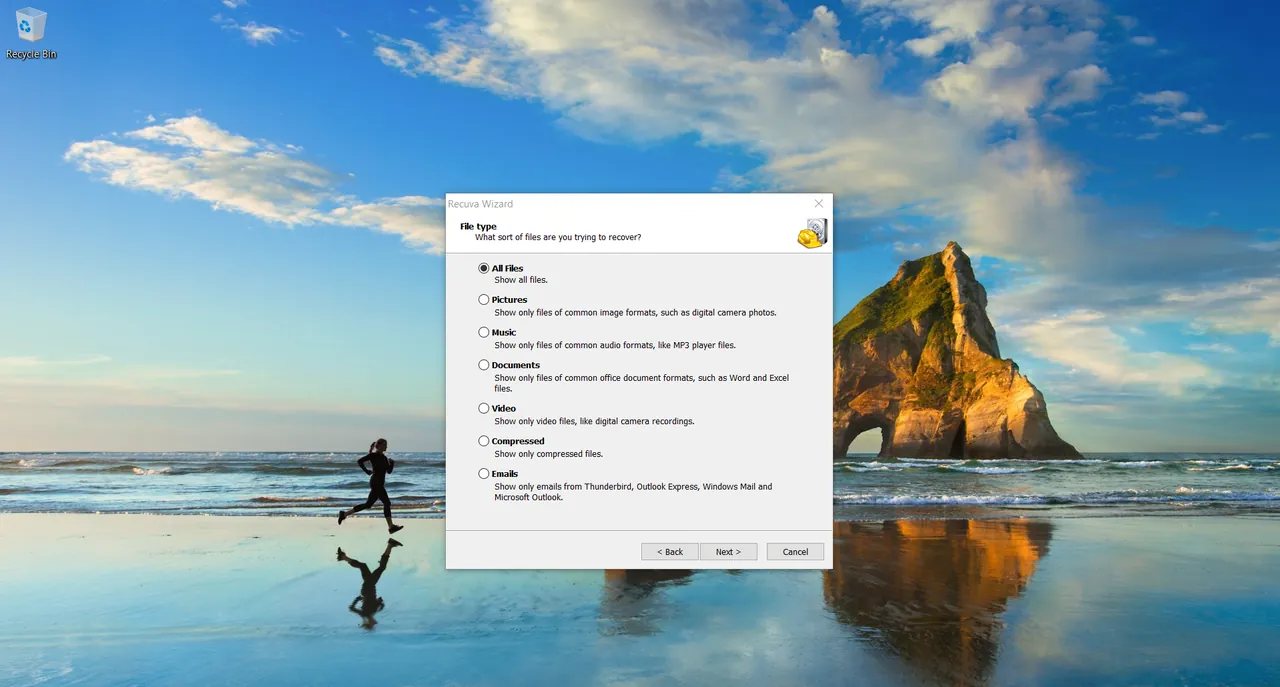
About Recuva
Recuva is made by Piriform, the developer of CCleaner, and is now part of Gen Digital. It searches a drive for files that were deleted but not yet overwritten, shows how likely each one is to be recovered, and copies the ones you choose to another drive.
It works with internal and external hard drives, memory cards, USB sticks and MP3 players, and can recover from newly formatted or damaged drives. Recuva also includes a secure overwrite option to permanently delete files. Recuva Professional, a paid version, adds virtual hard drive support, automatic updates and premium support. Both versions are for home use only.
What it does well
- Recovery wizard. Asks what file type and location to search, then lists recoverable files.
- Deep scan. Searches more thoroughly for files on formatted or damaged drives.
- Recovery chance indicator. Marks each found file as excellent, poor or unrecoverable.
- Many storage types. Works with hard drives, memory cards, USB sticks and MP3 players.
- Secure overwrite. Permanently deletes files using standard overwrite methods.
Who it is for
Good fit
Home users who need to get back recently deleted photos or documents from a hard drive or memory card.
Look elsewhere
Recovering data from SSDs with TRIM, encrypted drives or physically failing disks, which need other tools or a lab.
Pros and cons
Pros
- Free for home use
- Easy wizard for beginners
- Deep scan for formatted drives
- Small download
Cons
- Only maintenance updates for years; Windows 11 is not on the official system list
- Rarely recovers files from SSDs because of TRIM
- Setup may include offers for other software
How to install Recuva
Stop using the drive that held the deleted files, and install Recuva on a different drive if possible so the installation does not overwrite them. Read each setup screen and decline any additional software offers. Always recover files to another drive than the one you are scanning.
Questions about Recuva
Is Recuva free?
Yes, for home use. Recuva Professional is a paid version with virtual hard drive support, automatic updates and premium support.
Can Recuva recover files from an SSD?
Usually not. SSDs with TRIM erase deleted blocks soon after deletion, so there is often nothing left to recover.
Why should I not install Recuva on the same drive?
Installing or saving anything on that drive can overwrite the deleted files you want to recover.


