

Our verdict: Rocket.Chat is a reasonable pick for teams that want self-hosted chat with video integrations and many languages. The Windows client is free and open source, but you need a server, and the free Starter plan stops at 50 users.
About Rocket.Chat
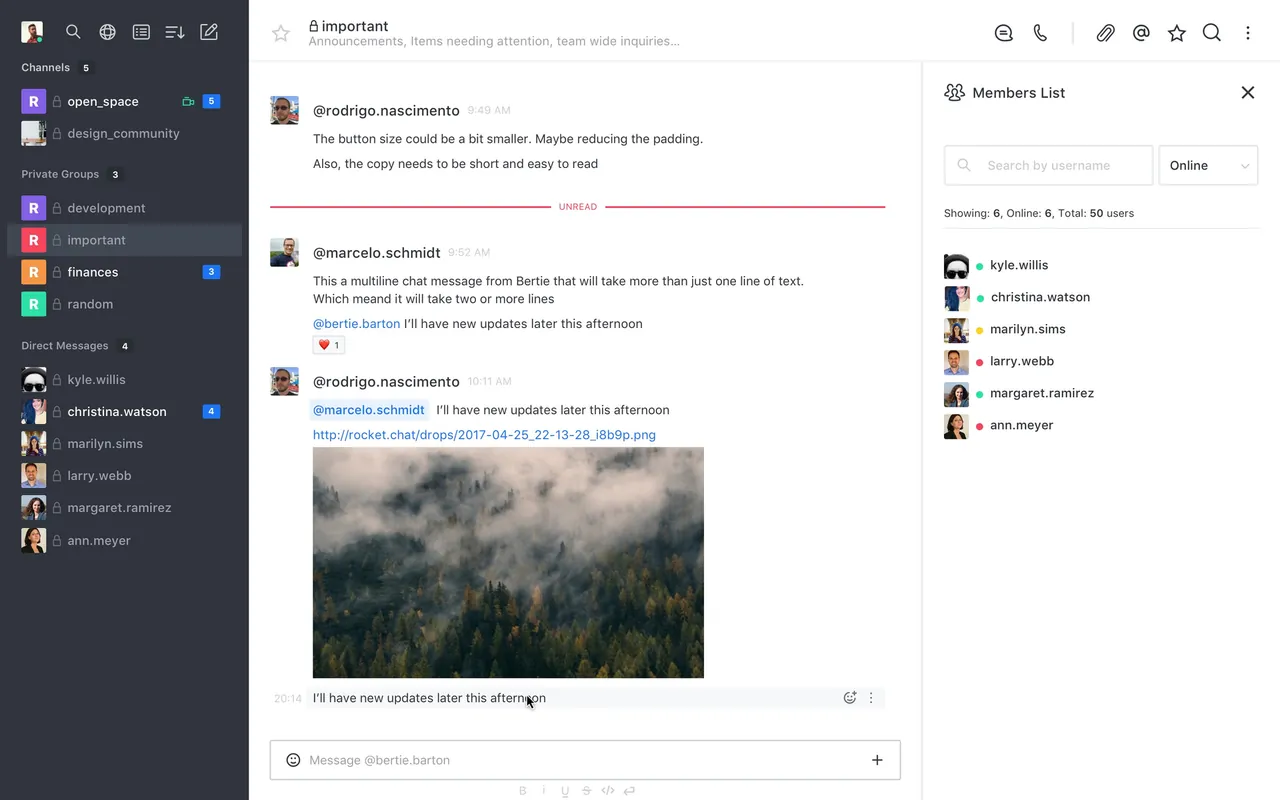
Rocket.Chat is a team communication platform you host yourself. The Windows desktop app is open source under the MIT license and can be signed in to several Rocket.Chat workspaces at once.
Every new self-hosted workspace starts on the free Starter plan for up to 50 users, with many premium features such as single sign-on and end-to-end encryption. The MIT-licensed Community edition allows up to 100 concurrent users with core messaging only. Paid Commercial, Government and Defense plans target large and regulated organizations.
What it does well
- Channels and direct messages. Team chat with channels, groups, threads and file sharing.
- Multiple workspaces. Add several Rocket.Chat servers to one desktop app.
- Video call integrations. Start meetings through Jitsi, BigBlueButton and, on Starter, Zoom or Google Meet.
- 64 languages. The interface is localized into 64 languages.
- Marketplace apps. Extend the workspace with apps and the Apps-Engine.
Who it is for
Good fit
Small organizations that want self-hosted team chat with SSO on a free plan.
Look elsewhere
Individuals who want a ready-made chat service without a server.
Pros and cons
Pros
- Desktop app is open source
- Free Starter plan includes SSO and end-to-end encryption
- Many video meeting integrations
- Several workspaces in one app
Cons
- Needs a Rocket.Chat server
- Starter stops adding users after 50
- Community edition is limited to core messaging
How to install Rocket.Chat
Download the Windows installer and run it. On first launch enter your workspace address, for example chat.example.com, and sign in. Further workspaces can be added from the sidebar.
Questions about Rocket.Chat
Is Rocket.Chat free?
Yes. The desktop app is free, and self-hosted workspaces can use the free Starter plan for up to 50 users or the MIT-licensed Community edition.
Do I need a server for Rocket.Chat?
Yes. The Windows app connects to a Rocket.Chat workspace hosted by you or your organization.


