

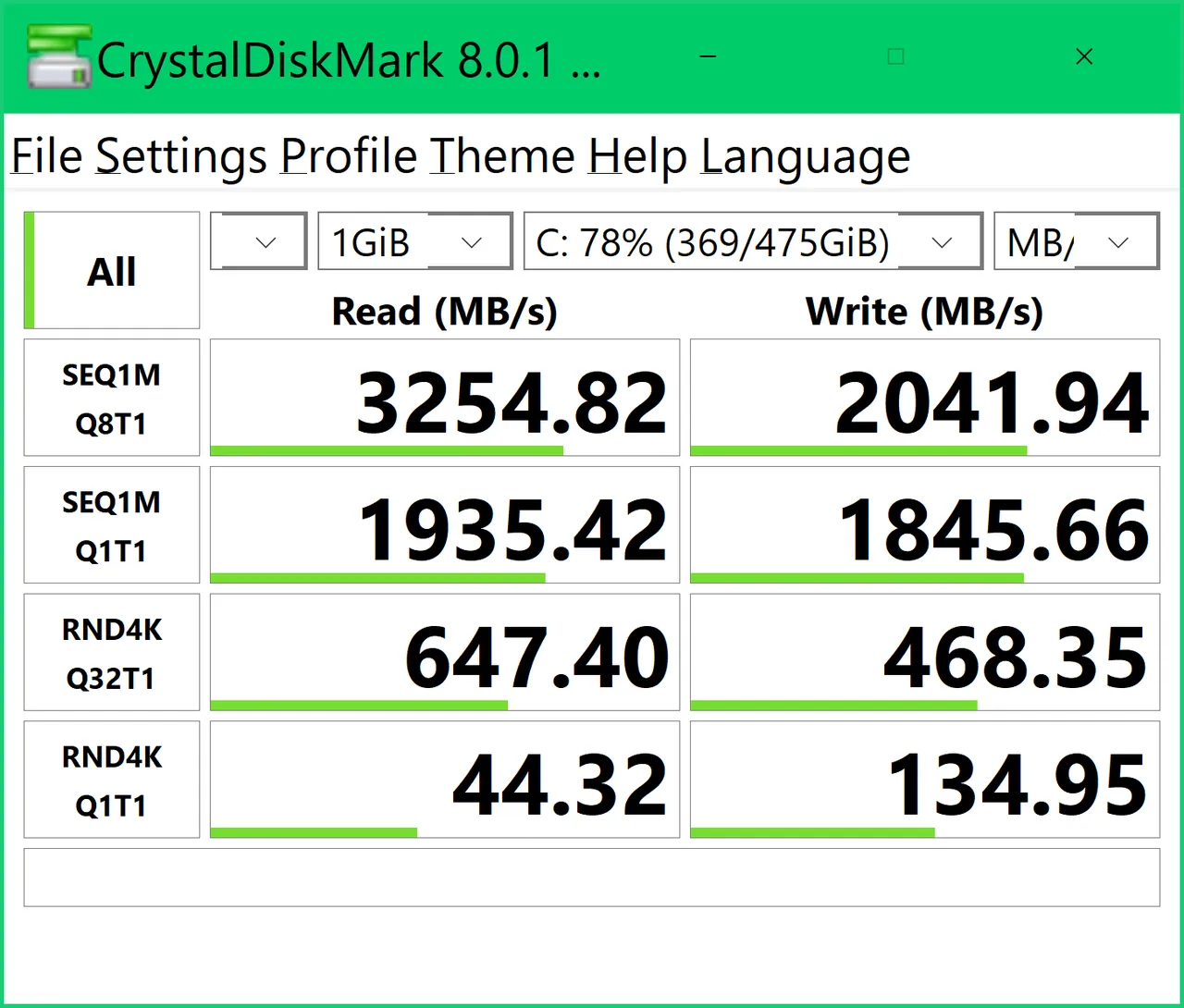
Our verdict: CrystalDiskMark is the standard quick test for drive speed. One click shows whether an SSD reaches its advertised sequential speed and how it handles small random reads and writes. It only benchmarks; for drive health use CrystalDiskInfo from the same developer.
About CrystalDiskMark
CrystalDiskMark is developed by Noriyuki Miyazaki of Crystal Dew World and released under the MIT license. It measures sequential and random performance for reads, writes and a mixed workload, with Peak, Real World and Demo modes.
Results are shown in MB/s, where 1 MB/s means 1,000,000 bytes per second. The developer notes that benchmarks shorten SSD and USB flash life a little, and that results are not comparable between major versions. Besides the Standard Edition there are anime-themed Aoi and Shizuku editions with the same functions.
What it does well
- Sequential and random tests. Read, write and mixed tests with several queue depths.
- Measure modes. Peak, Real World and Demo profiles.
- Adjustable test size. Choose test file size, number of runs and target drive.
- Network drives. Can benchmark network drives when started without admin rights.
- Themes and languages. Many interface languages and visual themes.
Who it is for
Good fit
Anyone checking whether a new SSD, USB stick or external drive performs as advertised.
Look elsewhere
Checking drive health or SMART errors; use CrystalDiskInfo for that.
Pros and cons
Pros
- One-click drive speed test
- Open source (MIT)
- Installer and portable ZIP
- Supports x86, x64 and ARM64
Cons
- Download page is cluttered with editions and ad-supported variants
- Frequent runs add wear to SSDs
- Results from different major versions are not comparable
How to install CrystalDiskMark
On the Crystal Dew World download page choose the Standard Edition installer or ZIP; the files are hosted on SourceForge. Avoid running many benchmarks in a row on an SSD, since each run writes gigabytes of data. Close other programs before testing for consistent results.
Questions about CrystalDiskMark
Is CrystalDiskMark free?
Yes. CrystalDiskMark is open source under the MIT license.
Why does my SSD show lower speeds than advertised?
Results depend on the test file size, how full the drive is, the controller and the port. Advertised speeds are usually peak sequential values.
What are the Aoi and Shizuku editions?
Themed versions with character artwork. They have the same benchmark functions as the Standard Edition.


.png)