

Our verdict: If you own a Samsung SSD, Magician is the official way to update its firmware and check its health, and it now includes the Data Migration tool for cloning your old drive. Most features only work with Samsung's own retail drives. For other brands, use CrystalDiskInfo or the maker's own tool.
About Samsung Magician
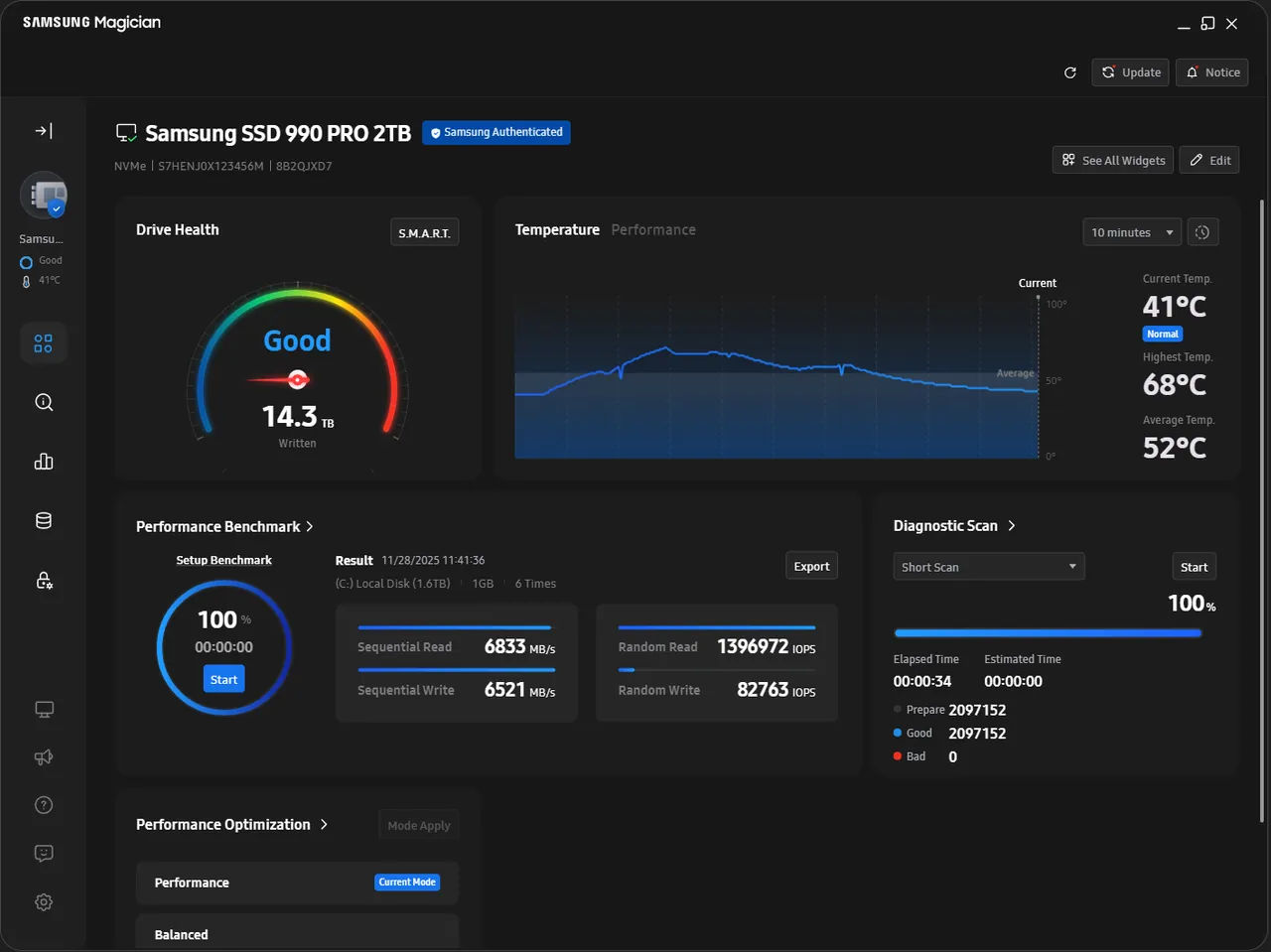
Samsung Magician is the free management app for Samsung consumer storage: internal SATA and NVMe SSDs, portable SSDs, memory cards and USB flash drives. A dashboard shows drive health, temperature and firmware status and alerts you to updates. Diagnostic Scan runs a quick test for errors, and an authenticity check confirms the drive is genuine.
Performance tools include a configurable benchmark, Performance Optimization modes and Over Provisioning, which reserves free space to help speed and lifespan. Secure Erase wipes a drive completely. The former Data Migration, Portable SSD Software and Memory Card/UFD Authentication Utility are built into Magician. Samsung notes that features vary or are missing on other brands' drives and on Samsung OEM drives.
What it does well
- Firmware updates. Checks for and installs new firmware for supported Samsung SSDs.
- Drive health and diagnostics. Shows drive status and runs Diagnostic Scan to find errors early.
- Data Migration. Copies your OS, apps and files from the current drive to a new Samsung SSD.
- Benchmark and optimization. Measures read and write speed and switches between performance and power-saving modes.
- Secure Erase and Over Provisioning. Wipes all data from a drive or reserves space for better speed and endurance.
Who it is for
Good fit
Owners of Samsung retail SSDs, portable SSDs and memory cards, and anyone moving Windows to a new Samsung SSD.
Look elsewhere
Drives from other brands or Samsung OEM drives shipped in laptops, where most features are unavailable.
Pros and cons
Pros
- Official firmware updates for Samsung SSDs
- Data Migration now built in
- Health, diagnostics and benchmarks in one app
- Free from Samsung
Cons
- Most features only work with Samsung retail drives
- Large download for a drive utility
- No Linux version
How to install Samsung Magician
The button downloads the official Windows installer from Samsung's servers (about 195 MB). Setup needs administrator rights. Back up your data before a firmware update, and double-check the selected drive before Secure Erase, which deletes everything on it. Samsung's installation guide PDF is linked on the same page.
Questions about Samsung Magician
Is Samsung Magician free?
Yes. Samsung Magician is a free download from Samsung.
Does Samsung Magician work with non-Samsung SSDs?
Only partly. Samsung says supported features vary with drives from other manufacturers and with Samsung OEM drives.
Where is Samsung Data Migration now?
It is integrated into Samsung Magician, together with the Portable SSD Software and the Memory Card/UFD Authentication Utility.


