

Our verdict: DeepSkyStacker is the classic first stacking tool for deep-sky astrophotography. Load lights, darks, flats and bias frames, click Register and Stack, and you get a much cleaner image. It only stacks, so stretching and final edits still happen in another program.
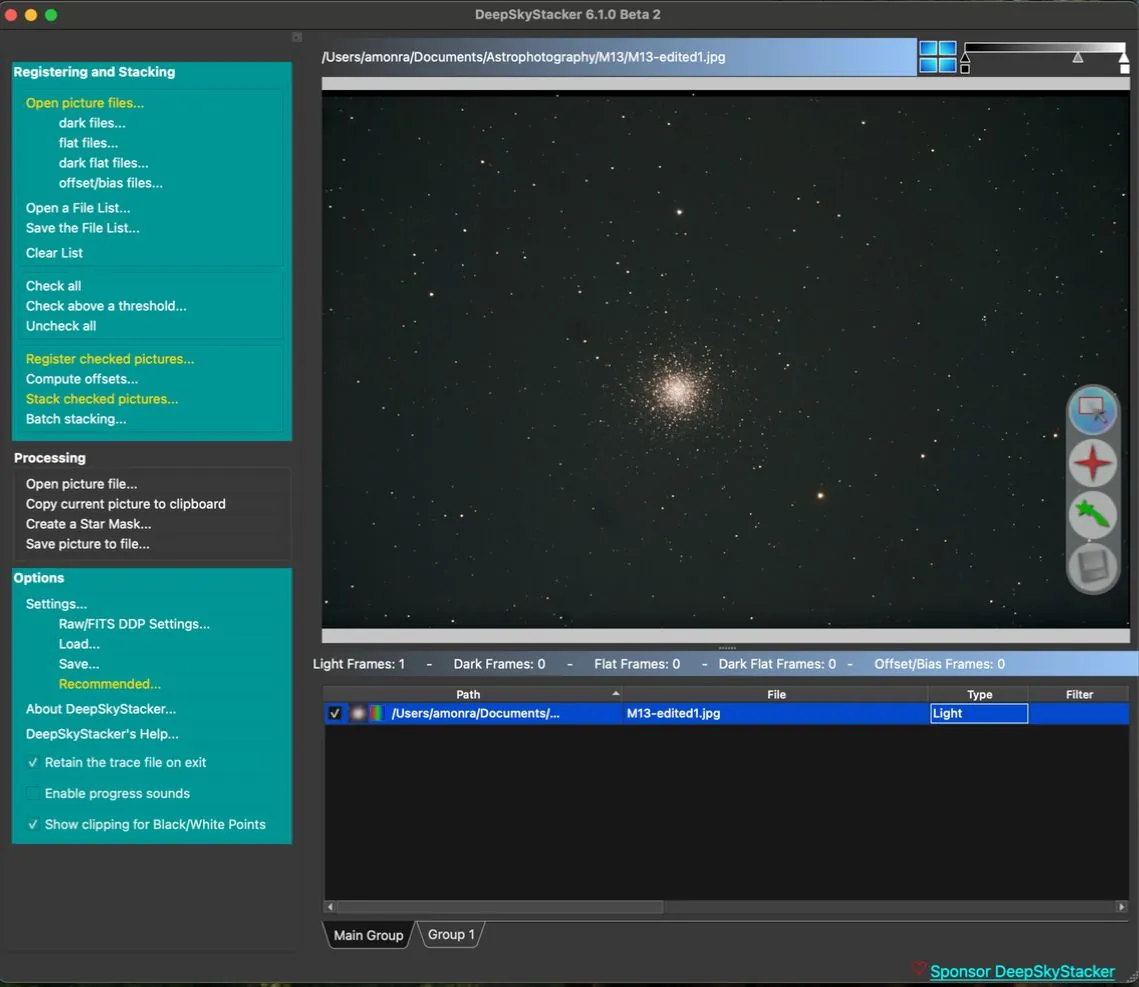
About DeepSkyStacker
DeepSkyStacker was created as freeware by Luc Coiffier in 2006, open sourced in 2018 and is now maintained by a small volunteer team under the BSD 3-Clause license. Current releases are built with Qt and published for Windows, macOS and Linux.
The workflow is built around a file list: you add light, dark, flat, dark flat and bias frames, check the best frames, then register and stack them. It reads camera RAW, FITS and TIFF files. The companion DeepSkyStacker Live can show and stack frames while you are still capturing.
What it does well
- Calibration frames. Uses darks, flats, dark flats and bias frames to remove noise and vignetting.
- Registration. Detects stars and aligns frames automatically, with a quality score per frame.
- Stacking methods. Average, median, kappa-sigma and other methods to reject satellites and noise.
- RAW support. Reads camera RAW files through LibRaw, plus FITS and TIFF.
- DeepSkyStacker Live. Monitors a folder and stacks frames live during an imaging session.
Who it is for
Good fit
Beginner and intermediate astrophotographers who want a simple, proven way to stack deep-sky frames.
Look elsewhere
Planetary imagers working with videos, and anyone wanting full post-processing in the same app.
Pros and cons
Pros
- Free and open source
- Simple, guided stacking workflow
- Supports all common calibration frames
- Live stacking companion included
Cons
- No real post-processing tools
- Official website is outdated
- Large stacks need a lot of RAM
How to install DeepSkyStacker
Download the windows-x64 installer from the latest GitHub release, which the official deepskystacker.free.fr site links to. The installer removes any older DeepSkyStacker version first. For DSLR RAW files, check the camera is supported by LibRaw.
Questions about DeepSkyStacker
Is DeepSkyStacker free?
Yes. DeepSkyStacker has always been free and is now open source under the BSD 3-Clause license.
What do I do after stacking?
Save the stacked image as a 16- or 32-bit TIFF or FITS and stretch and edit it in Siril, GIMP or another editor.
Does DeepSkyStacker run on Mac?
Yes. Since version 6, the project also publishes macOS and Linux builds alongside Windows.


