

Our verdict: Stellarium is the best free planetarium for a PC, accurate enough for observers and researchers yet easy to explore for beginners. It needs a working OpenGL graphics driver, and the huge extra catalogues take up a lot of disk space.
About Stellarium
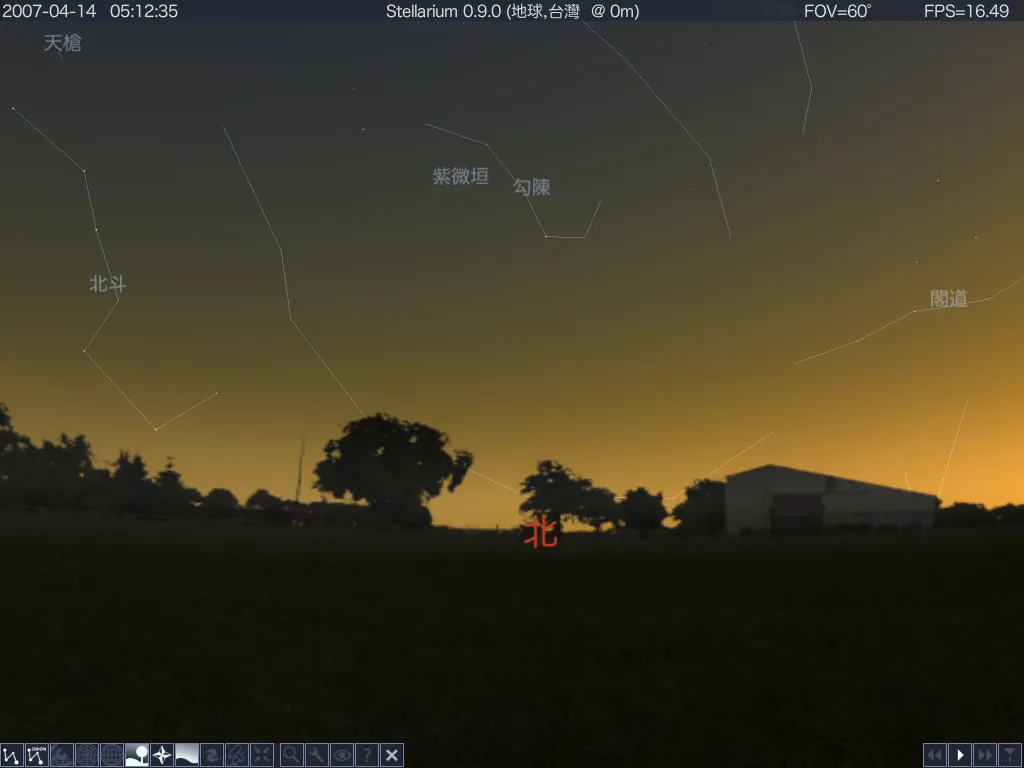
Stellarium renders a realistic sky in 3D as you would see it with the naked eye, binoculars or a telescope, for any place and time. The default catalogue holds over 600,000 stars and 80,000 deep-sky objects, with optional catalogues of more than 220 million stars. You see planets and moons, a realistic Milky Way and atmosphere, sunrise and sunset, eclipses, comets with tails, shooting stars and constellations from more than 40 sky cultures.
Plugins add artificial satellites, ocular view simulation, exoplanets and telescope control, and a scripting interface and HTTP remote control API automate shows. Fisheye and spherical mirror projection support planetarium domes. Stellarium is open source under the GNU GPL; it needs a 64-bit system and a graphics card with OpenGL 2.1 or better, while 4 GB of RAM and OpenGL 3.3 are recommended.
What it does well
- Realistic sky. 600,000+ stars by default, realistic atmosphere and Milky Way.
- Time control. Move through time to see the sky of the past or future, including eclipses.
- Sky cultures. Constellations and art from more than 40 cultures.
- Telescope control. Point a supported telescope mount and simulate eyepiece views.
- Plugins and scripts. Satellites, exoplanets, scripting and a remote control API.
Who it is for
Good fit
Amateur astronomers, teachers and anyone who wants to identify stars and plan observations.
Look elsewhere
PCs with very old graphics drivers, or people who only want a quick sky chart on a phone.
Pros and cons
Pros
- Free and open source
- Very realistic and accurate sky rendering
- Telescope control and ocular simulation
- Plugins, scripting and planetarium dome support
Cons
- Requires OpenGL-capable graphics drivers
- Large optional catalogues need many gigabytes of disk space
- Many settings can overwhelm first-time users
How to install Stellarium
The download button fetches the Qt6 Windows x64 installer for Windows 10 and 11 from the official GitHub release linked on stellarium.org; a Qt5 build for Windows 7 or newer is listed on the same site. On first start set your location in the Location window (F6). Extra star catalogues are downloaded from the configuration window if you need them.
Questions about Stellarium
Is Stellarium free?
Yes. Stellarium is free and open source under the GNU GPL.
Which Windows installer should I choose?
The Qt6 x64 build is for Windows 10 and 11. The Qt5 x64 build supports Windows 7 and newer, and there is an ARM64 build for Windows on Arm.
Can Stellarium control my telescope?
Yes. The Telescope Control plugin can point many computerised telescope mounts at objects you select.


