

Our verdict: DisplayCAL is the most capable free way to calibrate a monitor, with far more control and reporting than the bundled software of most colorimeters. You need your own measurement device, and the many options assume some color-management knowledge. The original author stopped development; today it lives on as a community Python 3 project.
About DisplayCAL
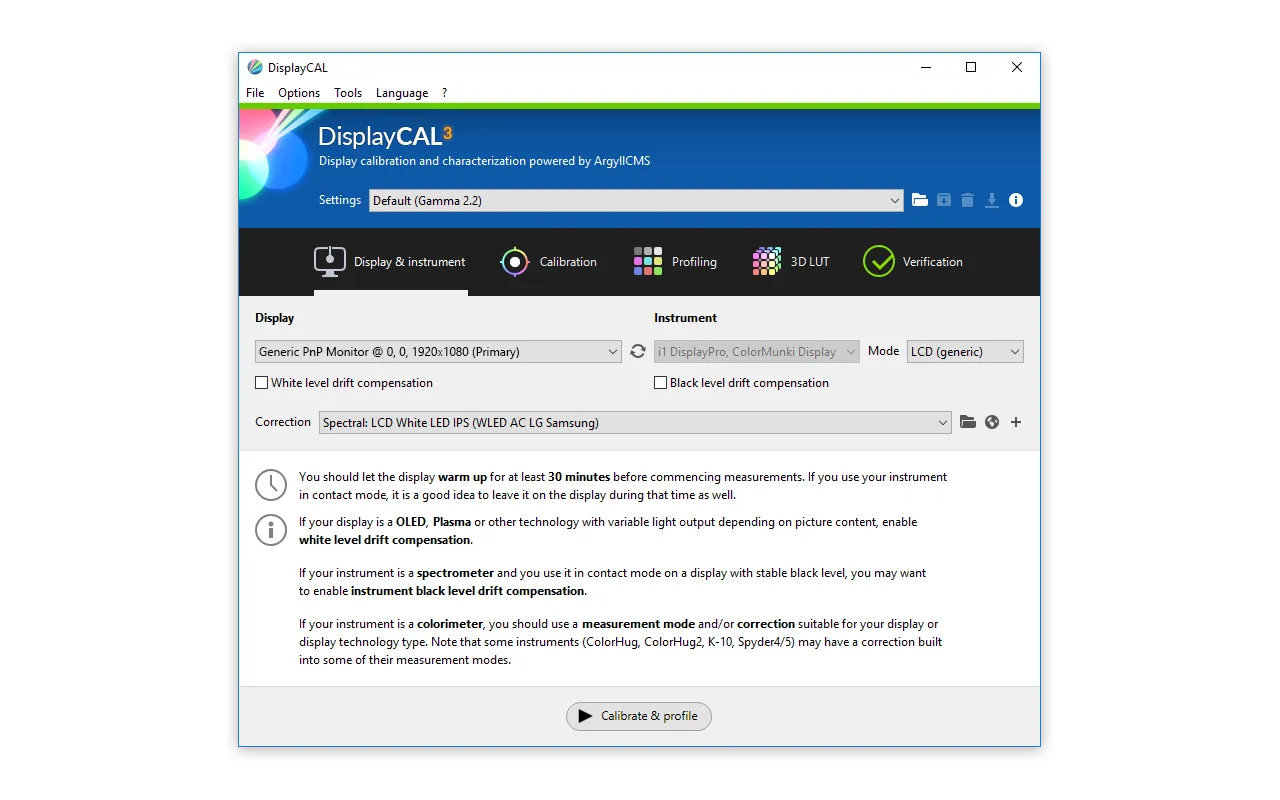
DisplayCAL, formerly dispcalGUI, was created by Florian Höch as a graphical front end for ArgyllCMS, the open-source color management system by Graeme Gill. With a supported colorimeter or spectrometer it measures your display, calibrates white point, brightness and tone curve, and creates an ICC profile. It supports multi-display setups, colorimeter corrections, uniformity checks, verification reports and a test chart editor.
It can also create video 3D LUTs, with presets for madVR, Resolve and Prisma, and synthetic ICC profiles. The last release on displaycal.net is 3.8.9.3 from 2019; current Windows, macOS and Linux builds come from the community Python 3 project on GitHub, led by Erkan Özgür Yılmaz, which publishes regular releases. DisplayCAL can download ArgyllCMS automatically on first start.
What it does well
- Calibration and profiling. Measures the display and creates calibration curves and an ICC profile.
- Verification reports. Checks profile accuracy and display uniformity with measurement reports.
- 3D LUTs. Builds video 3D LUTs with presets for madVR, Resolve and Prisma.
- Colorimeter corrections. Imports or creates corrections for different display panel types.
- Test chart editor. Creates custom patch sets for profiling and verification.
Who it is for
Good fit
Photographers, video editors and enthusiasts who own a colorimeter and want accurate, verifiable colors.
Look elsewhere
Users without a measurement instrument, and anyone looking for a one-click calibration.
Pros and cons
Pros
- Free and open source
- Very accurate calibration and detailed reports
- 3D LUTs for madVR and Resolve
- Supports many measurement instruments
Cons
- Requires a colorimeter or spectrometer
- Complex interface with many technical options
- Original author no longer develops it
How to install DisplayCAL
The button downloads the official Windows x64 installer from the community DisplayCAL release on GitHub. On first start DisplayCAL offers to download ArgyllCMS, which it needs for measurements. Earlier releases recommended installing to a folder without spaces, such as C:\DisplayCAL, if you run into path errors.
Questions about DisplayCAL
Is DisplayCAL free?
Yes. DisplayCAL is open source under the GNU GPL v3. You only pay for the measurement instrument you use with it.
Can I calibrate a monitor without a colorimeter?
Not with DisplayCAL. It takes measurements with a supported colorimeter or spectrometer through ArgyllCMS.
Is the GitHub version official?
It is the community continuation of DisplayCAL. The original site, displaycal.net, still offers version 3.8.9.3 from 2019, while new releases come from the displaycal-py3 project on GitHub.


