

Our verdict: f.lux is still the most configurable way to warm your screen at night on Windows. You set your location and lighting once, and it follows sunrise and sunset by itself. Windows already has a basic Night light, so f.lux is worth it mainly for its presets and finer control.
About f.lux
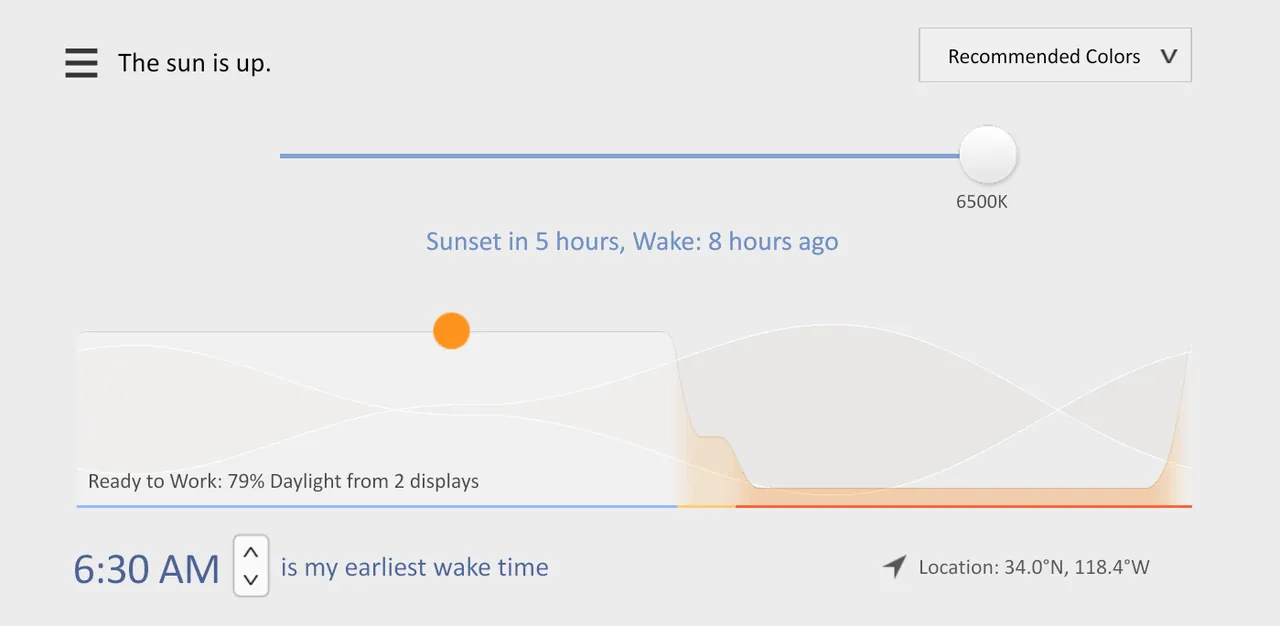
f.lux changes the color of your display to match the time of day: warm, like indoor lighting, after sunset and like sunlight during the day. You tell it what kind of lighting you have and where you live, and it adjusts automatically from then on.
Color temperature presets range from Ember at 1200K to Sunlight at 5500K, and you can fine-tune them with sliders. A Movie Mode and an option to disable f.lux for an hour help when colors matter. The free personal license allows use on a work computer if your employer approves; companies that manage installs centrally need a corporate license.
What it does well
- Automatic schedule. Follows sunset and sunrise for your location.
- Lighting presets. From Ember (1200K) and Candle (1900K) to Halogen (3400K) and Sunlight (5500K).
- Adjustable sliders. Set how warm the screen gets at night and during the day.
- Disable for an hour. Returns normal colors for one hour, for example while editing photos.
- Movie Mode. A 2½-hour mode that keeps sky colors and shadow detail with a warmer tone.
Who it is for
Good fit
People who use their PC late in the evening and want warmer colors without thinking about it.
Look elsewhere
Photo and video editors who need accurate colors, and users happy with the Windows Night light.
Pros and cons
Pros
- Free for personal use
- Fully automatic after setup
- Lighting presets plus fine-tuning sliders
- Tiny download (under 1 MB)
Cons
- Overlaps with the built-in Windows Night light
- Not designed for advanced color work, as the developers state
- Closed source
How to install f.lux
Run flux-setup.exe and set your location on first launch. Turn off Windows Night light while using f.lux; running both causes flicker at sunset, according to the f.lux FAQ. If f.lux does not work after a Windows upgrade, install the latest graphics driver from the manufacturer.
Questions about f.lux
Is f.lux free?
Yes, for personal use. You may also use it on a work computer with your employer's permission. Centrally managed company installs need a paid corporate license.
Can I use f.lux together with Windows Night light?
It is not recommended. The f.lux FAQ advises disabling Night light, because the two can cause flicker at sunset.


