

Our verdict: Eclipse is a mature, fully open-source IDE that remains a standard tool for Java and embedded C/C++ work. Its installer sets up a package for your language with a bundled Java runtime. It feels heavier and less polished than IntelliJ IDEA, and plugin conflicts can take time to sort out.
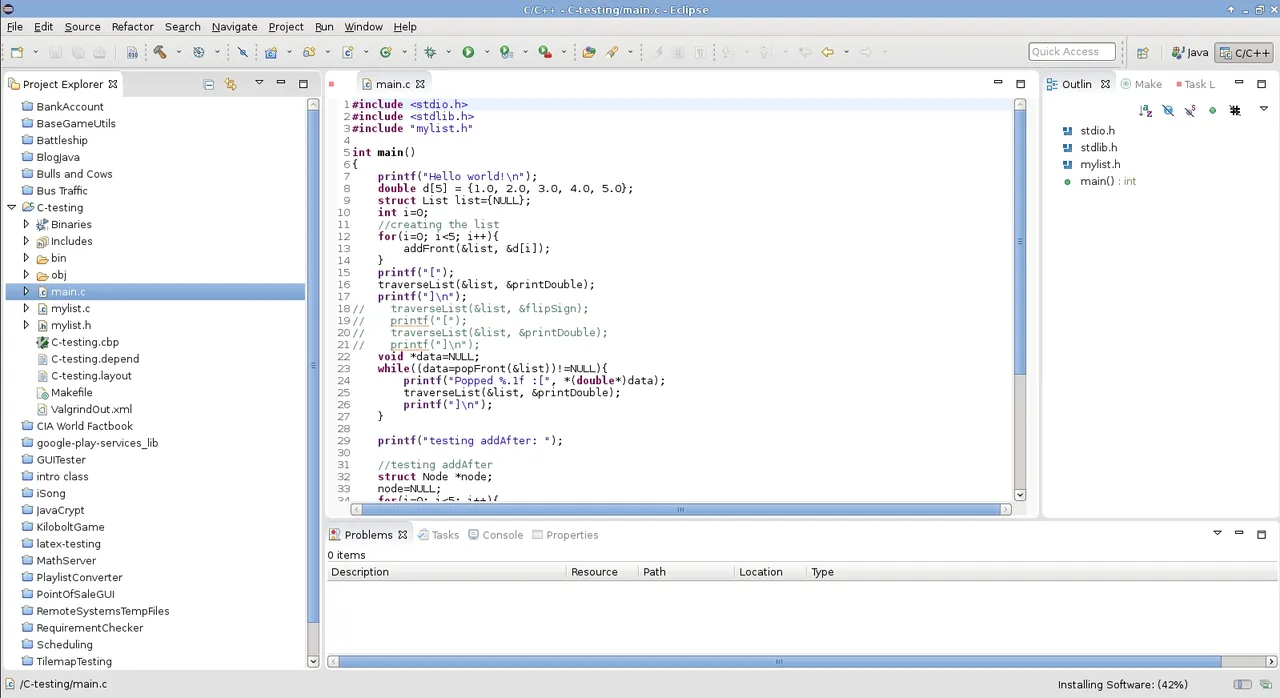
About Eclipse IDE
Eclipse IDE is developed by the Eclipse Foundation and its community and released under the Eclipse Public License 2.0. A new version ships every quarter, named after the year and month, such as 2026-09.
The Eclipse Installer lets you pick a package: Java developers, Enterprise Java and Web, C/C++, PHP, Embedded C/C++ and others. Each one combines the Eclipse platform with the right plugins. More tools, such as Spring or Python support, come from the Eclipse Marketplace inside the IDE.
What it does well
- Java tooling. Code completion, refactoring, a debugger and Maven and Gradle support.
- Language packages. Ready-made bundles for Java, Enterprise Java, C/C++, PHP and embedded development.
- Bundled Java runtime. The installer includes a Java runtime, so you do not need to install a JDK first.
- Eclipse Marketplace. Installs plugins for frameworks, languages and tools from inside the IDE.
- Git integration. EGit lets you clone, commit, branch and merge without leaving the IDE.
Who it is for
Good fit
Java and C/C++ developers, students in courses that use Eclipse, and embedded developers.
Look elsewhere
People who want a light editor, or the most polished Java experience available.
Pros and cons
Pros
- Fully open source with no paid tier
- Strong Java and C/C++ tooling
- Installer bundles Java
- Large plugin ecosystem
Cons
- Heavy on memory and slow to start
- Interface feels dated
- Plugin conflicts can break a setup
How to install Eclipse IDE
The download button gets the Eclipse Installer for Windows x64 with a bundled Java runtime from the Eclipse Foundation's own server. Run it, choose a package such as Eclipse IDE for Java Developers, and pick an install folder. ZIP packages for each edition are listed on the packages page.
Questions about Eclipse IDE
Is Eclipse IDE free?
Yes. Eclipse IDE is open source under the Eclipse Public License 2.0 and free for commercial use.
Do I need Java to run Eclipse?
Not with the Windows installer from the download button, which includes a Java runtime. You still need a JDK of your choice to build Java projects for specific versions.
Which Eclipse package should I choose?
Pick Eclipse IDE for Java Developers for plain Java, Enterprise Java and Web for server apps, or C/C++ Developers for native code.


