

Our verdict: If you use more than one JetBrains IDE, the Toolbox App is the easiest way to keep them installed and current: updates arrive as small patches in the background, and a bad release can be rolled back in two clicks. It is free and also manages Android Studio. It only helps with JetBrains tools, and the app itself runs in the background all the time.
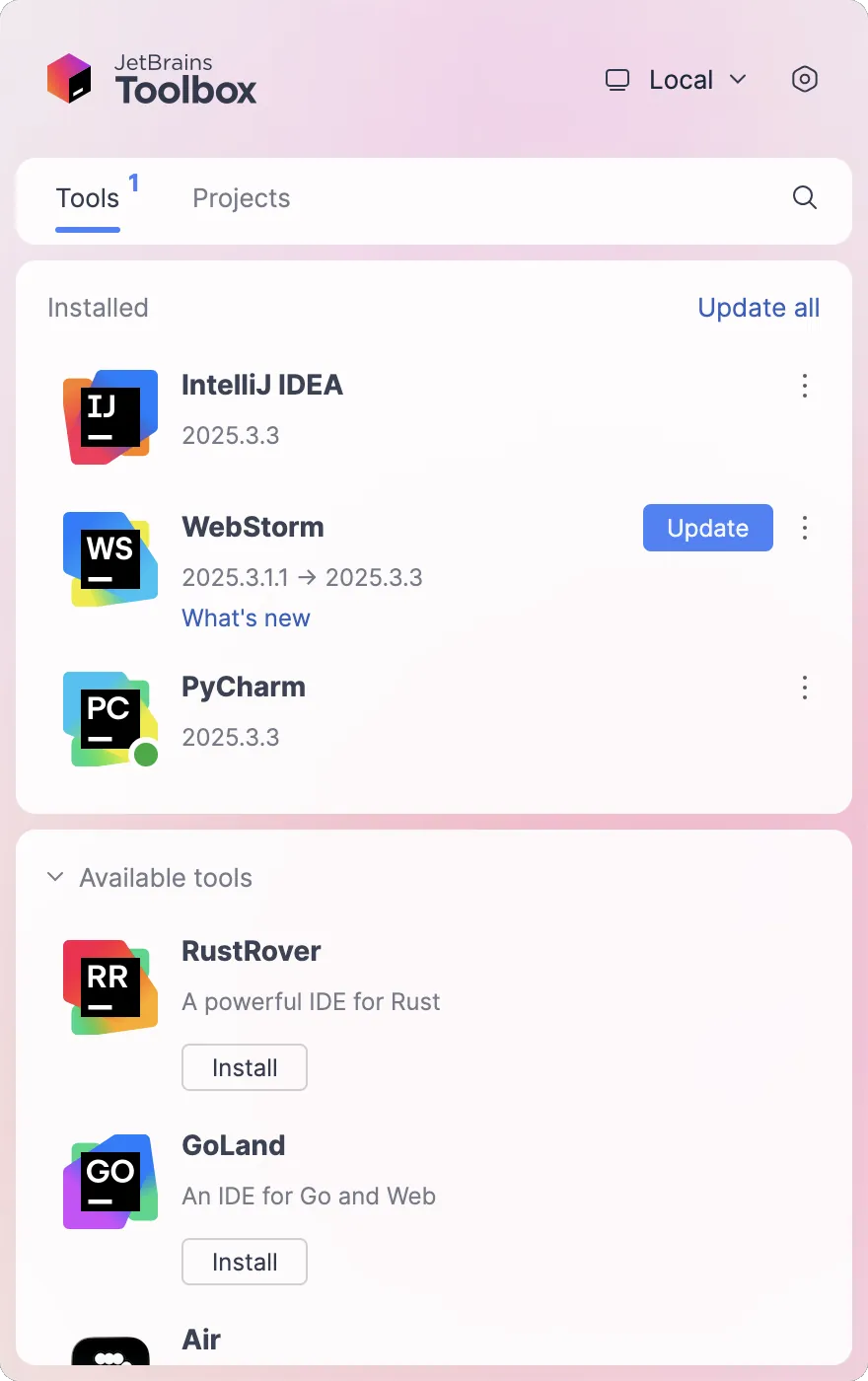
About JetBrains Toolbox App
The JetBrains Toolbox App is a free tray application from JetBrains that installs and manages JetBrains IDEs such as IntelliJ IDEA, PyCharm, WebStorm, Rider, CLion and GoLand, as well as Google's Android Studio, including Early Access and Canary builds. Updates are downloaded as patches rather than full packages, plugins are updated together with the IDE, and older versions can be kept side by side or restored.
It also lists your recent projects across all IDEs and opens each one in the right IDE with a single click, can install and manage IDEs on remote machines for remote development, and works with browser extensions for Chrome and Firefox to clone GitHub, GitLab or Bitbucket repositories straight into an IDE. Signing in with a JetBrains Account is optional and lets the installed IDEs pick up your licenses.
What it does well
- Install and update IDEs. Downloads JetBrains IDEs and updates them in the background with patches.
- Rollback. Returns to the previous version of an IDE if an update causes problems.
- Side-by-side versions. Keeps stable, EAP and older versions of the same IDE installed at once.
- Project list. Shows recent projects from all IDEs and opens them in the right one.
- Remote IDEs. Installs and manages IDEs on remote Windows, macOS and Linux machines.
Who it is for
Good fit
Developers who use several JetBrains IDEs or Android Studio and want them updated automatically.
Look elsewhere
People who use a single IDE and prefer its standalone installer, or do not use JetBrains tools at all.
Pros and cons
Pros
- Free
- Background updates with small patches
- One-click rollback to the previous version
- Manages Android Studio too
Cons
- Only manages JetBrains tools and Android Studio
- Runs in the background all the time to check for updates
- Keeping several IDE versions uses a lot of disk space
How to install JetBrains Toolbox App
Run the installer; it installs per user and starts in the system tray. Pick the IDEs you want and they install without separate installers. In Settings, choose the tools install location if your system drive is small, and decide whether the app starts with Windows. Sign in with your JetBrains Account only if you have licenses to activate.
Questions about JetBrains Toolbox App
Is JetBrains Toolbox App free?
Yes. The Toolbox App itself is free. The IDEs it installs have their own licenses: some are free or free for non-commercial use, others need a subscription after a trial.
Do I need a JetBrains Account to use it?
No. An account is only needed to activate paid or non-commercial IDE licenses through the app.
Can Toolbox App install Android Studio?
Yes. It can install and update Android Studio releases and Canary builds alongside JetBrains IDEs.


