

Our verdict: Android Studio is the tool for building Android apps; there is no real alternative with the same official support. It bundles the SDK manager, emulator and Compose tools in one IDE. It needs a strong PC, especially if you run the emulator.
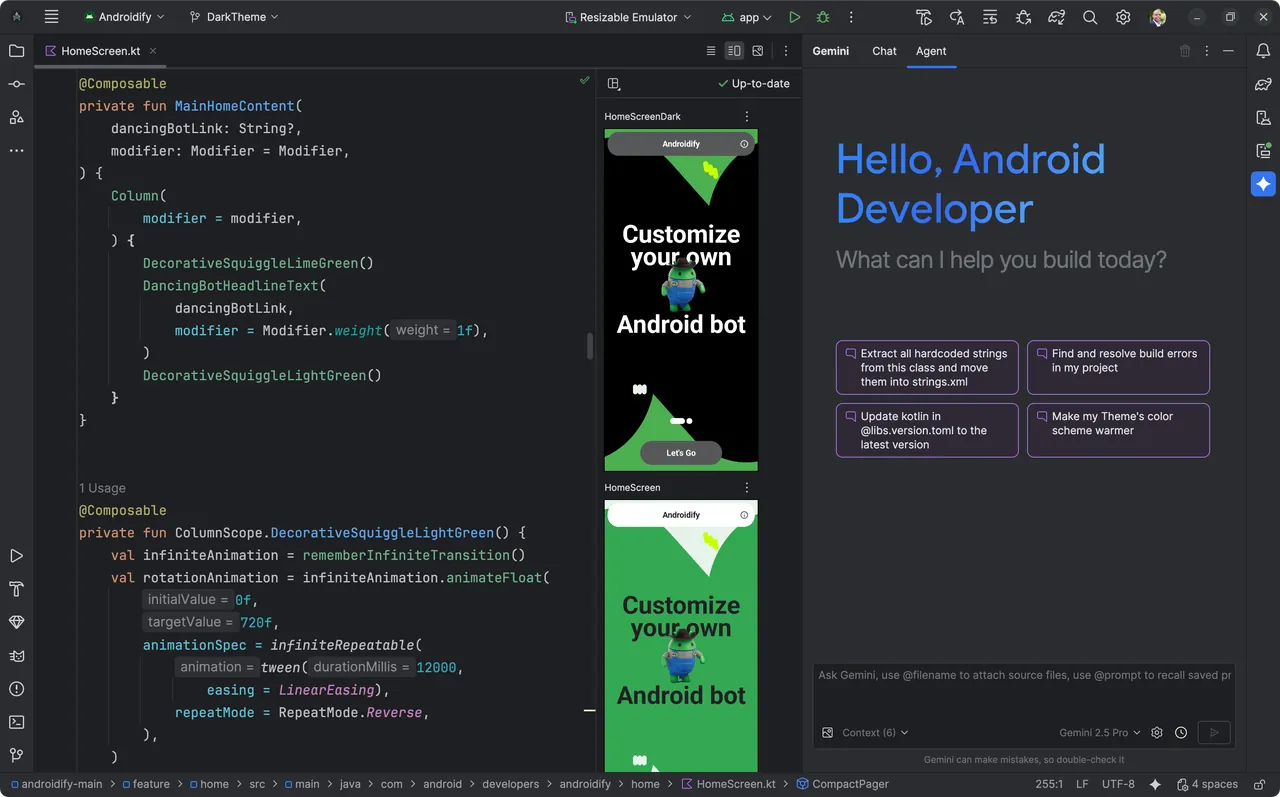
About Android Studio
Android Studio is Google's official IDE for Android development and is built on JetBrains' IntelliJ IDEA platform. It is free to download and use under the Android SDK licence agreement, which you must accept on the download page.
It includes a code editor for Kotlin, Java and C/C++, Jetpack Compose design and preview tools, the Android Emulator for phones, tablets, foldables, Wear OS and TV, and profilers for CPU, memory and network. Google lists 8 GB of RAM as the minimum for the IDE alone and 16 GB with the emulator.
What it does well
- Android Emulator. Runs virtual phones, tablets, foldables, Wear OS and TV devices on your PC.
- Compose tools. Live previews of Jetpack Compose layouts and Live Edit for quick UI changes.
- Code editor. Completion and inspections for Kotlin, Java and C/C++.
- Profilers. Measure CPU, memory and network use of a running app.
- SDK Manager. Downloads Android platforms, build tools and system images from one place.
Who it is for
Good fit
Developers building native Android apps in Kotlin or Java, from first project to Play Store release.
Look elsewhere
PCs with less than 8 GB of RAM, Windows on ARM devices, and developers who only build cross-platform web apps.
Pros and cons
Pros
- Official Google tool for Android
- Emulator for many device types
- Compose previews and Live Edit
- Free with no paid tier
Cons
- Needs 8 GB of RAM minimum and 16 GB with the emulator
- Not supported on Windows PCs with ARM processors
- SDK and emulator images take many gigabytes of disk space
How to install Android Studio
Accept the licence agreement on the download page to get the Windows installer. The setup wizard downloads the Android SDK and offers to create an emulator; this needs several more gigabytes. Enable hardware virtualization in your BIOS for a fast emulator, and use an SSD.
Questions about Android Studio
Is Android Studio free?
Yes. Google provides it at no cost under the Android SDK licence agreement.
What are the system requirements for Android Studio on Windows?
64-bit Windows 10 or later, 8 GB of RAM for the IDE or 16 GB with the emulator, and 8 to 16 GB of free disk space. ARM-based Windows PCs are not supported.
Can I build iPhone apps with Android Studio?
Not natively. Android Studio targets Android; cross-platform frameworks still need a Mac to build iOS apps.


