

Our verdict: Visual Studio Community is the most complete free IDE for C#, C++ and Windows development. You get the same debugger, profiler and designers as the paid editions. Read the licence first if you work for a company: larger organizations may not use it for most projects.
About Visual Studio Community
Visual Studio Community is the free edition of Microsoft's Visual Studio IDE. It covers C#, Visual Basic, F#, C++, Python, JavaScript and TypeScript, and builds desktop, web, mobile and game projects, including Unity games and native apps with WinUI, WPF, Windows Forms and .NET MAUI.
The licence allows any individual developer to build free or paid apps. Organizations may use it without a user limit for classroom learning, academic research and open-source contributions. Otherwise, non-enterprise organizations can use it for up to five users, and enterprises with more than 250 PCs or over 1 million US dollars in annual revenue cannot use it beyond those three scenarios.
What it does well
- Workload-based installer. Pick workloads such as .NET desktop, ASP.NET or C++ and install only what you need.
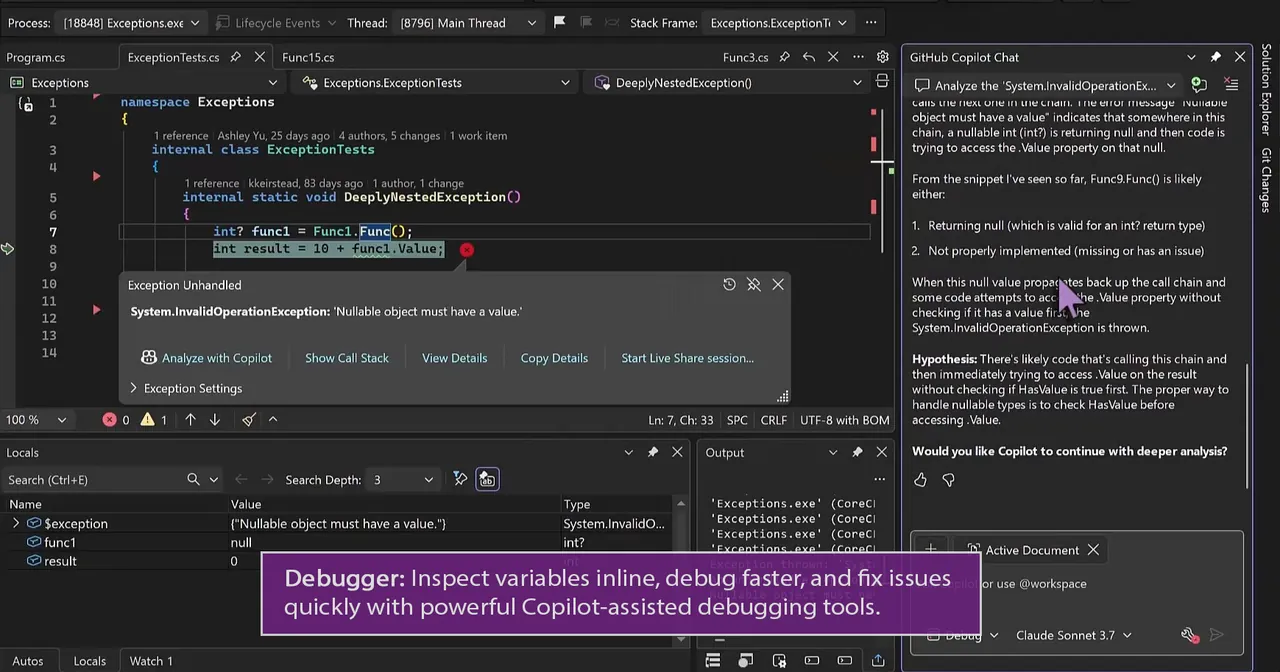
- Debugger and profiler. Breakpoints, live variable inspection and performance profiling tools.
- Built-in Git. Clone, commit, push and resolve merge conflicts from GitHub or Azure DevOps.
- Designers. Visual designers for WinUI, WPF and Windows Forms interfaces.
- Extensions. Thousands of extensions from the Visual Studio Marketplace.
Who it is for
Good fit
Students, hobbyists, indie developers and small teams writing C#, C++ or .NET applications.
Look elsewhere
Developers at larger companies whose work is not open source, academic or classroom use, and anyone who wants a lightweight editor.
Pros and cons
Pros
- Full professional IDE at no cost
- Excellent debugger and profiler
- Strong C#, C++ and .NET support
- Modular installer
Cons
- Licence limits use in organizations beyond five users or in enterprises
- Large download and disk footprint
- Windows only
How to install Visual Studio Community
The download is a small Visual Studio Installer. Select only the workloads you need, because a full install takes many gigabytes. Sign in with a Microsoft account when prompted to keep using the Community edition, and use the Installer later to add workloads or update.
Questions about Visual Studio Community
Is Visual Studio Community free?
Yes, for individuals and for the uses allowed in its licence: learning, academic research, open source and non-enterprise organizations with up to five users.
Can I sell apps built with Visual Studio Community?
Yes. Individual developers may use it to create their own free or paid apps.
What is the difference between Visual Studio and Visual Studio Code?
Visual Studio is a full IDE for Windows focused on .NET and C++. Visual Studio Code is a lightweight cross-platform editor extended with plugins.


