

Our verdict: Fluent Reader is one of the nicest-looking desktop RSS readers for Windows. It works offline with local feeds or syncs with services like Inoreader and Feedbin. It is an Electron app, so it is heavier than classic feed readers.
About Fluent Reader
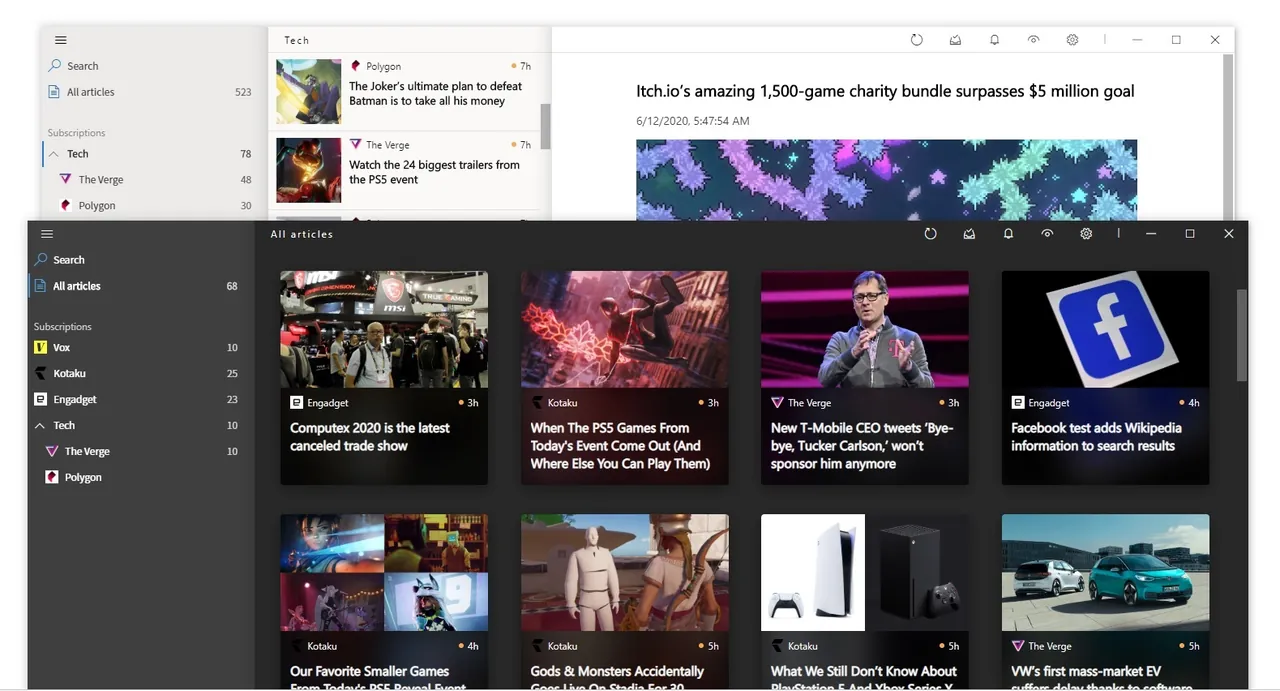
Fluent Reader is a desktop RSS reader with an interface modeled on Microsoft's Fluent Design, including a full dark mode. You can read feeds locally on the PC or sync with self-hosted services compatible with the Fever or Google Reader API, and with Inoreader, Feedbin, The Old Reader and BazQux Reader.
Articles open in a built-in reader view or as full web pages. Rules based on regular expressions can hide, star or mark articles as read as they arrive, and the app can fetch in the background and show notifications. Subscriptions import and export as OPML. The project is open source under the BSD license; builds are on GitHub, and the developer also lists it in the Microsoft Store.
What it does well
- Sync services. Syncs with Inoreader, Feedbin, The Old Reader, BazQux Reader and Fever or Google Reader API servers.
- Reader view. Shows the full article text in a clean built-in view, or loads the web page.
- Regex rules. Hides, stars or marks articles as read automatically based on regular expressions.
- OPML and backup. Imports and exports subscriptions and backs up all app data.
- Keyboard shortcuts. Single-key shortcuts for moving between and acting on articles.
Who it is for
Good fit
News and blog readers who want a modern desktop app, either standalone or synced with an RSS service.
Look elsewhere
Users on low-end PCs who want a tiny, fast native feed reader.
Pros and cons
Pros
- Clean Fluent Design interface with dark mode
- Local feeds or sync with several services
- Powerful regex rules
- Open source
Cons
- Electron app, so it uses more memory than native readers
- Feedly and some other services are not supported
How to install Fluent Reader
Run the x64 setup from the latest GitHub release. Add feeds by URL or import an OPML file from your old reader. To sync, open Settings, choose Service and sign in to Inoreader, Feedbin or your self-hosted server.
Questions about Fluent Reader
Is Fluent Reader free?
Yes. The app is open source under the BSD license and the GitHub builds are free.
Can Fluent Reader sync with Inoreader?
Yes. It supports Inoreader, Feedbin, The Old Reader, BazQux Reader and servers with the Fever or Google Reader API.
Do I need an account to use Fluent Reader?
No. You can add feeds and read them locally without any account.


