

Our verdict: Thunderbird is the main free desktop email client for people who manage several accounts. It combines mail, calendar and contacts in one app, works offline, and does not show ads. Encryption and some advanced settings take time to set up.
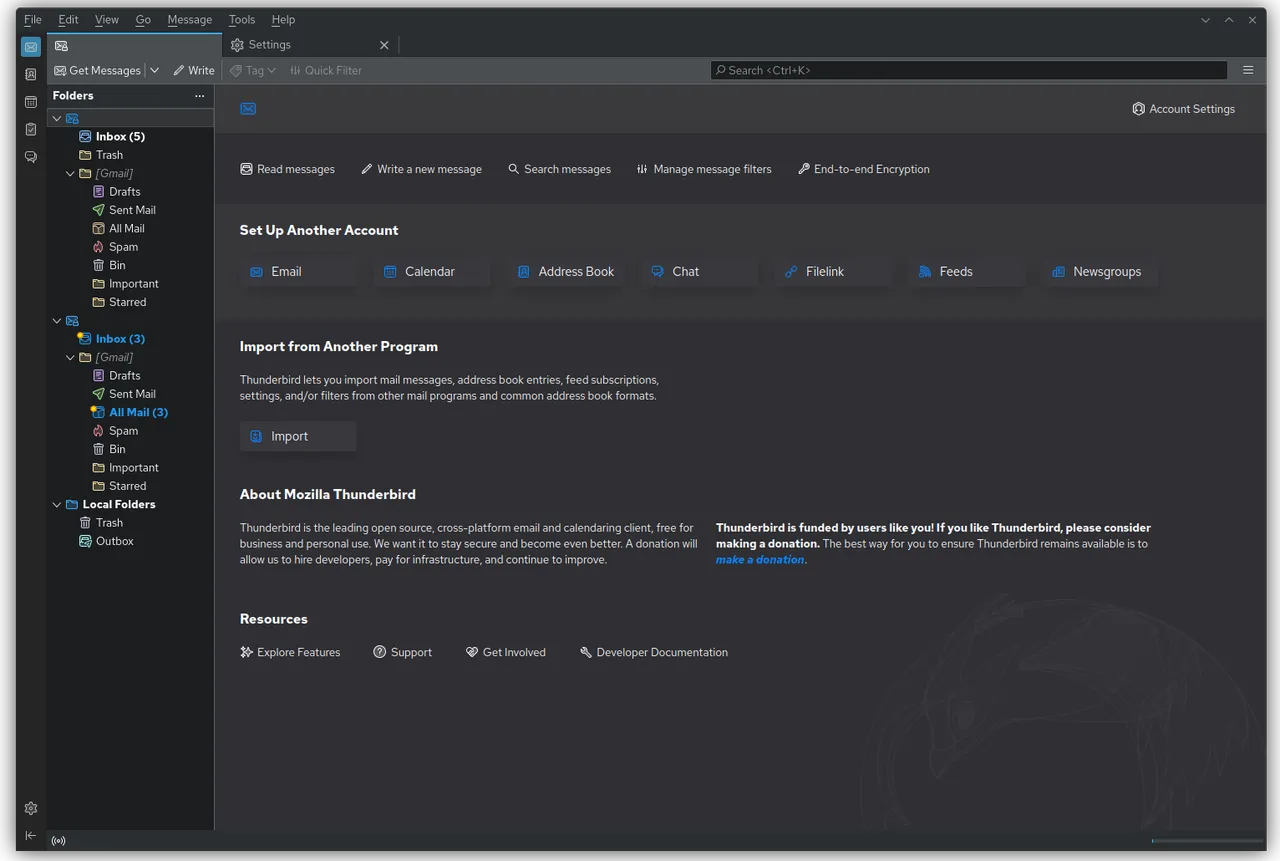
About Thunderbird
Thunderbird is developed by MZLA Technologies, a wholly owned subsidiary of the Mozilla Foundation, and is funded mainly by user donations. It is open source under the Mozilla Public License 2.0.
It connects to IMAP and POP accounts, and since version 145 it supports Microsoft Exchange email natively through Exchange Web Services. You can read all accounts in a unified inbox or keep them separate, sort mail with tags and filters, and encrypt messages with OpenPGP, which has been built in since version 78.
What it does well
- Unified inbox. Read mail from several accounts in one folder list or keep each account separate.
- Calendar and contacts. Built-in calendar, tasks and address book next to your email.
- OpenPGP encryption. Sign and encrypt email without installing extra software.
- Exchange email. Native support for Exchange and Microsoft 365 email accounts via EWS.
- Tags, filters and add-ons. Sort mail automatically and extend the app with add-ons.
Who it is for
Good fit
People who manage several email accounts and want them in one desktop app without ads.
Look elsewhere
Users who are happy with webmail and do not want a separate desktop program.
Pros and cons
Pros
- Free, open source and ad-free
- Mail, calendar and contacts in one app
- Built-in OpenPGP encryption
- Handles many accounts at once
Cons
- OpenPGP requires managing your own keys
- Monthly releases change features often (ESR is the steadier channel)
How to install Thunderbird
Download the Windows 64-bit installer from thunderbird.net; an MSI package and an Extended Support Release are also available. On first start, enter your email address and password, and Thunderbird detects the server settings for most providers automatically.
Questions about Thunderbird
Is Thunderbird free?
Yes. It is open source with no paid version and is funded by donations.
Does Thunderbird work with Outlook and Microsoft 365 accounts?
Yes. Since version 145, Thunderbird supports Exchange email natively, including Microsoft 365 accounts that use the standard Microsoft sign-in.
What is the difference between Release and ESR?
Release gets new features every month. ESR, the Extended Support Release, gets new features once a year and security fixes monthly.


