

Our verdict: Vivaldi is for people who keep dozens of tabs open and want to arrange the browser exactly their way. Tab stacks, tiling and workspaces are built in, as are mail, calendar and a feed reader. The number of options can feel overwhelming, and the interface code is not open source.
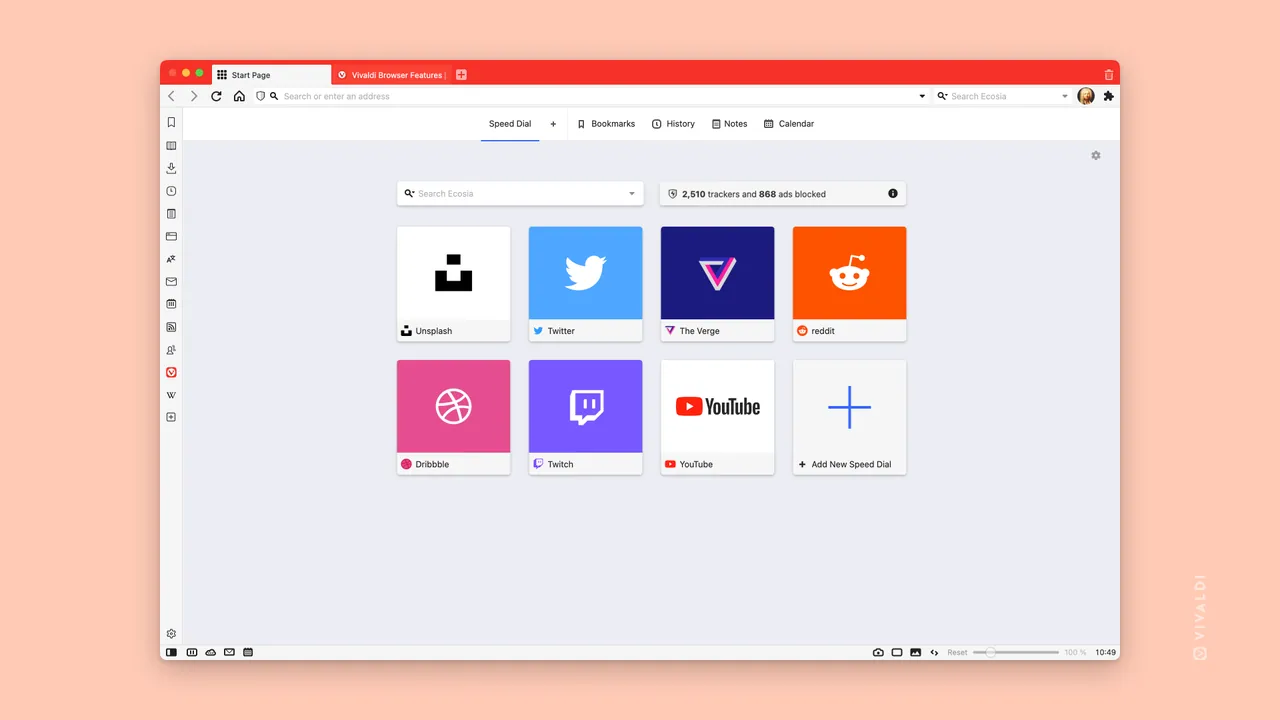
About Vivaldi
Vivaldi is made by Vivaldi Technologies on top of Chromium, so it runs Chrome extensions and renders sites like Chrome. Its changes to Chromium are published under a BSD license, but the browser interface itself is closed source, which is why it counts as freeware rather than open source.
Instead of relying on extensions, Vivaldi builds many tools into the browser: two-level tab stacks, split-screen tab tiling, workspaces, web panels in the sidebar, notes, an email client, a calendar and a feed reader. A tracker and ad blocker is included, and sync between devices is end-to-end encrypted.
What it does well
- Tab stacks and tiling. Group tabs into named stacks and view several pages side by side in one window.
- Workspaces. Keep separate sets of tabs for work, shopping or projects and switch between them.
- Mail, Calendar and Feeds. Built-in email client, calendar and RSS reader inside the browser.
- Tracker and ad blocker. Blocks trackers and ads with adjustable levels, without extensions.
- Quick Commands. One search box for tabs, bookmarks, history and browser commands.
Who it is for
Good fit
Power users who want to customize layout, shortcuts and tab handling without extensions.
Look elsewhere
People who want a simple browser that works with no settings to explore.
Pros and cons
Pros
- Very deep customization
- Tab stacks, tiling and workspaces
- Built-in mail, calendar and feeds
- Encrypted sync
Cons
- Many options can overwhelm new users
- Interface code is closed source
How to install Vivaldi
Pick Windows 64bit on the download page and run the installer. On first launch a short setup lets you choose ad blocking level, tab position and theme. Mail, Calendar and Feeds can be enabled later in Settings.
Questions about Vivaldi
Is Vivaldi free?
Yes. Vivaldi is free to download and use, with no paid version of the browser.
Is Vivaldi open source?
Partly. Its Chromium changes are published under a BSD license, but the browser interface is proprietary.
Can I use Chrome extensions in Vivaldi?
Yes. Vivaldi is based on Chromium and installs extensions from the Chrome Web Store.


