

Our verdict: Goxel is a simple open-source voxel editor that does not limit how big a scene can be. Layers and wide export support make it practical for game assets. Its renderer is basic compared with MagicaVoxel, and releases are infrequent.
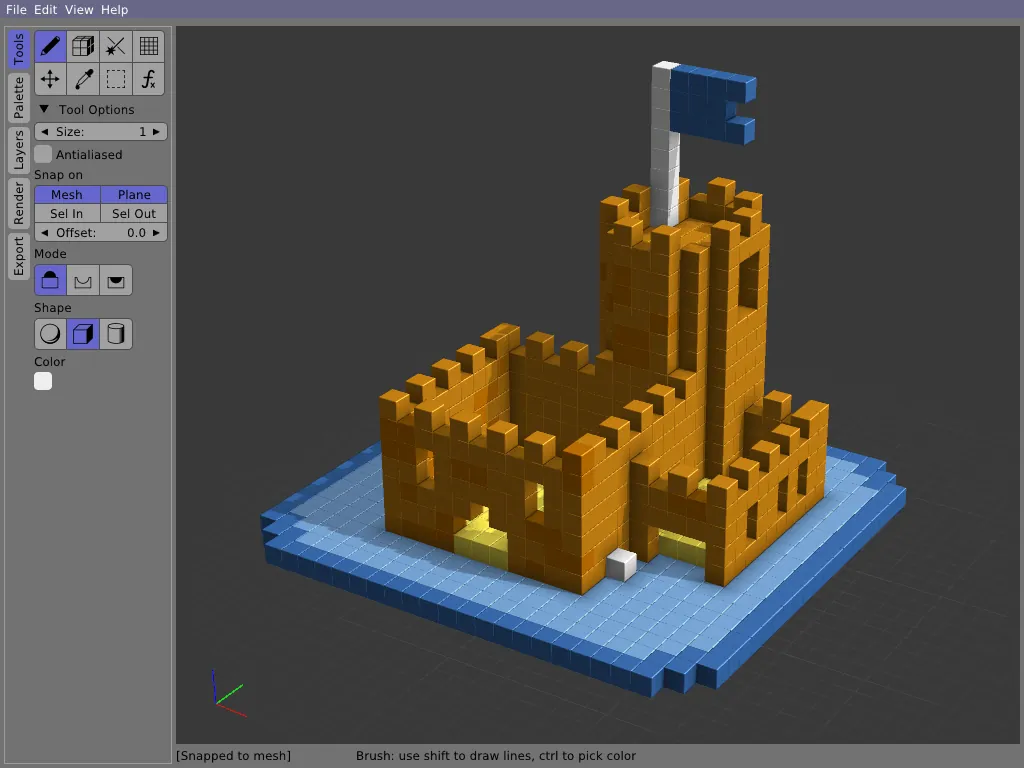
About Goxel
Goxel is written by Guillaume Chereau and released under the GPLv3. The desktop versions are free; the same editor is also sold in the iOS and Android app stores.
Goxel stores voxels in sparse data structures, so a scene can grow as large as you need. You draw with brush, shape and selection tools on separate layers, then export to MagicaVoxel .vox, Qubicle, glTF 2, OBJ, PLY or Build engine formats for games and other 3D tools.
What it does well
- Unlimited scene size. Sparse storage means no fixed limit on model dimensions.
- Layers. Keep parts of the scene as separately editable models.
- Many export formats. MagicaVoxel, Qubicle, glTF 2, OBJ, PLY and Build engine.
- Drawing tools. Brush, shapes, selection and color picking for voxels.
- Cross-platform. Runs on Windows, macOS, Linux, iOS and Android.
Who it is for
Good fit
Game developers and hobbyists who want an open-source voxel editor without size limits.
Look elsewhere
Artists who want polished path-traced renders straight from the editor.
Pros and cons
Pros
- Free and open source
- No scene size limit
- Exports to many formats
- Small and portable
Cons
- Basic rendering compared with MagicaVoxel
- Infrequent releases
- No Windows installer
How to install Goxel
The Windows download is a zip archive: extract it and run goxel.exe; no installer is needed. The mobile versions are paid in app stores, but the desktop builds on the official site are free.
Questions about Goxel
Is Goxel free?
Yes. The desktop versions are open source under the GPLv3. The iOS and Android versions are paid.
Can Goxel open MagicaVoxel files?
Yes. It reads and exports the MagicaVoxel .vox format.


