

Our verdict: Jellyfin Media Player is the best way to watch a Jellyfin library on a Windows PC. Its mpv-based player plays most files directly, so the server rarely has to transcode. It is useless without a Jellyfin server, and updates come slowly.
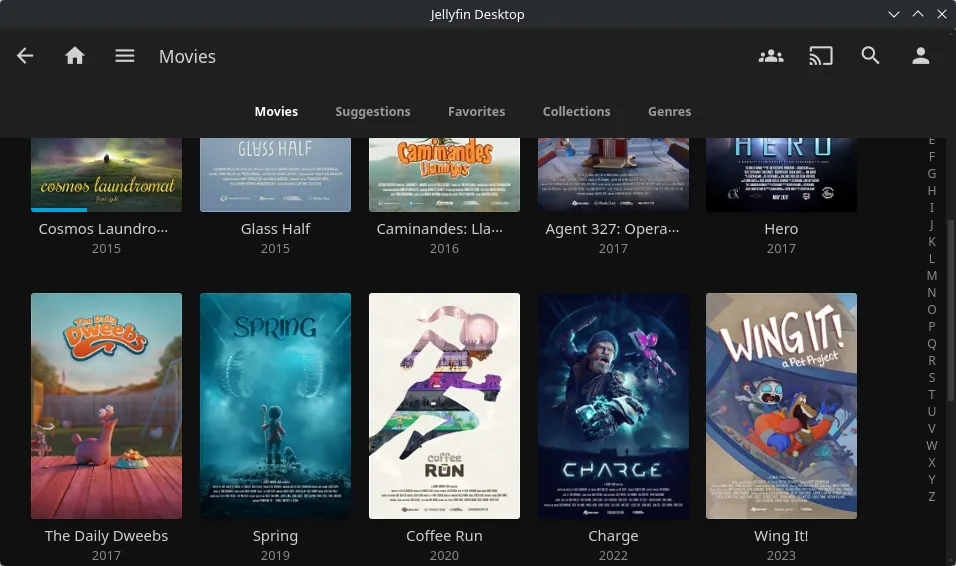
About Jellyfin Media Player
Jellyfin Media Player is the official desktop client of the Jellyfin project. It wraps the Jellyfin web interface in a desktop window and replaces the browser's video player with mpv, which supports far more video, audio and subtitle formats.
Because the app can play formats such as HEVC, high-bitrate MKV and ASS subtitles itself, the server can send the original file instead of converting it. That saves server CPU and keeps the original quality. The app also has a TV-style mode for living-room PCs.
What it does well
- mpv playback. Plays most video, audio and subtitle formats without server transcoding.
- Full Jellyfin interface. Browse libraries, continue watching and manage settings as in the web app.
- TV mode. A full-screen interface for living-room PCs controlled with a remote or keyboard.
- Legacy build. A separate x64-legacy installer for CPUs older than roughly 2013.
- Multiple servers. Connect to your own Jellyfin server or any server you have an account on.
Who it is for
Good fit
Jellyfin users who watch on a Windows PC or a living-room computer and want direct playback.
Look elsewhere
People without a Jellyfin server, or anyone looking for a stand-alone video player for local files.
Pros and cons
Pros
- Direct playback of most formats
- Official Jellyfin app
- TV-style mode for HTPCs
- Free and open source
Cons
- Needs a Jellyfin server
- Releases are infrequent
- Large download for a client app
How to install Jellyfin Media Player
Download the windows-x64 installer; the installer needs administrator rights. If the app fails to start with error 0xc0000142 or your CPU is from before about 2013, use the x64-legacy build from the same release. On first launch enter your server address, for example http://192.168.1.10:8096.
Questions about Jellyfin Media Player
Is Jellyfin Media Player free?
Yes. It is open source under the GNU GPL v2, like the Jellyfin server.
Can Jellyfin Media Player play local files?
It is built to play from a Jellyfin server. For files on your PC, use a regular video player such as VLC or mpv.
Which Windows installer should I choose?
Use windows-x64 on most PCs. Choose x64-legacy for CPUs older than roughly 2013 or if you see error 0xc0000142.


