PotPlayer — Free Media Player

By Kakao Corp. · Video
  • Freeware
  • Free
  • Video
4.6 / 5 · 360 ratings on Microsoft Store
Download PotPlayer Direct download from t1.kakaocdn.net Official download page Link checked October 19, 2026

Our verdict: PotPlayer packs more playback options than almost any other Windows player. It plays common formats out of the box and uses your GPU for smooth high-resolution video. The trade-off is a crowded settings menu and closed-source code.

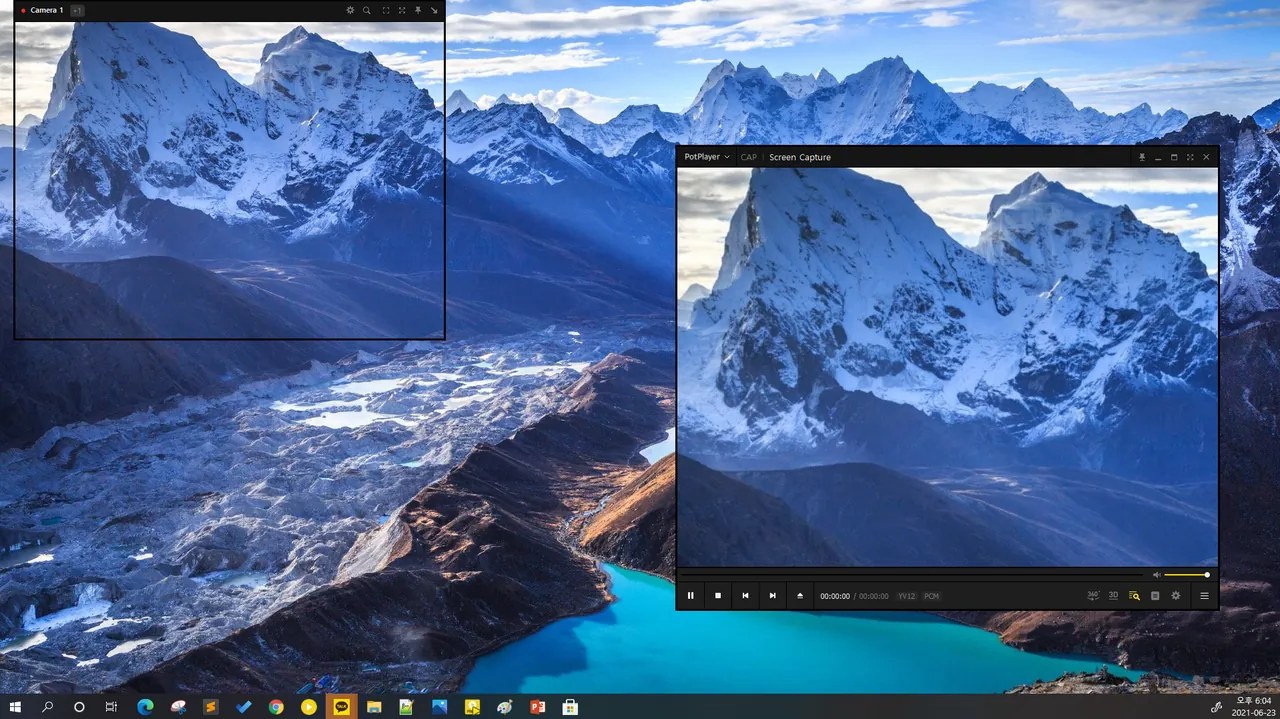
PotPlayer window, screenshot from the Microsoft Store
PotPlayer window, screenshot from the Microsoft Store · Screenshot: Kakao Corp., from the Microsoft Store
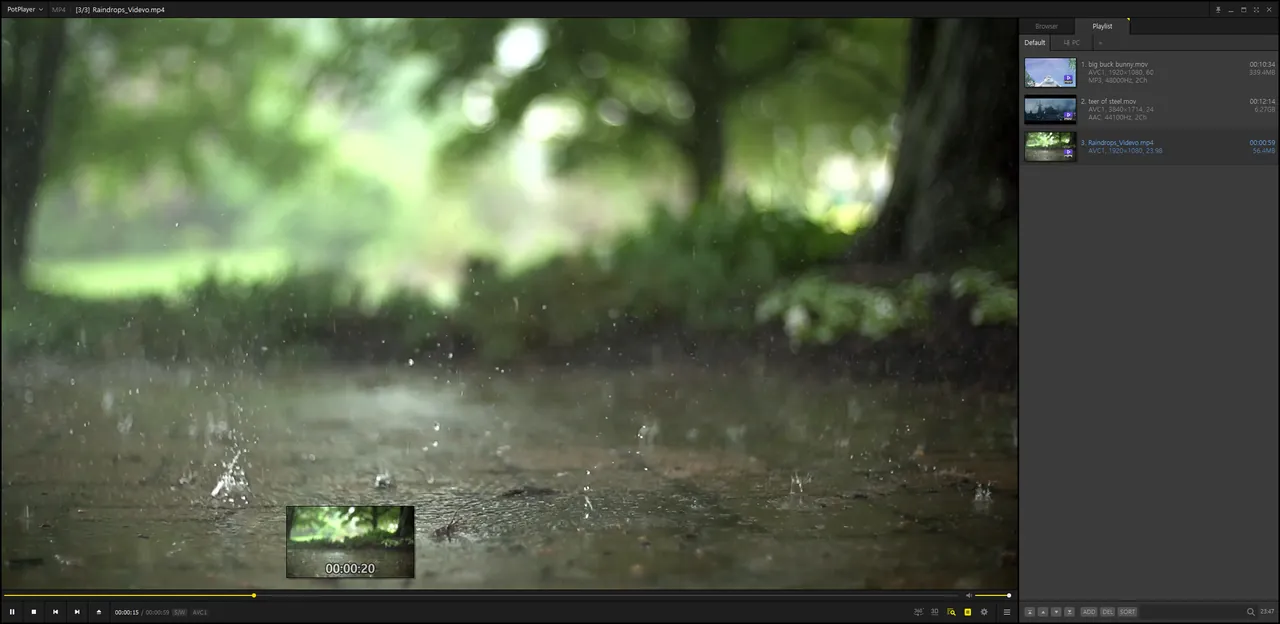
PotPlayer window view, screenshot from the Microsoft Store
PotPlayer window view, screenshot from the Microsoft Store · Screenshot: Kakao Corp., from the Microsoft Store
PotPlayer window view, screenshot from the Microsoft Store
PotPlayer window view, screenshot from the Microsoft Store · Screenshot: Kakao Corp., from the Microsoft Store

About PotPlayer

PotPlayer is a free media player for Windows published by Kakao Corp. of South Korea. Its current official website is potplayer.tv, and the installers are served from Kakao's own download server.

It includes its own codecs, so most files play without installing codec packs, and it supports OpenCodec if you want to add others. Hardware decoding through DXVA, CUDA and QuickSync keeps CPU use low with 4K and high-bitrate video.

What it does well

  • Hardware acceleration. Decodes video through DXVA, CUDA or QuickSync depending on your graphics hardware.
  • Wide subtitle support. SMI, SRT, VobSub, Blu-ray subtitles and animated ASS/SSA.
  • 3D output. Side-by-side, top-and-bottom and page-flipping output for 3D TVs and glasses.
  • Bookmarks and previews. Bookmark scenes or chapters and preview scenes with snapshots.
  • Audio device choice. Choose which sound card plays the audio when you have more than one.

Who it is for

Good fit

Windows users who want one player with every playback option and do not mind exploring menus.

Look elsewhere

People who prefer open-source software or a minimal player with few settings.

Pros and cons

Pros

  • Plays most formats without codec packs
  • Strong hardware decoding support
  • Very detailed playback and subtitle options
  • ARM64 build available

Cons

  • Closed source
  • Settings menu is large and confusing
  • Windows only

How to install PotPlayer

On potplayer.tv choose the x64 (64-bit) download for most PCs, or ARM64 for ARM devices. Read each setup screen before clicking Next and untick anything you do not want. Right-click the video window to reach almost every option.

Questions about PotPlayer

What is the official PotPlayer website?

potplayer.tv. The site carries a Kakao Corp. copyright and links to installers on Kakao's own download server.

Should I download the 32-bit or 64-bit PotPlayer?

Choose 64-bit on most modern PCs. Use the 32-bit version only if you rely on old 32-bit codecs or filters.

Does PotPlayer need codec packs?

No. It includes codecs for most common formats and supports OpenCodec for adding more.

Download PotPlayer from potplayer.tv ExeDepot does not host this file. The download starts from the developer's server, t1.kakaocdn.net. Other versions are on the official download page.

Alternatives to PotPlayer

  • MPC-HC Media Player

    Lightweight classic video player for Windows with built-in codecs and HDR playback.

    clsid2 and MPC-HC contributors · Open source · github.com/clsid2
  • VLC media player Media Player

    Plays almost any video or audio file without installing codec packs.

    VideoLAN · Open source · videolan.org
  • mpv Media Player

    Minimal, keyboard-driven media player with high-quality GPU video output and scripting.

    mpv developers · Open source · mpv.io
  • K-Lite Codec Pack Codec Pack

    Codec bundle with MPC-HC and LAV Filters that plays almost any video format on Windows.

    Codec Guide · Freeware · codecguide.com

Similar to PotPlayer All video apps

  • CyberLink PowerDVD Media Player

    Blu-ray, DVD and media player with AI enhancement; premium features are free for 7 days.

    CyberLink · Shareware · cyberlink.com
  • MPC-BE Video Player

    Media Player Classic fork with built-in decoders, YouTube links and seek-bar previews.

    MPC-BE team (Aleksoid1978 and contributors) · Open source · github.com/Aleksoid1978
  • SMPlayer Media Player

    Media player built on mpv and MPlayer that remembers settings and position for every file.

    Ricardo Villalba · Open source · smplayer.info
  • GOM Player Media Player

    Free Windows video player with built-in codecs, a large subtitle library and 360-degree VR playback.

    GOM & Company · Freeware · gomlab.com