

Our verdict: Kodi turns a PC connected to a TV into a full media center for your own files. It scans folders, downloads posters and descriptions, and plays almost any format with a remote or keyboard. It ships with no content, and third-party add-ons can be unsafe or unlicensed.
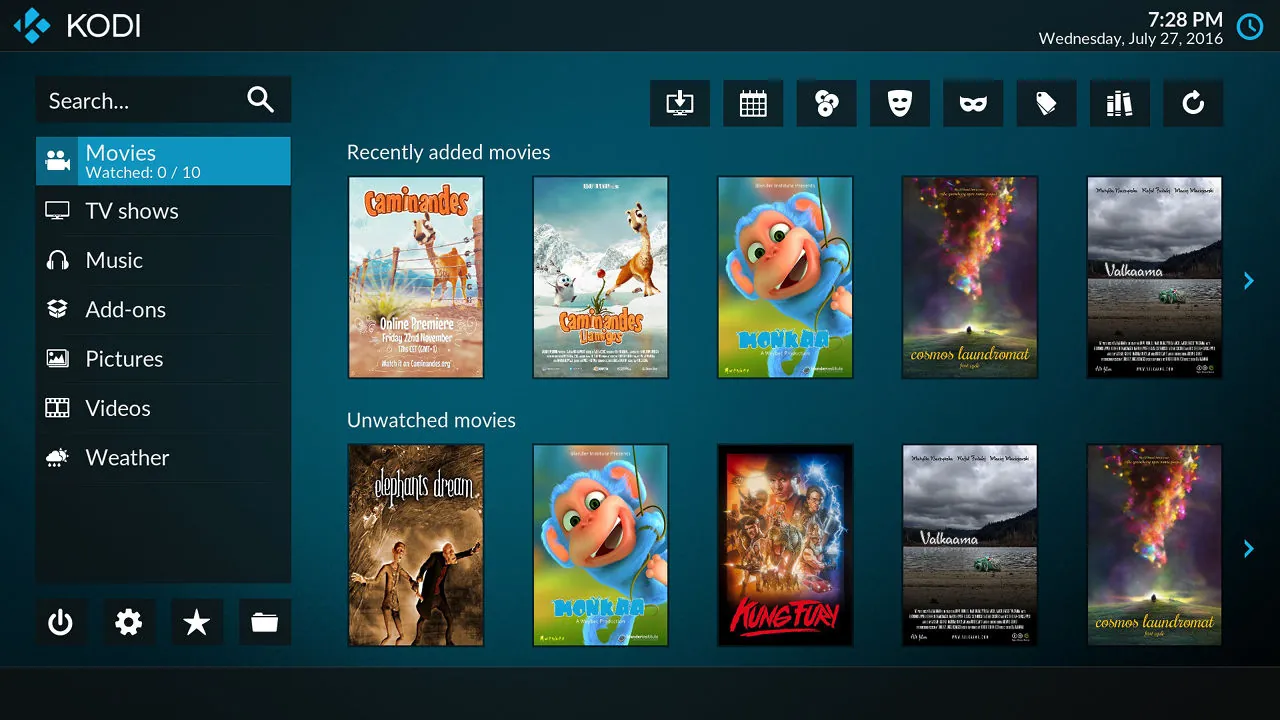
About Kodi
Kodi, formerly XBMC, is developed by volunteers under the non-profit XBMC Foundation and released under the GNU GPL. It runs on Windows, macOS, Linux, Android, iOS, tvOS and Raspberry Pi.
You point Kodi at folders or network shares, and it builds a library of movies, TV shows and music with artwork, plots and watched status. Official add-ons extend it with skins, subtitles, live TV and DVR front ends and some online services. The Kodi team warns that unofficial add-ons often provide pirated content and malware.
What it does well
- Media library. Scans your files and adds posters, plots, cast and watched status.
- Wide format support. Plays almost every video and audio format, including HDR and surround audio passthrough.
- Live TV and DVR. Works with TV tuner back ends to watch and record live television.
- Remote control. Use a remote, game controller, keyboard or the official phone apps.
- Skins and add-ons. Change the whole interface and add features from the official repository.
Who it is for
Good fit
People with their own movie and music collection who want a living-room interface on a TV-connected PC.
Look elsewhere
Users looking for free streaming content, or who just want a simple desktop video player.
Pros and cons
Pros
- Excellent library with artwork
- Plays nearly every format
- Runs on many devices
- No ads or account
Cons
- Contains no content; you need your own media
- Unofficial add-ons can carry malware or pirated streams
- TV-style interface is awkward with a mouse
How to install Kodi
Download the 64-bit installer and run it; there are no bundled offers. Add your media folders under Videos → Files → Add videos and set the content type so Kodi can fetch artwork. Install add-ons only from the official Kodi repository.
Questions about Kodi
Is Kodi free?
Yes. Kodi is open source under the GNU GPL and has no paid version or ads.
Is Kodi legal?
Yes. Kodi itself is legal and contains no content. Using add-ons that stream pirated content is not, and the Kodi team does not support them.
Can Kodi play files from my NAS?
Yes. Kodi can add network shares over SMB, NFS and other protocols as library sources.


