

Our verdict: Plex for Windows is the most comfortable way to watch a Plex library on a PC, with the same interface as on TVs and phones. Streaming at home is free; streaming your own media from outside the home needs a Remote Watch Pass or Plex Pass. It needs a Plex account and is of little use without a Plex server or interest in Plex's free channels.
About Plex for Windows
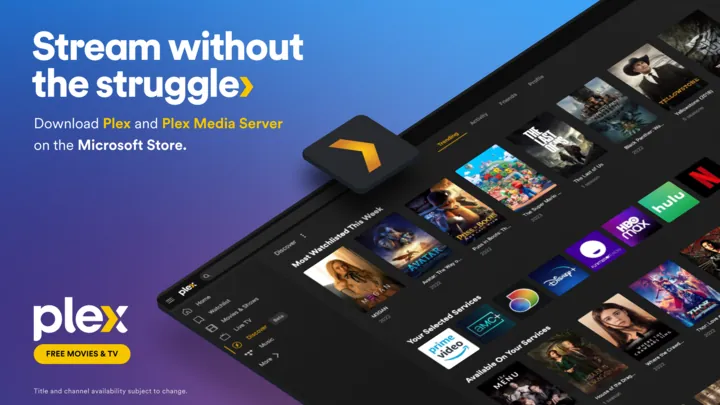
Plex for Windows is the desktop player app from Plex, Inc. It connects to Plex Media Server installations you own or that friends have shared with you and plays their movies, shows and music with posters, descriptions and watch progress synced across devices. It also gives access to Plex's own ad-supported on-demand movies and Live TV channels.
The app is free. Plex says streaming personal media on your home network needs no subscription. Remote streaming of personal video from outside the home requires a Remote Watch Pass or a Plex Pass; Plex Pass also adds downloads, Skip Intro and Skip Credits. Plex Pass does not remove ads from Plex's free movies and Live TV.
What it does well
- Plex Media Server client. Plays movies, shows and music from your own or shared Plex servers.
- Free movies and Live TV. Ad-supported on-demand titles and live channels from Plex.
- Synced watch progress. Continue watching on a TV or phone where you stopped on the PC.
- Watchlist. Keeps a list of titles you want to watch, shared with your other Plex apps.
- Downloads with Plex Pass. Plex Pass subscribers can download personal media to watch offline.
Who it is for
Good fit
People who already run Plex Media Server or use a shared Plex library and want a native player on the PC.
Look elsewhere
Users who want a plain local media player without accounts, or who need free remote streaming of their own media.
Pros and cons
Pros
- Same polished interface as Plex on TVs
- Free streaming of your library at home
- Watch progress syncs across devices
- Free movies and live channels included
Cons
- Plex account required
- Remote streaming of your own video needs a paid pass
- Plex's free movies and Live TV show ads
How to install Plex for Windows
The download button gets the 64-bit Windows installer from plex.tv. Sign in with a free Plex account after the first launch. Your servers appear automatically; to play local files you need Plex Media Server installed and a library set up.
Questions about Plex for Windows
Is Plex for Windows free?
Yes, the app is free, and streaming your personal media on your home network is free. Streaming your own video from outside the home needs a Remote Watch Pass or Plex Pass, and downloads need Plex Pass.
Do I need Plex Media Server to use the app?
Only for your own media. Without a server you can still watch Plex's free on-demand movies and Live TV channels, which include ads.
Does Plex Pass remove ads?
No. Plex says Plex Pass does not remove ads from its ad-supported on-demand and Live TV programming.


