

Our verdict: Picard is the best free tool for fixing a messy music collection by whole albums. It matches files against the MusicBrainz database, even by sound, and writes full tags and cover art. The album-centric workflow takes some getting used to.
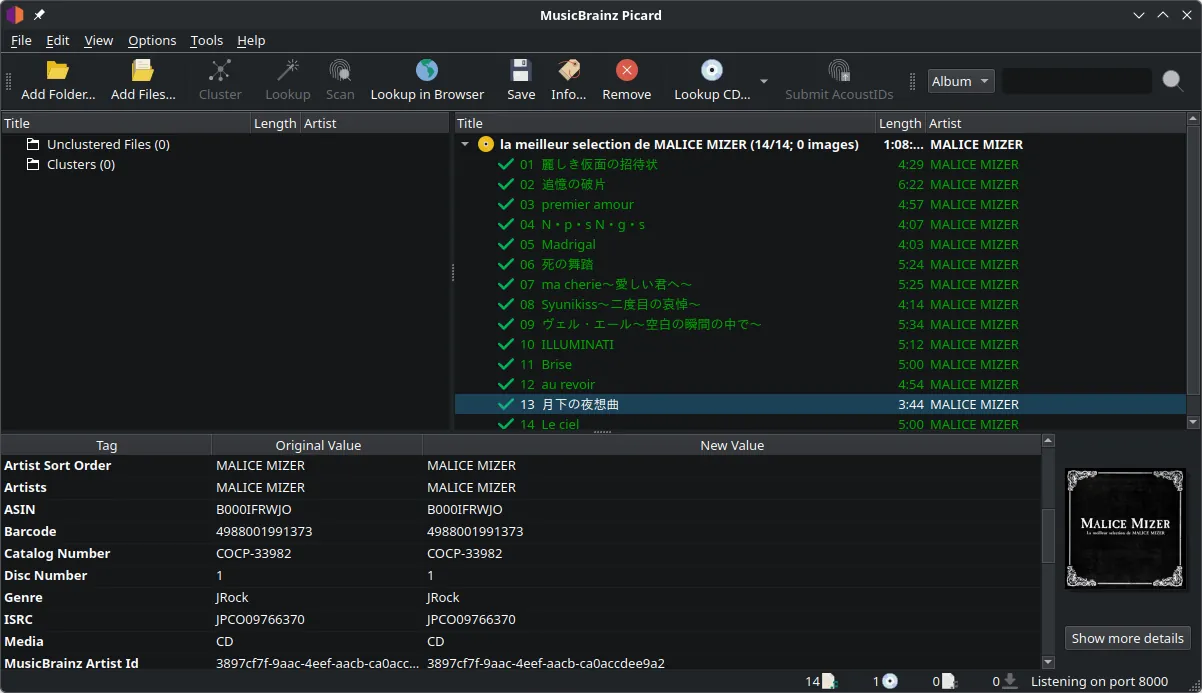
About MusicBrainz Picard
Picard is the official tagger of MusicBrainz, an open music encyclopedia run by the non-profit MetaBrainz Foundation. It is open source and has no paid tier.
You drop files into Picard, it groups them into albums and looks them up in MusicBrainz, using AcoustID fingerprints when tags are missing. After you check the matches, it writes tags and cover art and can rename and move files by a template.
What it does well
- Acoustic fingerprinting. Identifies tracks by their sound via AcoustID, even without any tags.
- Album-based matching. Groups files into releases so the whole album gets consistent tags.
- Cover art. Downloads and embeds front covers from the Cover Art Archive.
- Rename and move files. Organizes files into folders with a customizable naming script.
- Plugins. Adds extra tags, lyrics, genres and other metadata sources.
Who it is for
Good fit
Music collectors who want accurate, consistent tags and file names across a large library.
Look elsewhere
People who just want to fix one tag quickly or tag music that is not in MusicBrainz.
Pros and cons
Pros
- Identifies untagged files by sound
- Huge open database
- Consistent album tags and cover art
- Free and open source
Cons
- Album-centric workflow has a learning curve
- Results depend on how complete MusicBrainz is for your music
How to install MusicBrainz Picard
Download the 64-bit installer from picard.musicbrainz.org; a portable build and a Microsoft Store version are also offered. Before saving, set your file naming options under Options → File Naming, and keep a backup of your music the first time you let Picard move files.
Questions about MusicBrainz Picard
Is MusicBrainz Picard free?
Yes. It is open source under the GNU GPL and free to use.
Do I need a MusicBrainz account?
No. An account is only needed if you want to submit fingerprints or edit the database.
Can Picard rename my files?
Yes. Enable renaming and moving in the options and Picard uses a naming script you can customize.


