

Our verdict: NeuralNote is the most capable free way to turn audio into MIDI on Windows: it transcribes full mixes and sorts the notes by instrument, all on your own PC. It does not detect velocity, tempo or key, the larger models want a GPU, and the model weights may only be used non-commercially.
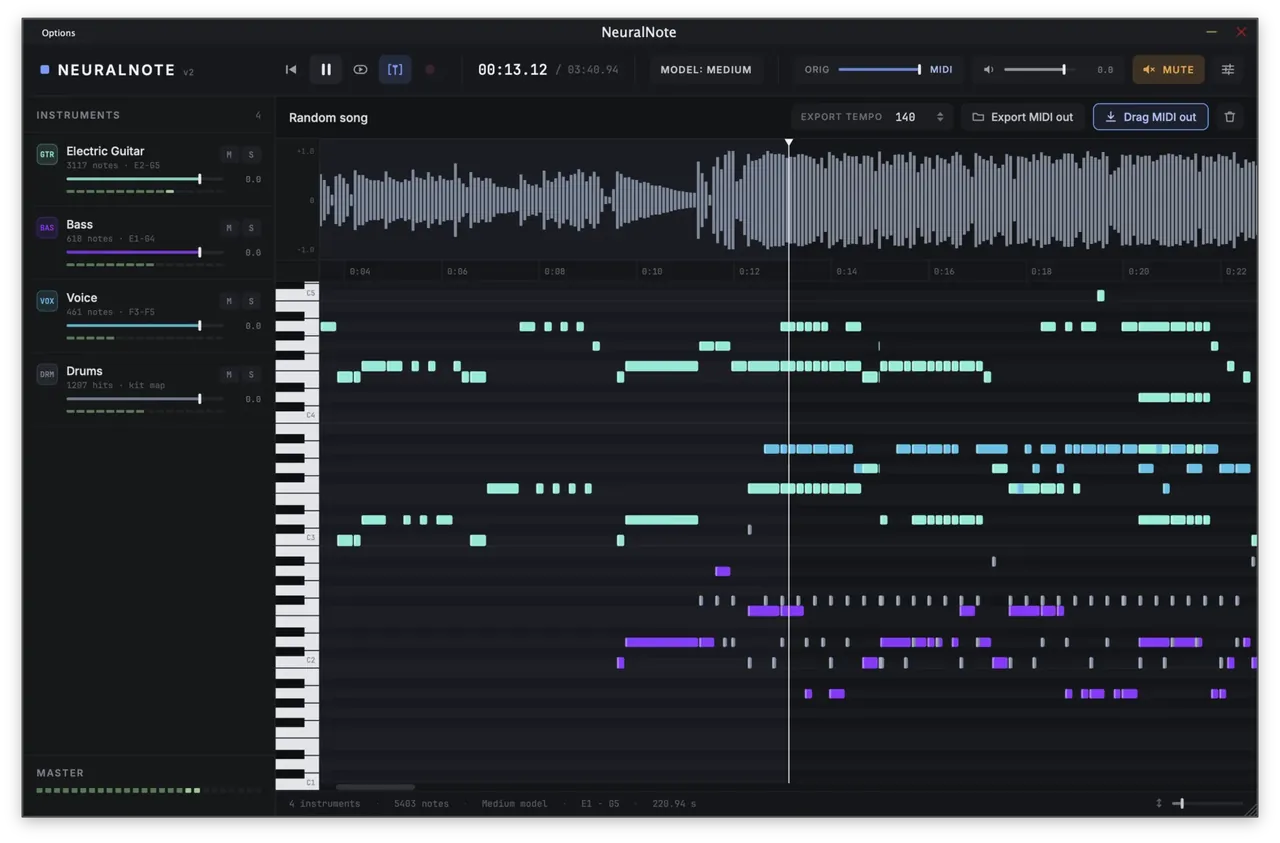
About NeuralNote
NeuralNote is an audio plugin (VST3) and standalone app developed by Damien Ronssin. Version 2 replaced Spotify's Basic Pitch with MuScriptor, a transformer transcription model from Kyutai and Mirelo that handles 35 instrument groups, from piano, guitars and bass to strings, brass, voice, synths and drums. You drop in an MP3, WAV, AIFF, FLAC or OGG file or record audio, pick the instruments or choose Automatic, and click Transcribe.
Everything runs locally on the GPU through Vulkan or on the CPU; NeuralNote goes online only to download models and check for updates. The models are downloaded inside the app: about 210 MB for small, 620 MB for medium and 2.7 GB for large, which is the most accurate and the slowest. The code is open source under Apache-2.0, but the MuScriptor weights are under CC BY-NC 4.0 and may only be used non-commercially.
What it does well
- Full-mix transcription. Transcribes a whole song and groups the notes by instrument, not just one instrument at a time.
- Runs locally. Uses the GPU through Vulkan or the CPU; your audio never leaves the PC.
- Three model sizes. Small, medium and large MuScriptor models trade speed for accuracy.
- Built-in preview synth. Plays the transcription back with per-instrument gain, mute and solo, mixed with the original.
- MIDI export. Drag the MIDI onto a DAW track, one track per instrument, or save it as a MIDI file.
Who it is for
Good fit
Musicians and producers who want to turn songs, riffs or hummed ideas into editable MIDI for free.
Look elsewhere
Commercial projects that cannot accept a non-commercial model license, or users who need tempo, key and velocity detected.
Pros and cons
Pros
- Free, with open-source code
- Transcribes full mixes by instrument
- Runs fully offline after the model download
- Works as a standalone app and a VST3 plugin
Cons
- Model weights are licensed for non-commercial use only
- No velocity, tempo or key detection
- Installer is not code signed; large models need a GPU
How to install NeuralNote
The button downloads the official Windows x64 installer from GitHub; it installs the standalone app and the VST3 plugin. The installer is not code signed, so SmartScreen may warn on first run. On first start, download a model inside NeuralNote; the medium and large models are much faster with a GPU.
Questions about NeuralNote
Is NeuralNote free?
Yes. The app is free and its code is open source under Apache-2.0. The MuScriptor model weights it downloads are under CC BY-NC 4.0, so they may only be used non-commercially.
Can NeuralNote convert an MP3 to MIDI?
Yes. Drop the MP3 onto NeuralNote, choose the instruments or Automatic, click Transcribe, then drag the MIDI into your DAW or save it as a MIDI file.
Do I need a GPU for NeuralNote?
No. It runs on the CPU too, but the developer strongly recommends a GPU for the medium and large models. On Windows it uses the GPU through Vulkan.


