OBS Studio — Free Screen Recorder and Streaming App

By OBS Project · Video
  • Open source
  • Free
  • Video
4.7 / 5 · 3,460 ratings on Microsoft Store
Download OBS Studio Direct download from cdn-fastly.obsproject.com Official download page Link checked October 19, 2026

Our verdict: OBS Studio is the standard free tool for screen recording and live streaming. It records games, tutorials and webcams with no watermark or time limit. Setup takes a few minutes, but the result is professional.
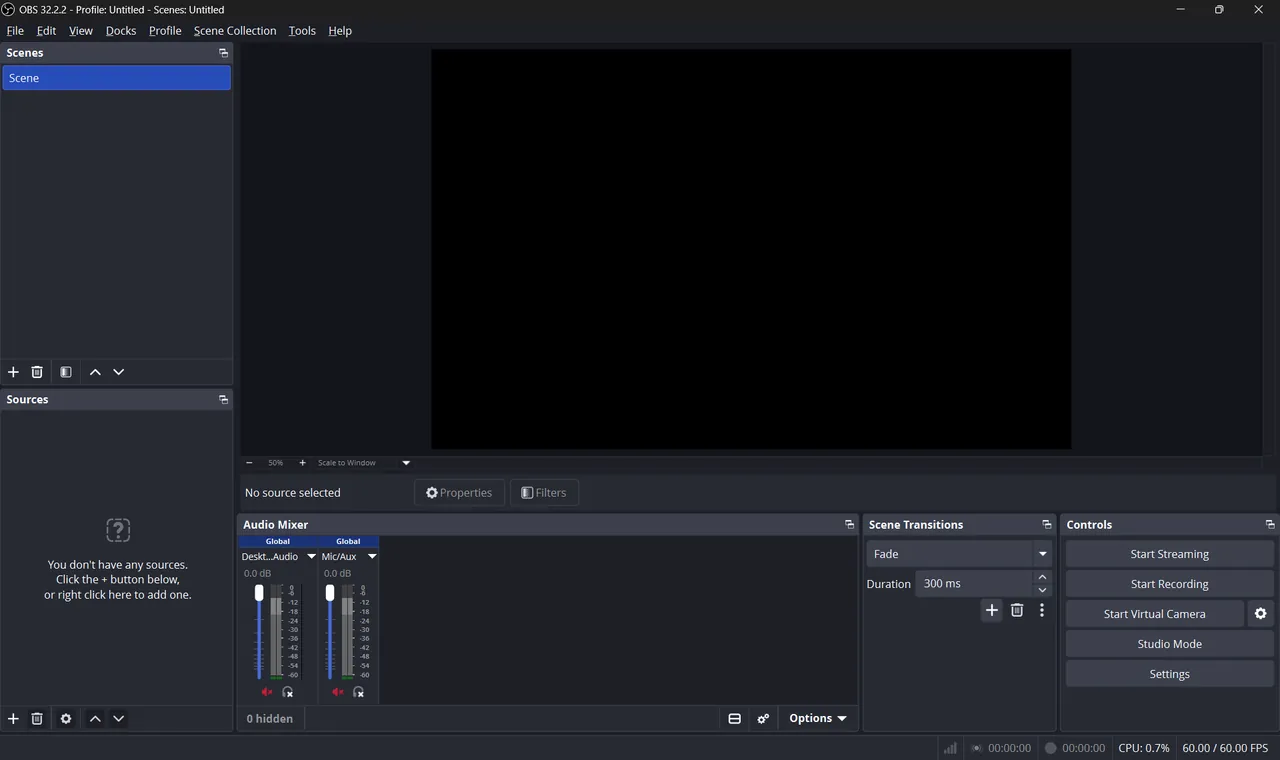
OBS Studio main window with scenes, sources and the audio mixer
OBS Studio main window with scenes, sources and the audio mixer · Screenshot: Kamal370, CC BY-SA 4.0, via Wikimedia Commons
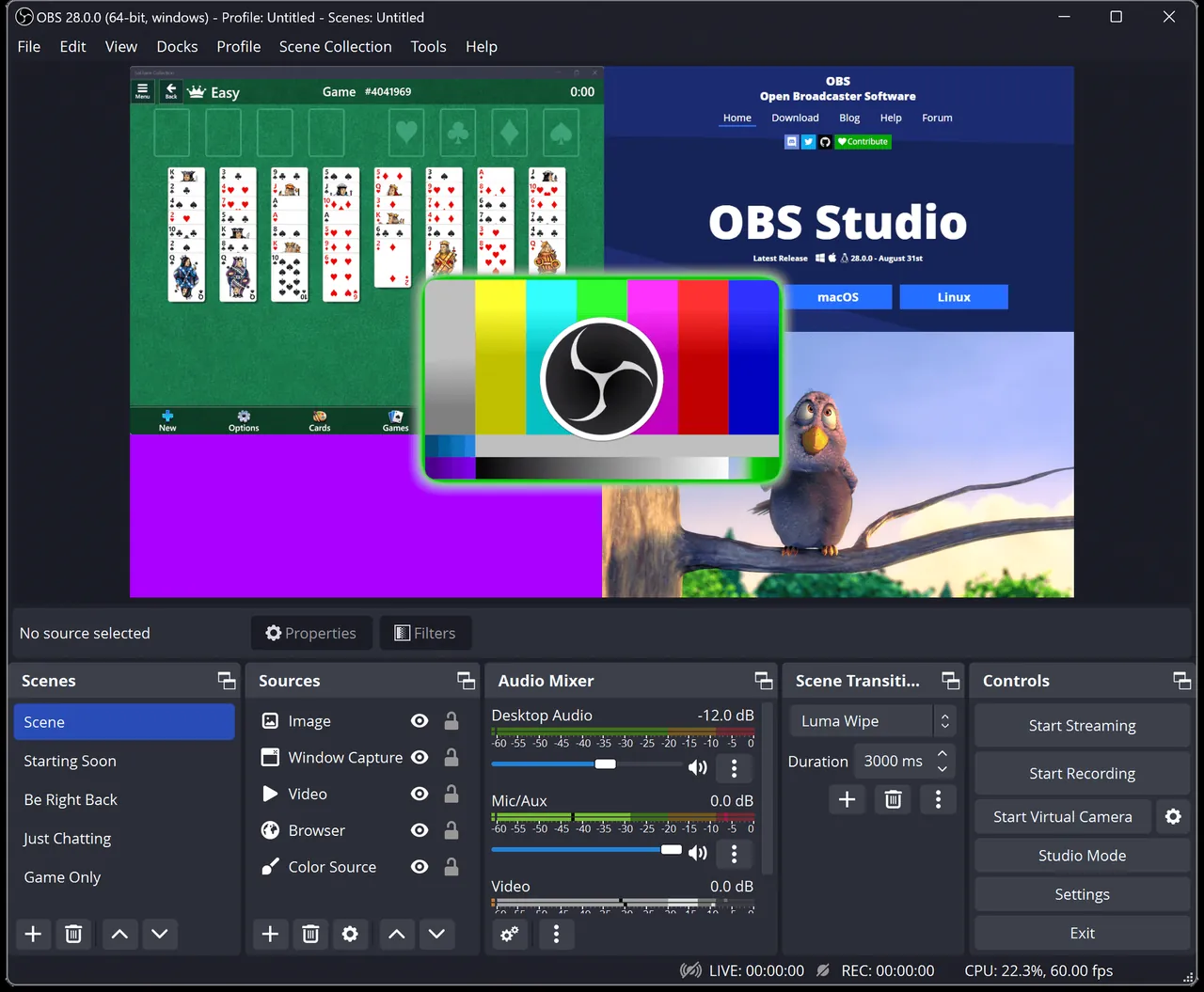
OBS Studio window view, screenshot from the Microsoft Store
OBS Studio window view, screenshot from the Microsoft Store · Screenshot: OBS Project, from the Microsoft Store
OBS Studio window view, screenshot from the Microsoft Store
OBS Studio window view, screenshot from the Microsoft Store · Screenshot: OBS Project, from the Microsoft Store

About OBS Studio

OBS Studio is built by the OBS Project and a large contributor community. Many streaming apps are built on its code, but the original is free and contains no ads.

You build scenes from sources such as a display, a window, a game, a webcam or an image, then switch between scenes while recording or streaming. The audio mixer lets you add filters like noise suppression to your microphone.

What it does well

  • Scenes and sources. Combine screens, windows, webcams, images and text in reusable scenes.
  • Hardware encoding. Uses NVIDIA, AMD or Intel encoders to record with little performance loss.
  • Audio mixer and filters. Noise suppression, gain and compressor for each audio source.
  • Streaming. Built-in setup for Twitch, YouTube and other services.
  • Virtual camera. Sends your OBS scene into Zoom, Teams or Meet as a webcam.

Who it is for

Good fit

Streamers, teachers and anyone recording tutorials or gameplay.

Look elsewhere

People who need a quick one-click screenshot tool or a built-in video editor.

Pros and cons

Pros

  • No watermark or time limit
  • Professional scene system
  • Hardware encoders
  • Large plugin ecosystem

Cons

  • Initial setup takes time
  • No editing tools

How to install OBS Studio

Download the Windows installer from obsproject.com. On first launch, the Auto-Configuration Wizard asks whether you want to record or stream and picks settings for your PC. Record to MKV and remux to MP4 afterwards; this protects your recording if the app crashes.

Questions about OBS Studio

Is OBS Studio free?

Yes. It is open source with no paid version.

Does OBS add a watermark?

No. Recordings are clean.

Why should I record to MKV in OBS?

If OBS or Windows crashes, an MKV file is still readable, while an unfinished MP4 can be lost. OBS can convert MKV to MP4 via File → Remux Recordings.

Download OBS Studio from obsproject.com ExeDepot does not host this file. The download starts from the developer's server, cdn-fastly.obsproject.com. Other versions are on the official download page.

Alternatives to OBS Studio

  • vMix Live Production Software

    Professional live production and streaming software for Windows with a 60-day free trial.

    StudioCoast · Free trial · vmix.com
  • Wirecast Live Streaming Software

    Live streaming and production software for Windows and Mac; the free trial watermarks every output.

    Telestream · Shareware · wirecast.io
  • Streamlabs Desktop Live Streaming App

    Streaming app built on OBS with built-in alerts, overlays and widgets; Ultra plan costs extra.

    Streamlabs · Open source · streamlabs.com
  • XSplit Broadcaster Streaming App

    Live streaming and recording studio with scenes; free up to 720p and 30 fps without a watermark.

    XSplit · Shareware · xsplit.com

Similar to OBS Studio All video apps

  • Elgato Stream Deck Macro Control Software

    Configures Elgato Stream Deck keys, dials and plugins to control apps, streams and smart devices.

    Elgato (Corsair) · Freeware · elgato.com
  • NDI Tools IP Video Toolkit

    Free NDI utilities that send, receive, monitor and route video over a local network.

    NDI · Freeware · ndi.video
  • Meld Studio Live Streaming Software

    Free streaming and recording studio with built-in multistreaming, multi-chat, widgets and GPU effects.

    Meld Studio, Inc. · Freeware · meldstudio.co
  • PRISM Live Studio Live Streaming Software

    Free, open-source streaming and recording app from NAVER, built on OBS Studio with multistreaming and effects.

    NAVER · Open source · prismlive.com