

Our verdict: Open Video Downloader puts a clean window on top of yt-dlp, so you can save videos and playlists without the command line. It is open source, has no ads and updates yt-dlp by itself. Remember that downloading can break the terms of service of YouTube and other sites, so use it for content you are allowed to keep.
About Open Video Downloader
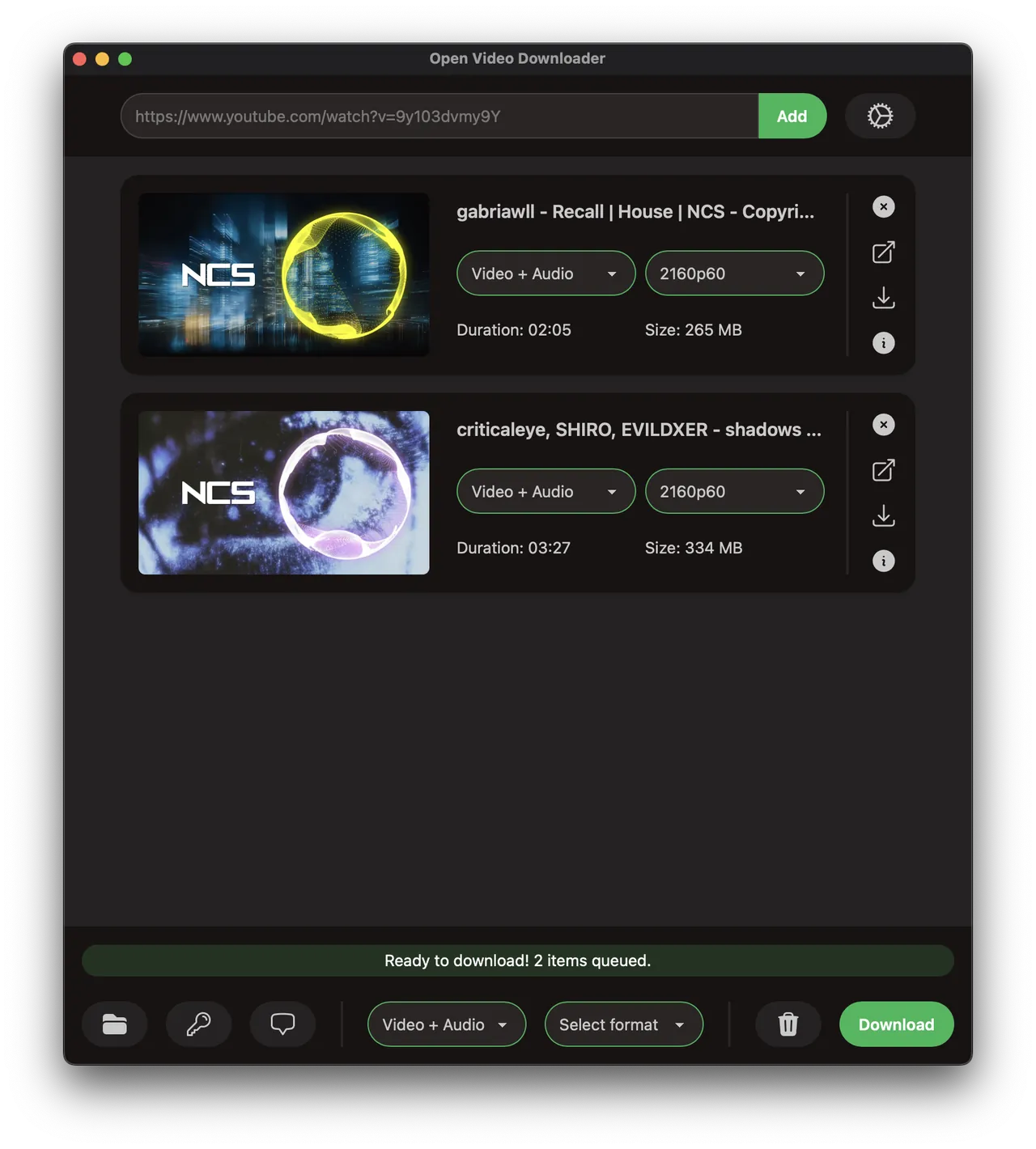
Open Video Downloader, formerly youtube-dl-gui, is a desktop app built with Tauri, Vue and Rust around the yt-dlp downloader. You paste a link to a video or playlist, pick quality, frame rate and format such as MP4 or MKV, and it downloads from hundreds of supported sites, not just YouTube.
It saves available subtitles and metadata, can extract audio only, and balances several downloads in a queue so the PC stays responsive. Cookie files, basic authentication and video passwords are supported for content you have access to. Both the app and yt-dlp update automatically in the GitHub build; the Microsoft Store version cannot update yt-dlp itself.
What it does well
- Hundreds of sites. Uses yt-dlp to download from YouTube and many other video sites.
- Audio or video. Saves full videos or extracts only the audio track.
- Playlists. Downloads entire playlists in one go.
- Subtitles and metadata. Saves available captions and video information next to the file.
- Automatic yt-dlp updates. Keeps the downloader current when sites change.
Who it is for
Good fit
People who want a simple, ad-free way to save videos and playlists they are allowed to download.
Look elsewhere
Anyone downloading content in ways that the site's terms or copyright law do not allow.
Pros and cons
Pros
- Open source with no ads
- Clean, simple interface
- Updates yt-dlp automatically
- Playlists, subtitles and audio-only downloads
Cons
- Downloading may break the terms of service of YouTube and other sites
- Depends on yt-dlp and can stop working when a site changes until it is updated
- Fewer advanced options than using yt-dlp directly
How to install Open Video Downloader
Download the x64 setup file from the latest GitHub release; the developer recommends it over the Microsoft Store build because it updates yt-dlp automatically. Set the download folder and default format on first launch. Check the terms of each site before downloading from it.
Questions about Open Video Downloader
Is Open Video Downloader free?
Yes. It is open source under the GNU AGPL v3 with no paid version or ads.
Is it legal to download videos with Open Video Downloader?
It depends on the site and the content. Many sites, including YouTube, forbid downloading in their terms unless they offer a download button, so only save content you have the right to keep.
Which file should I download for Windows?
Pick the file ending in x64-setup.exe from the latest GitHub release.


