

Our verdict: Tartube is less a one-off downloader and more a manager for a local archive of channels and playlists. It checks for new videos, downloads them with yt-dlp and keeps everything in folders. The interface is dense and takes time to learn, and downloading can break the terms of sites like YouTube.
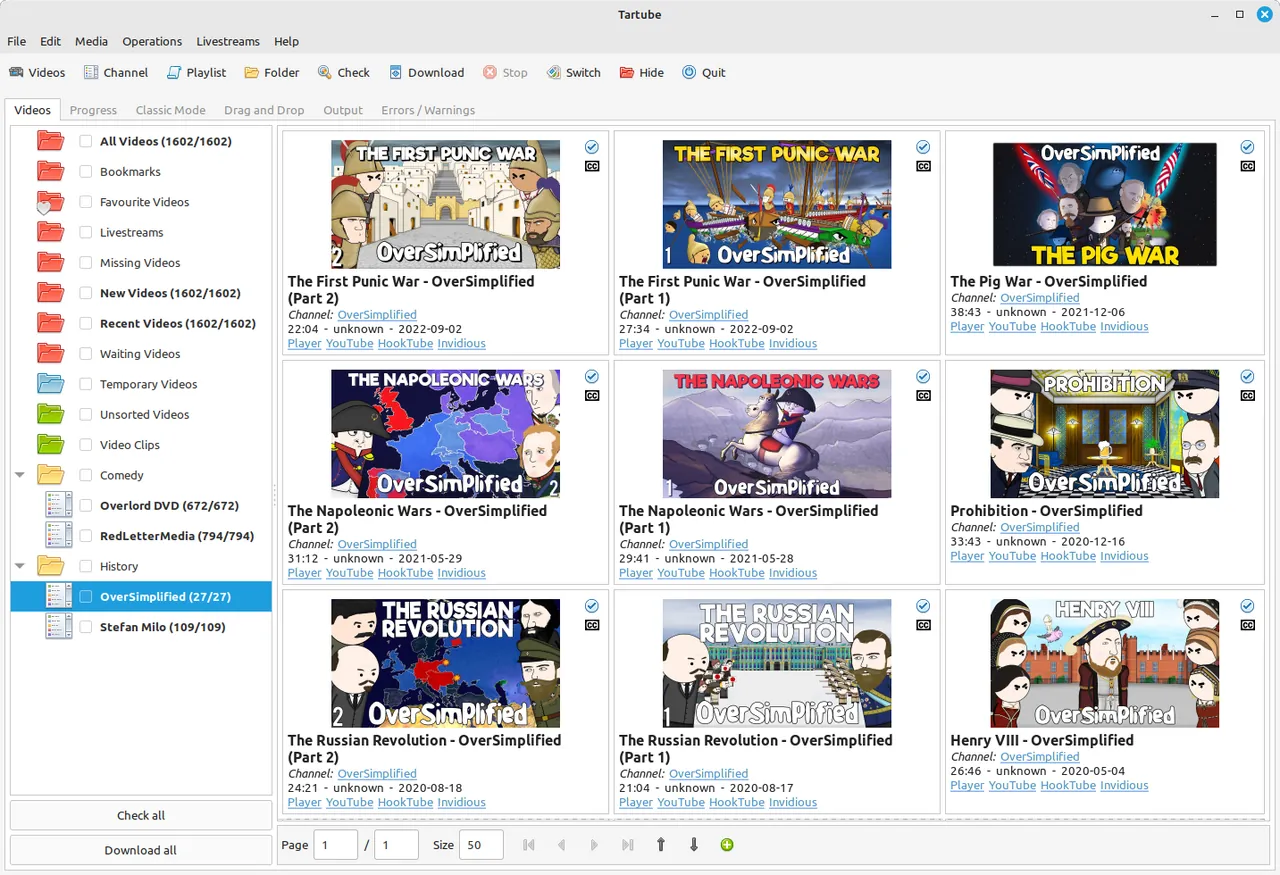
About Tartube
Tartube is a Python and GTK 3 front end for yt-dlp, youtube-dl and compatible downloaders. You add channels and playlists from YouTube, Twitch, Odysee and hundreds of other sites, and Tartube fetches their video lists, downloads new uploads and sorts them into folders on your disk.
It can download a temporary copy of a video and open it in your media player, save audio only, avoid duplicates when a creator posts on several sites, and alert you when livestreams start. The Windows installer includes dependencies such as AtomicParsley and Deno, which yt-dlp now needs for YouTube, and a second installer adds FFmpeg.
What it does well
- Channel and playlist tracking. Checks your channels and downloads only new videos.
- Folder organisation. Sorts downloads into folders by channel, playlist or your own groups.
- Livestream alerts. Notifies you when livestreams and premieres start on YouTube, Twitch and Odysee.
- Audio-only archive. Keeps just the audio of talk and discussion videos.
- Temporary watch copies. Downloads a video to watch now and deletes it later.
Who it is for
Good fit
People who keep offline archives of channels and want new uploads downloaded automatically.
Look elsewhere
Anyone who wants a single-window downloader for the odd video, or who would break a site's terms.
Pros and cons
Pros
- Open source and free
- Follows channels and downloads new videos automatically
- Organises a large local archive
- Livestream alerts
Cons
- Busy interface with a steep learning curve
- Downloading may break the terms of service of YouTube and other sites
- Depends on yt-dlp and Deno keeping up with site changes
How to install Tartube
Download the 64-bit installer from the official site or GitHub; choose the installer with FFmpeg if you do not have FFmpeg already. On first start, Tartube asks which downloader to use; yt-dlp is the usual choice. Windows 7, 8 and 32-bit Windows are no longer supported.
Questions about Tartube
Is Tartube free?
Yes. Tartube is free and open source under the GNU LGPL v2.1.
Is it legal to download videos with Tartube?
It depends on the site and the content. YouTube and many other sites forbid downloads in their terms unless they offer a download option, so only archive content you are allowed to keep.
Which Windows installer should I choose?
Use the 64-bit installer, or the 64-bit installer with FFmpeg if FFmpeg is not installed on your PC. A portable ZIP is also available.


