

Our verdict: PrusaSlicer is a precise, well-maintained slicer that works entirely offline. Simple mode suits beginners, and Expert mode exposes every setting. It is tuned first for Prusa printers, so other printers may need more profile setup.
About PrusaSlicer
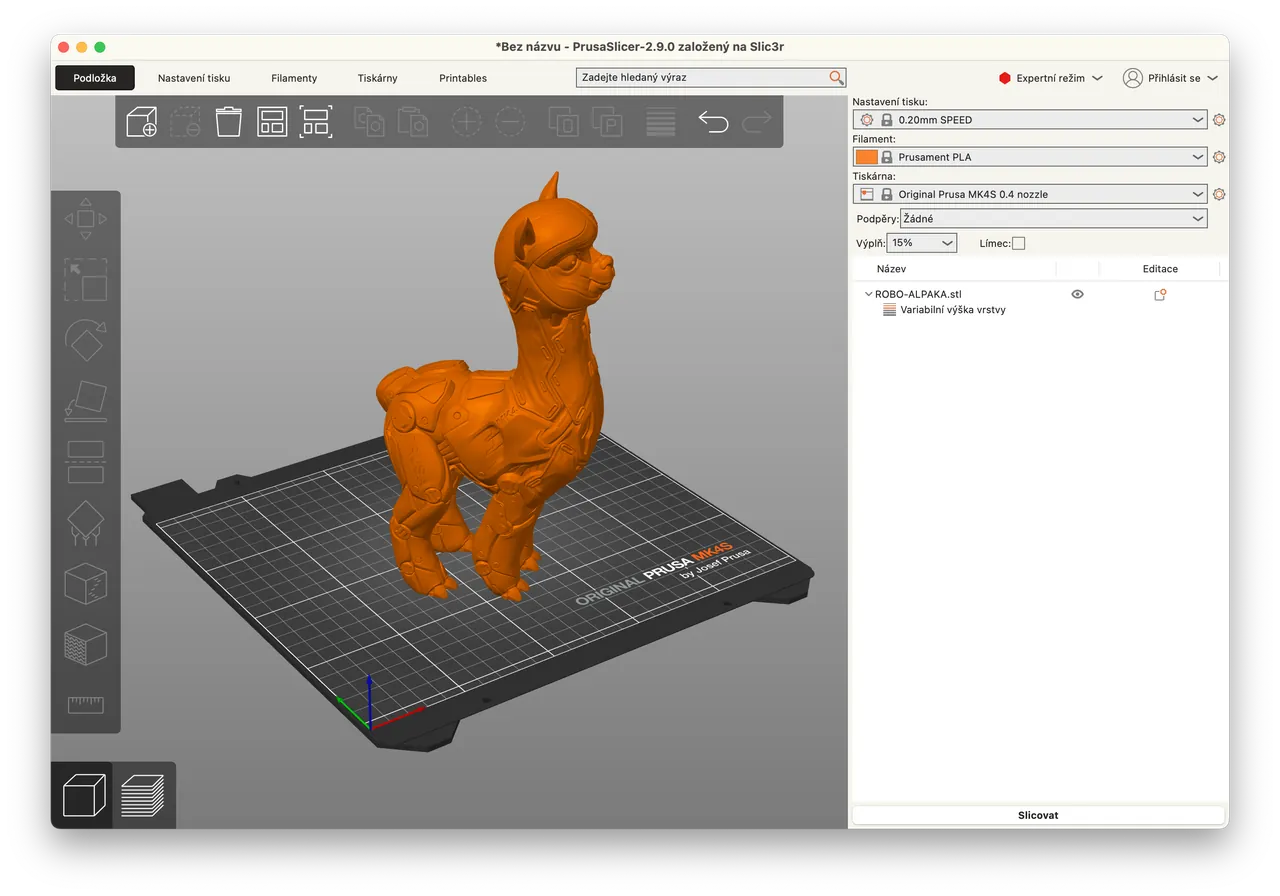
PrusaSlicer is developed by Prusa Research under the AGPLv3 and is based on the open-source Slic3r project. It needs no account, and all slicing happens on your computer, so models and G-code stay local unless you send them somewhere.
It offers Simple, Advanced and Expert modes in one application, tested profiles for every Prusa printer and filament with automatic profile updates, and a built-in Printables.com browser for finding models. Print files can be sent over the local network to Prusa printers, OctoPrint or Klipper.
What it does well
- Organic supports. Supports that touch the model only where needed and snap off easily.
- Multi-material painting. Paint color regions on the model for MMU and multi-extruder printers.
- Cut tool. Splits large models and adds alignment pins at the seam.
- Three modes. Simple, Advanced and Expert views for every skill level.
- Printer connections. Sends files to Prusa printers, OctoPrint and Klipper over the network.
Who it is for
Good fit
Owners of Prusa printers and makers who want a precise offline slicer.
Look elsewhere
Users who prefer a slicer built around another brand's printers and cloud.
Pros and cons
Pros
- Free and open source
- No account or cloud required
- Advanced supports and multi-material tools
- Regular updates with tested profiles
Cons
- Profiles and integration are focused on Prusa hardware
- Expert mode has a steep learning curve
How to install PrusaSlicer
Download the 64-bit installer for Windows 10 or later. The Configuration Wizard on first start lets you pick your printers and filaments; choose only those you own to keep the lists short. Avoid the PrusaSlicer 3 alpha builds for real work.
Questions about PrusaSlicer
Is PrusaSlicer free?
Yes. It is open source under the AGPLv3, free to use and needs no account.
Does PrusaSlicer work with non-Prusa printers?
Yes. You can set up other printers in the Configuration Wizard and send files to OctoPrint or Klipper.
Does PrusaSlicer upload my models?
No. All slicing happens locally on your computer.


