

Our verdict: Cura is one of the most widely used free slicers and works with UltiMaker and many third-party printers. Recommended mode gets a beginner printing quickly, and Custom mode exposes hundreds of settings. Its tightest integration, such as direct printing, is reserved for UltiMaker printers.
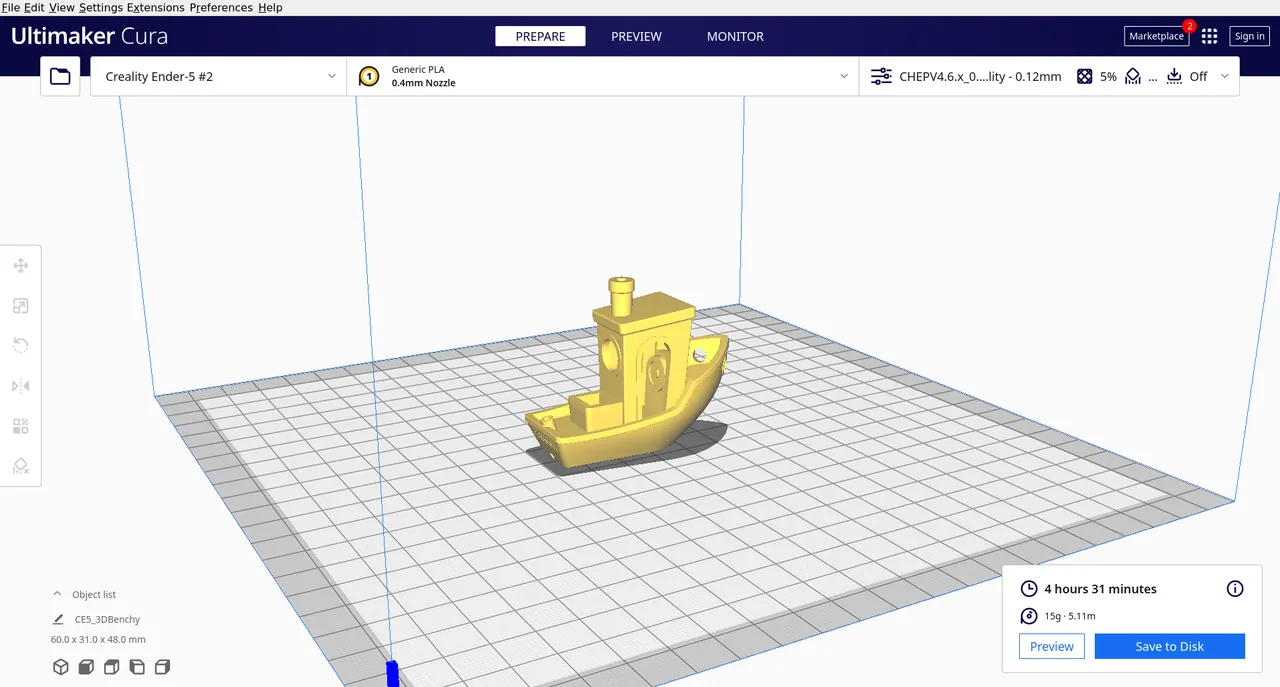
About UltiMaker Cura
UltiMaker Cura is developed by UltiMaker together with community contributors and released under the LGPLv3. It turns 3D models into printer instructions using an open-source slicing engine and includes tested profiles for UltiMaker printers.
Recommended mode asks only for quality and speed, while Custom mode gives access to more than 400 settings. The UltiMaker Marketplace offers material profiles from filament brands and plugins that extend the program. An Enterprise version with slower, more tested updates is available for businesses.
What it does well
- Recommended profiles. Profiles tested for thousands of hours for reliable first prints.
- Intent profiles. Print for a specific purpose, such as visual or engineering parts, with one click.
- Custom mode. More than 400 settings for detailed control over each print.
- Marketplace. Material profiles and plugins that extend Cura.
- Printer integration. Sends jobs directly to UltiMaker printers.
Who it is for
Good fit
3D printing beginners and owners of UltiMaker or other common FDM printers.
Look elsewhere
Owners of resin printers, and users who want the fastest, lightest slicer.
Pros and cons
Pros
- Free and open source
- Beginner-friendly recommended mode
- Hundreds of settings for advanced users
- Plugin and material marketplace
Cons
- Large installer compared with other slicers
- Direct printing and cloud features are reserved for UltiMaker printers
How to install UltiMaker Cura
Download the Windows installer (.exe); the MSI on the same page is meant for enterprise deployment. On first start, add your printer from the list or as a custom FFF printer. Signing in to an UltiMaker account is optional and only needed for cloud and marketplace features.
Questions about UltiMaker Cura
Is UltiMaker Cura free?
Yes. It is free and open source under the LGPLv3.
Does Cura work with non-UltiMaker printers?
Yes. You can add many third-party printers from the built-in list or set up a custom FFF printer.
Do I need an UltiMaker account to use Cura?
No. An account is optional and only needed for cloud printing and some marketplace features.


