

Our verdict: AFFiNE is a good free pick if you want Notion-style pages and a Miro-style whiteboard in one app, stored on your own PC. Local workspaces are unlimited, and a free cloud account adds sync and sharing. AFFiNE AI is a paid add-on, and the app is still evolving quickly, so expect changes between versions.
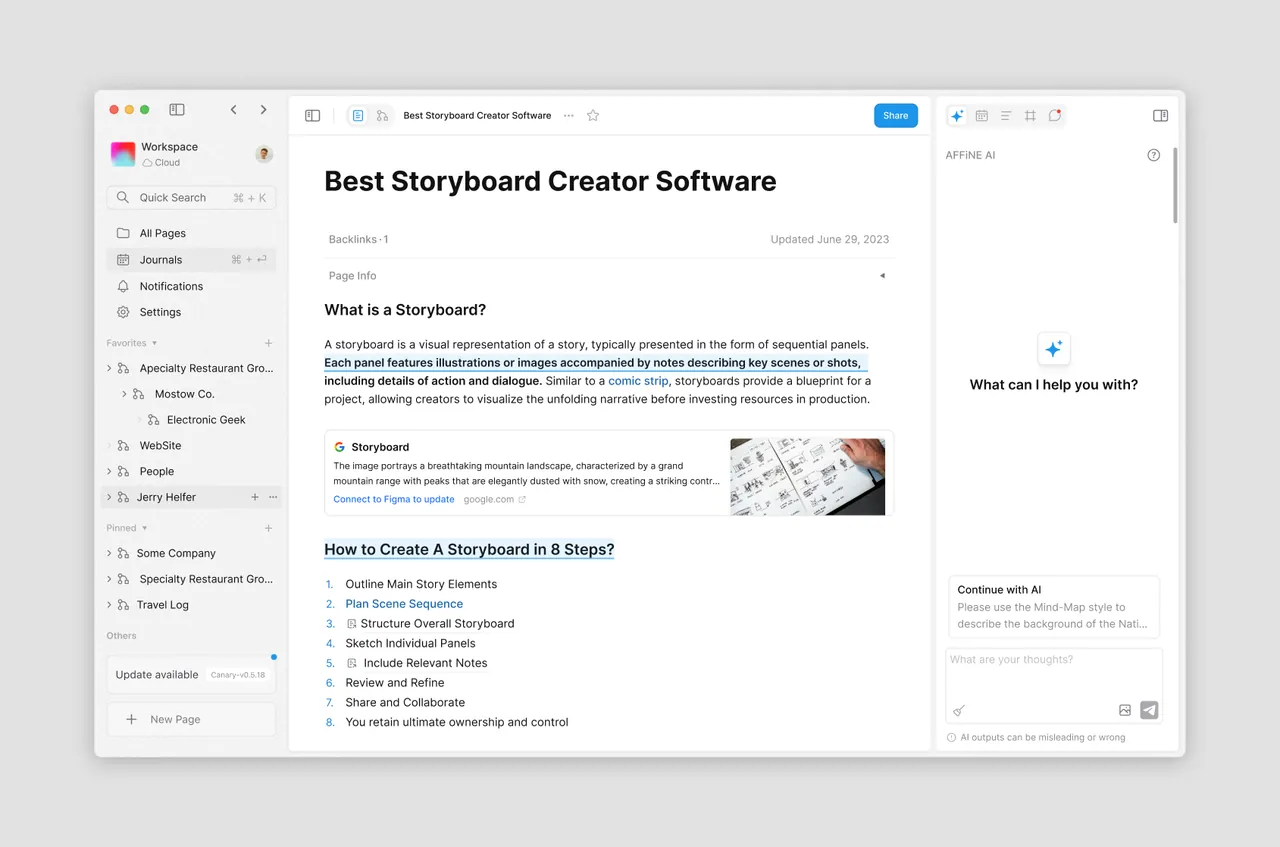
About AFFiNE
AFFiNE is developed by Toeverything. The editor and client apps are released under the MIT license, while the server code in the repository has its own source-available license. Every page can be viewed as a document or switched to Edgeless mode, an infinite canvas for sketches, sticky notes, shapes and mind maps.
Workspaces can stay local on your computer or be synced through AFFiNE Cloud for real-time collaboration, and you can host your own AFFiNE server instead. Personal use is free; the Team plan and the AFFiNE AI add-on, priced at $8.90 per month billed annually, are paid.
What it does well
- Docs and Edgeless mode. Switch any page between a structured document and an infinite whiteboard.
- Local-first workspaces. Keep unlimited workspaces on your PC without creating an account.
- Databases. Turn blocks into tables and kanban boards to track tasks and projects.
- Real-time collaboration. Invite others to a cloud workspace and edit together.
- Self-hosting. Run your own AFFiNE server for full control over synced data.
Who it is for
Good fit
People who plan with both text and visuals and want a free, local alternative to Notion and Miro.
Look elsewhere
Users who need a mature, stable tool with a long track record and rich third-party integrations.
Pros and cons
Pros
- Documents and whiteboard in one app
- Local workspaces without an account
- Open-source editor under MIT
- Optional self-hosting
Cons
- AI features are a paid add-on
- Rapid development means occasional breaking changes and bugs
- Fewer integrations than Notion
How to install AFFiNE
The direct link downloads the 64-bit Windows installer from the official GitHub release; an NSIS installer variant is listed on the download page too. You can start with a local workspace without signing in, and add a cloud account later if you want sync.
Questions about AFFiNE
Is AFFiNE free?
Yes for personal use. Local workspaces are unlimited, and a free cloud account adds sync. The Team plan and AFFiNE AI cost extra.
Can I use AFFiNE offline?
Yes. Local workspaces are stored on your computer and work without an internet connection.
Is AFFiNE open source?
The editor and apps are MIT-licensed. The server code in the same repository uses a separate source-available license.


